RT-7200 Auto Hematology Analyzer User’s Manual
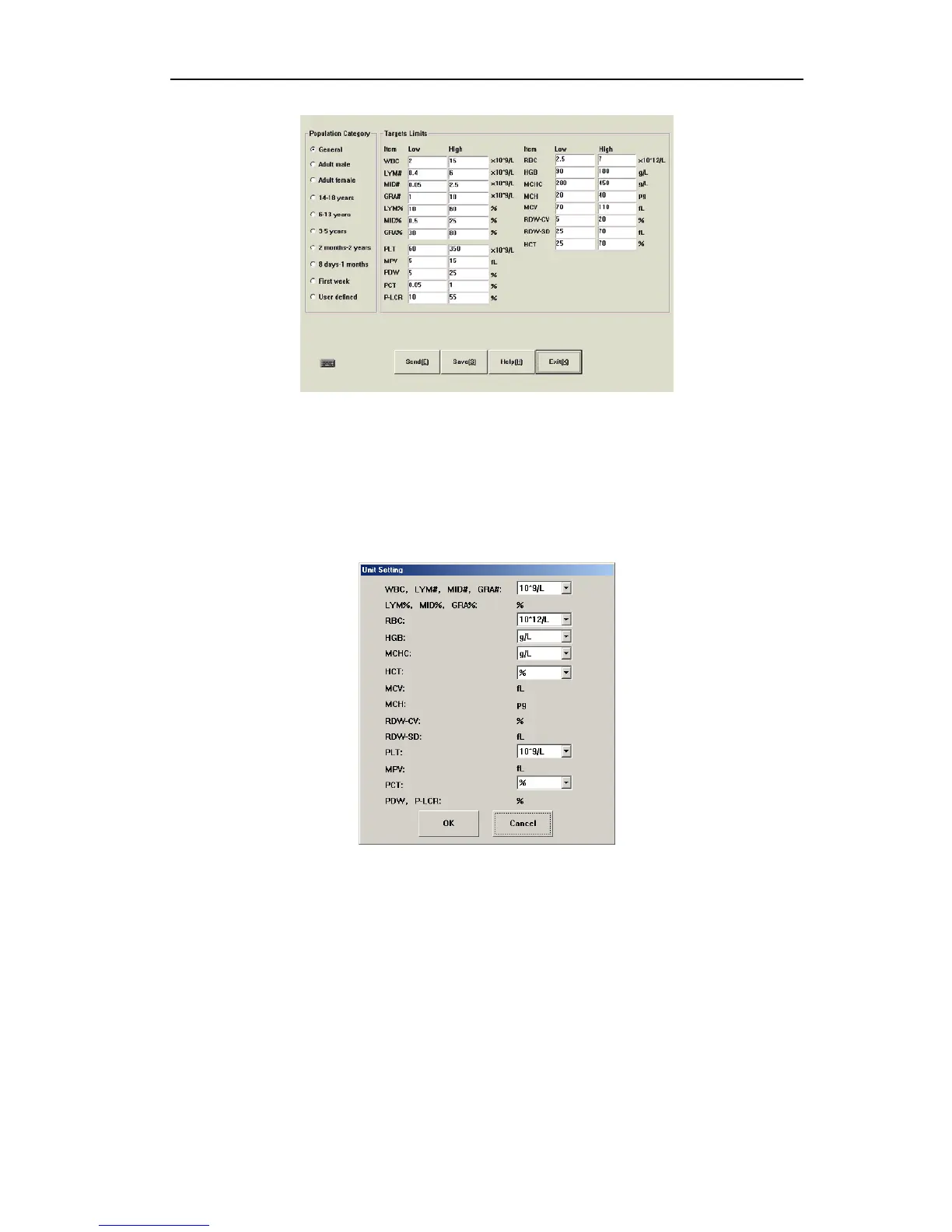
Fig.7-6 Panic limits
Reference range of each parameter has been set before delivery of instrument, to modify
parameter reference range, you can select blood type and population category, and fill in
parameter lower limit and upper limit blanks, click “Save” button.
7.2.4 Units
To change parameter unit, click “Units” button, open Units setting menu as follows:
Fig.7-7 Units setting
Totally units of 10 parameters can be set, WBC, LYM#, MID#, GRA# use the same unit.
Select appropriate unit, and click “OK” to save and exit, click “Cancel”, the Units will not be
changed.
7.2.5 Communication
Communication setting is used to set up each parameter value for serial port transfer
interface, to check or modify these settings, click “Communication” button, open
communication setting menu as follows:
39



 To Next Page