RT-7200 Auto Hematology Analyzer User’s Manual
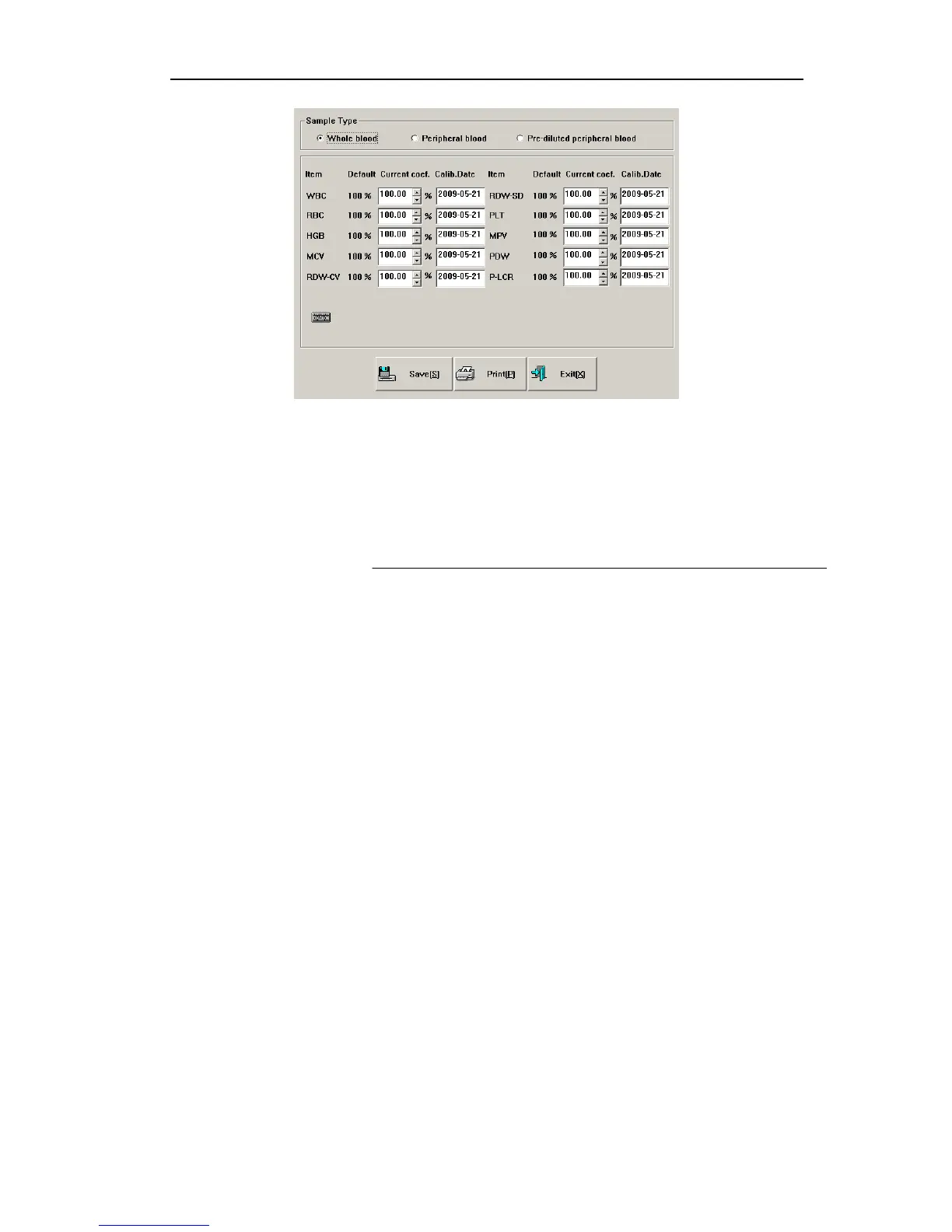
Fig.5-1 Manual calibration
Manual calibration procedure is as follows:
1. In Sample Test menu, use calibration sample to test several times (at least three).
2. Record the tested data.
3. Calculate new calibration coefficient
Calculate new calibration coefficient as per formula below:
valuestestofMean
valuereferencesamplencalibratiotcoefficienncalibratiocurrent
tcoefficienncalibratioew
___
_____
__n
=
4. In Manual Calibration screen, select sample type, input new calibration coefficient in
calibration input box, input calibration time in calibration time box. If running
auto-calibration, the parameter calibration time will be automatically updated to the time
of automatic calibration.
5. Click “Save” button to save current calibration result. Click “Exit” button, the system will
not save result, and directly return to main screen.
5.3 Auto-calibration
When automatic calibration is selected, after testing calibration sample, the instrument can
automatically calculate new calibration coefficient. Auto-calibration procedure is as follows:
1. Set up calibration sample, select parameters to calibrate;
2. Test calibration sample;
3. Determine calibration coefficient.
Auto-calibration screen is as follows:
30



 To Next Page