XC3000Series Motion Control System of Laser Cutting - User Manual
V1.0 Raytools AG © Copyright 15 |87
www.raytools.ch
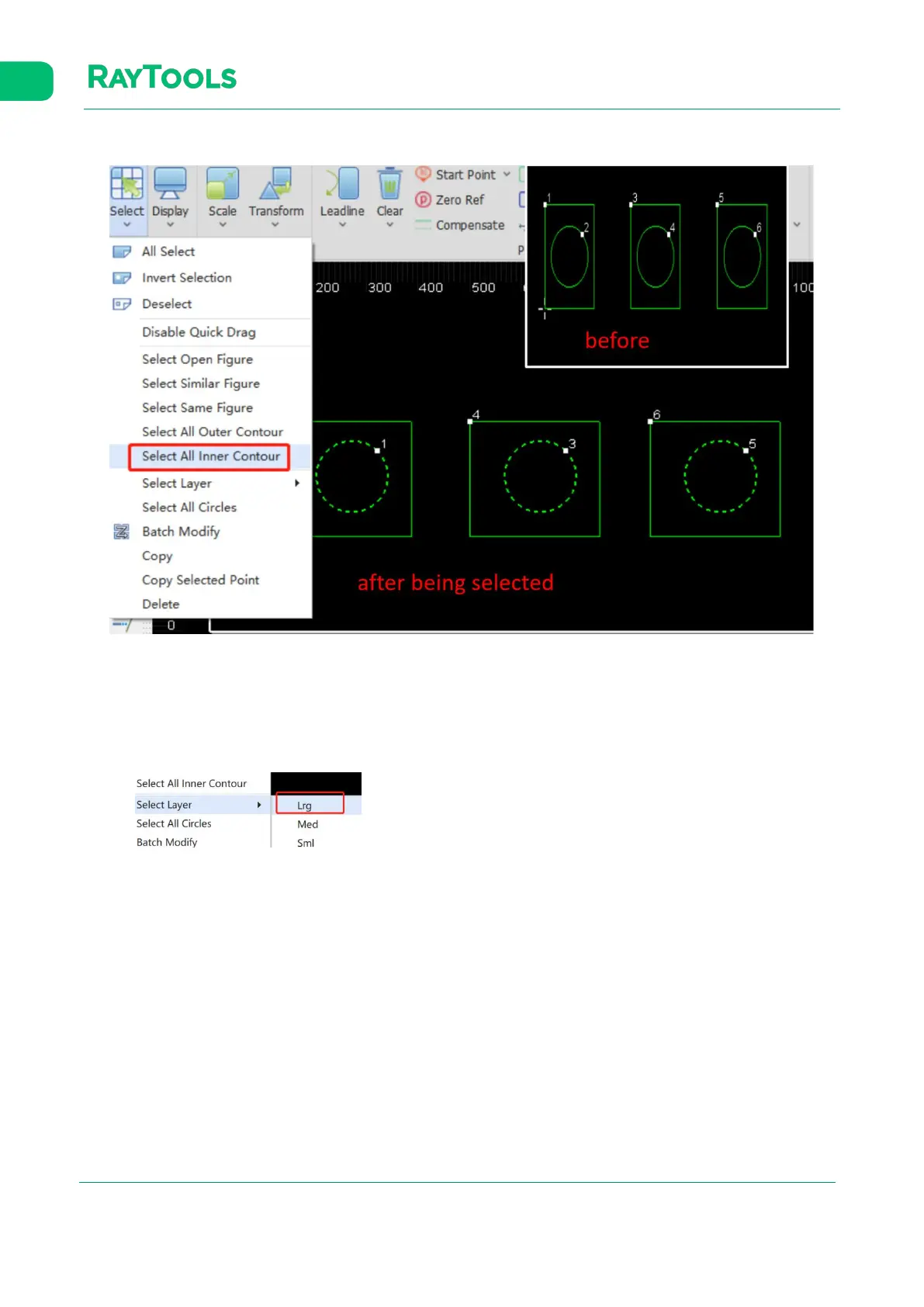
(9) Select All Inner Contour: select all inner contours in the current drawing, as follows:
Click on Select All Inner Contour and all inner contours in the current drawing are selected, as shown below:
Tip (of the inner and outer contour): the contours are distinguished by their positional relationship. The outermost is the
outer contour; the next is the inner contour; then, the outer one, and so on. Open graphics have no contour.
(10) Select Layer: select all layers in the current drawing, as follows:
Click on
Select other layers by other options
and all outer large contours in the current drawing are selected.
.
(11) Select All Circles: select all circles in the current drawing, as follows:
Click on Select All Circles and all circles in the current drawing are selected.
(12) Copy: copy the graphic, as follows:
Select the graphic needs to be copied in current drawing. Click on Copy. Drag the graphic copied to the proper position
and click on it.
(13) Delete: delete the graphic, as follows:
Select the graphic needs to be deleted in current drawing. Click on Delete and the graphic selected will be deleted.



 To Next Page