XC3000Series Motion Control System of Laser Cutting - User Manual
V1.0 Raytools AG © Copyright 1 |87
www.raytools.ch
1 Quick Start
1.1 Start Using
1.1.1 Open the Software
Once the software has been installed, the icon will appear on the desktop, as shown on the right.
Double-click left mouse button on it to run CNC System: 2DCutAhead 2.0.
1.1.2 User interface
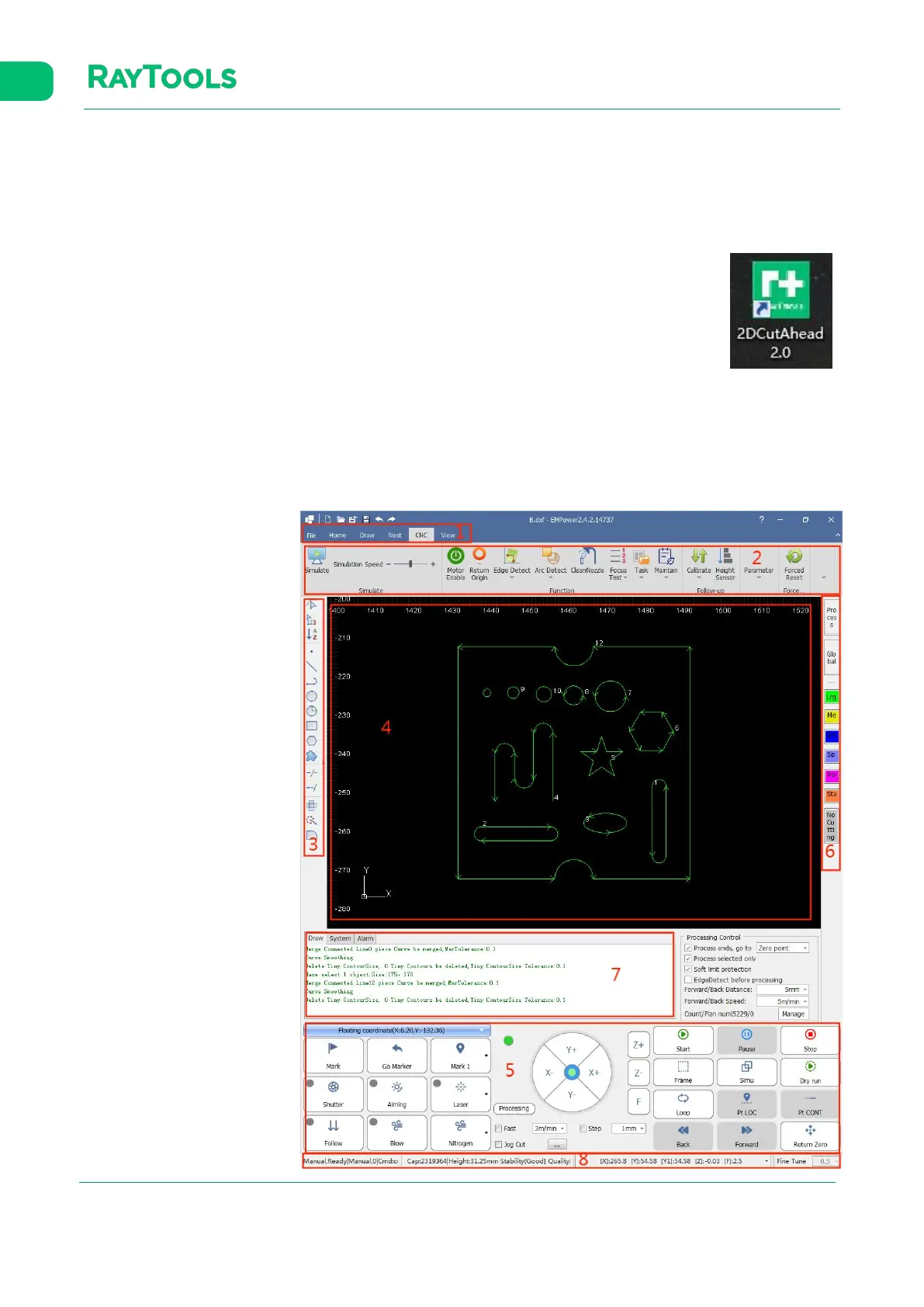
The mainform is one of the most common used user interfaces. There are many operating areas,
as shown below:
1: Menu
2: Toolbar
3: Quick Drawing Toolbar
4: Drawing Area
5: Control Panel
6: Process Toolbar
7: Log
8: Status Bar



 To Next Page