XC3000Series Motion Control System of Laser Cutting - User Manual
V1.0 Raytools AG © Copyright 79 |87
www.raytools.ch
5.10 Capacitive Sensor
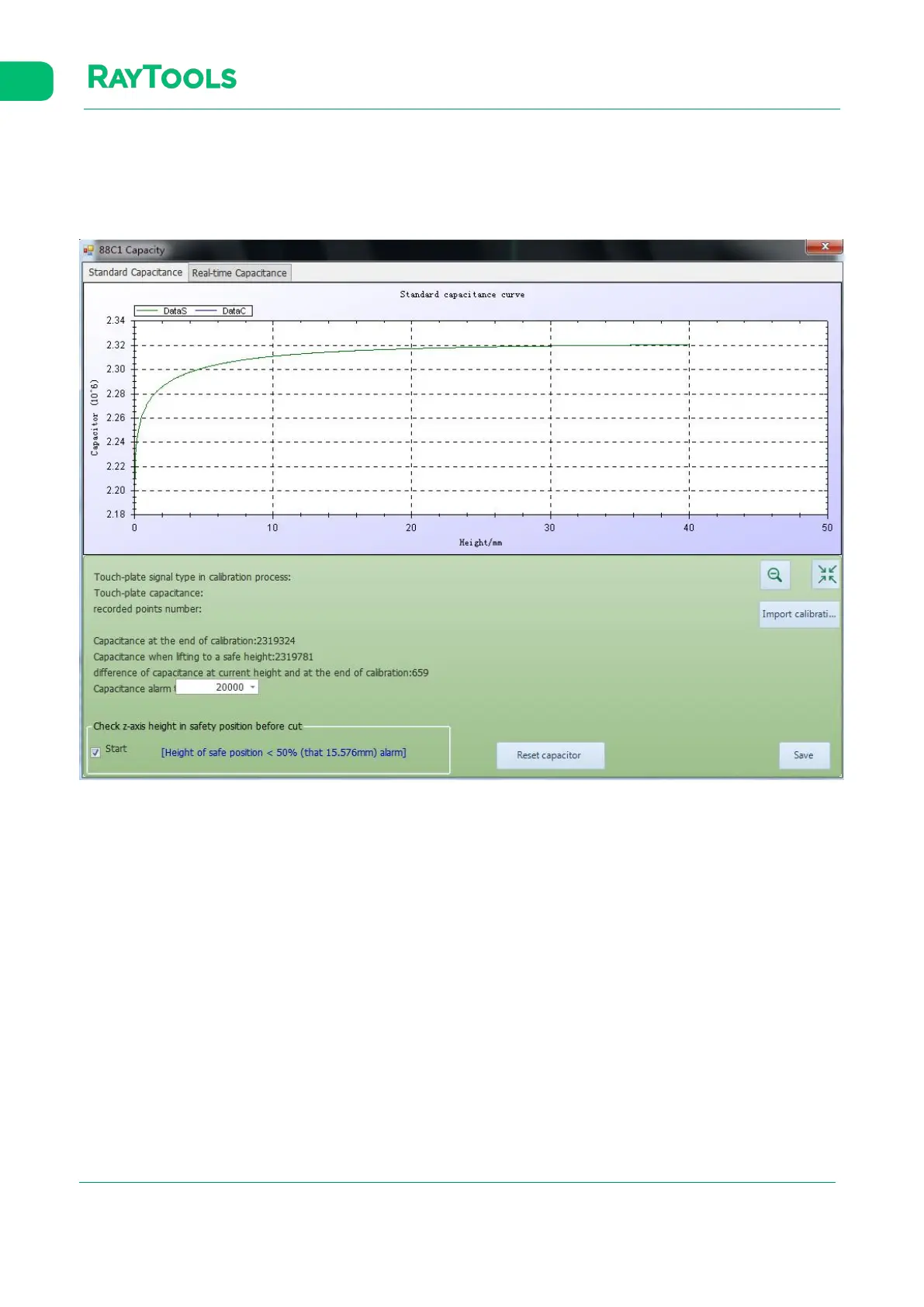
Click on the drop-down button of Calibrate in the CNC sub-page, and select Capacitive Sensor in Data Curve. The
corresponding interface will pop up:
There displays information like capacitance curve and current capacitance. Click on Export calibration data to export the
current data. Click on Reset capacitor to reset the current capacitance, and it’s needed to calibrate again.
Click on the drop-down button of Calibrate in the CNC sub-page, and then the drop-down bar will pop up. At where there
is the plate below the cutting head, click on Quick Calibrate button in the bar to calibrate the cutting head.



 To Next Page