XC3000Series Motion Control System of Laser Cutting - User Manual
V1.0 Raytools AG © Copyright 84 |87
www.raytools.ch
5.14 Setting
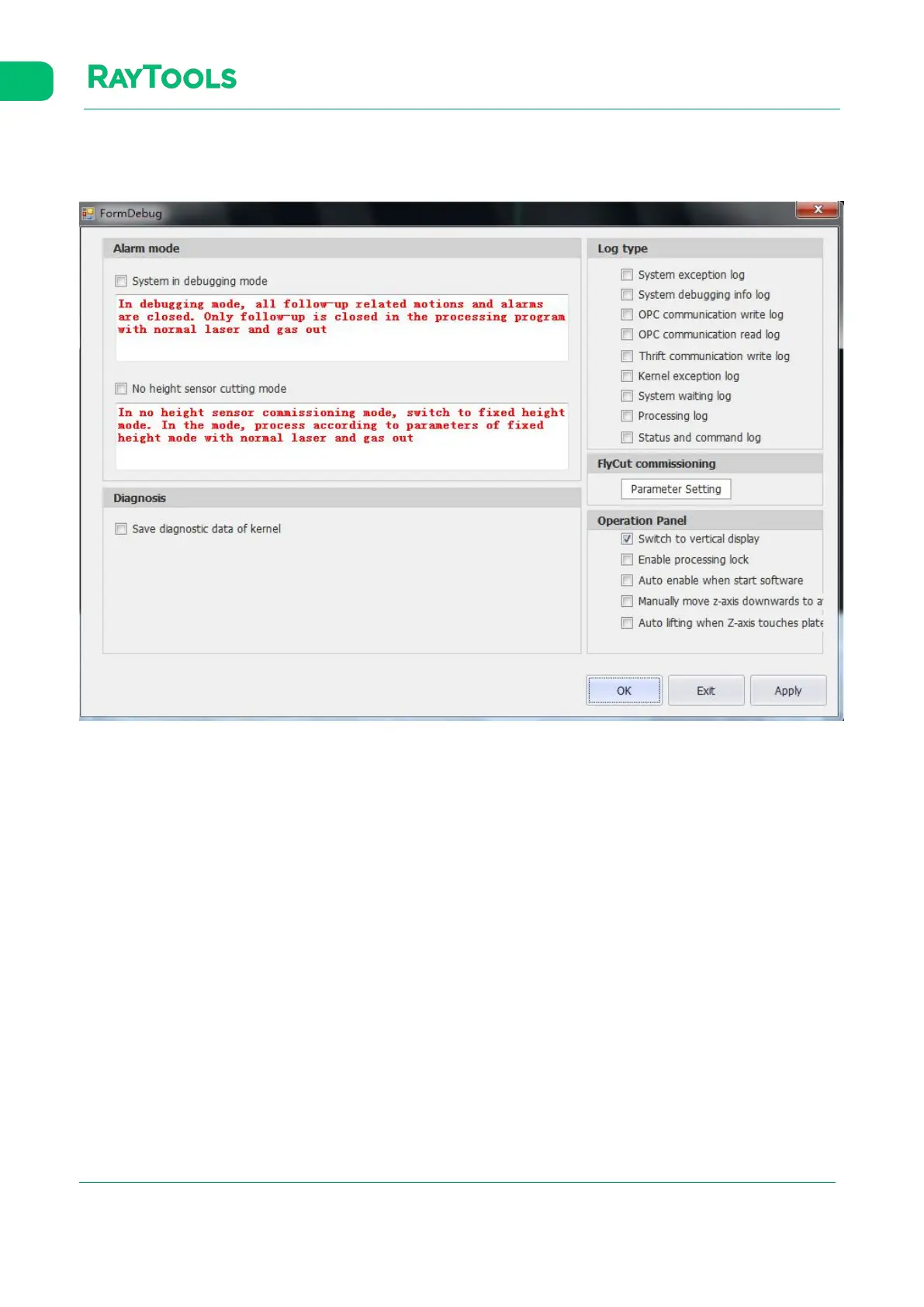
Click on Setting button in the CNC sub-page and its interface will pop up, as shown below:
· Alarm mode: select or deselect according to the users’ needs while debugging. The default is to deselect.
· Log type: types of the log can be selected according to the users’ needs and viewed in the log area.
· Fly Cut commissioning: click on Parameter Setting to turn on the EDS2000 hardware for fly cutting. It’s also able to set
the fine and coarse tuning of the pulse.
· Control panel:
Switch to vertical display: select to place the control panel at the bottom of the mainform. It is suitable for vertical
display. The setting takes effect after re-open the software.
Enable processing lock: select to lock the control panel and make it ineffective.
Auto enable when start software: select to make the software auto-enable once opened. The software will not
auto-enable if deselect the function.
Manually move z-axis downwards to avoid touch plate: turn on the touch-plate detection when Z axis moving.
Auto lifting when Z-axis touches plate: turn on the function of Z-axis lifting when touching plate.



 To Next Page