XC3000Series Motion Control System of Laser Cutting - User Manual
V1.0 Raytools AG © Copyright 16 |87
www.raytools.ch
2.1.2 Display
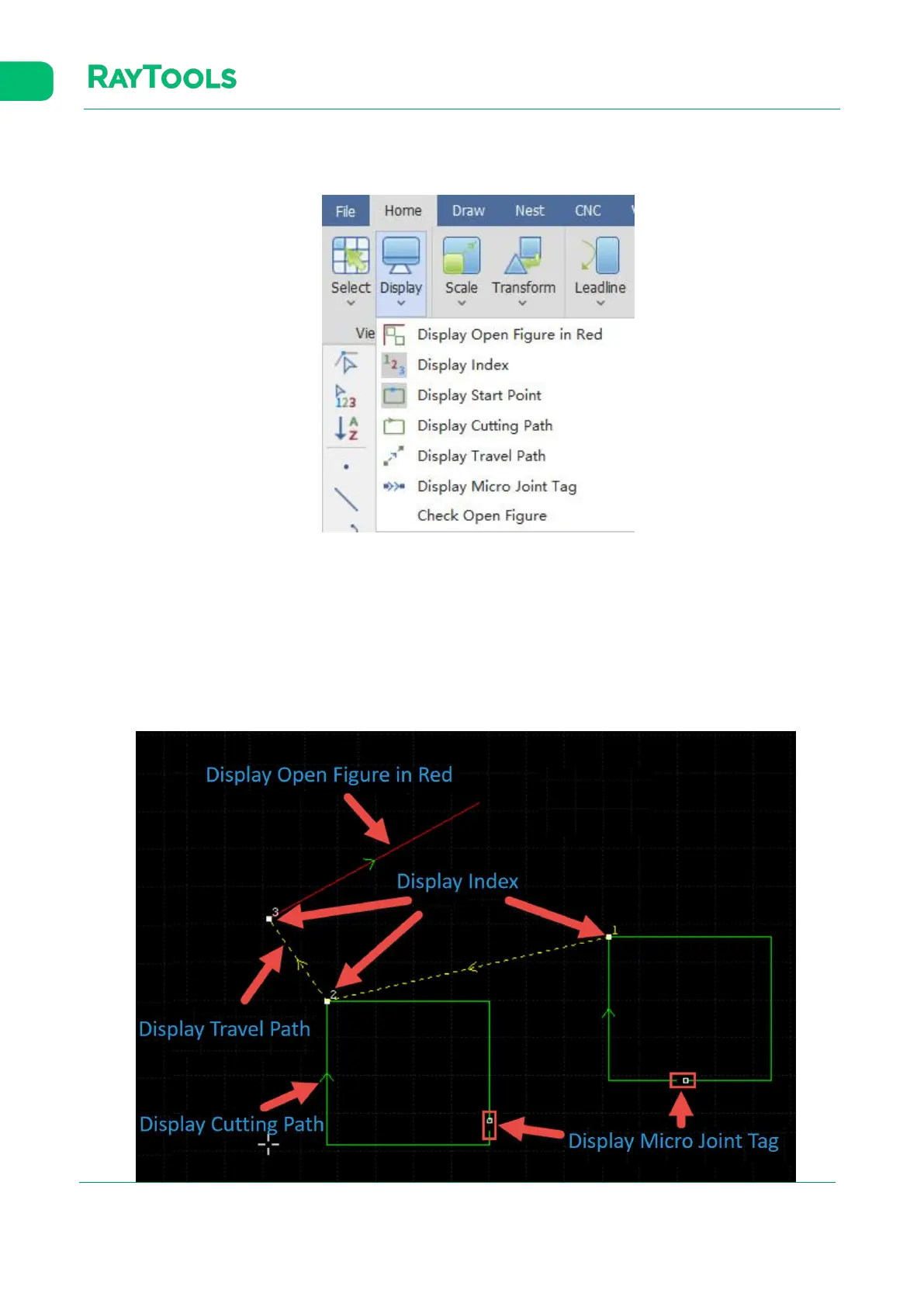
Click on Display button in the Home sub-page, and the drop-down bar will pop up, as shown below:
(1) Display Open Figure in Red: change the current open graphics into red.
(2) Display Index: display the sequence of graphics in current drawing.
(3) Display Start Point: display the start point of graphics in current drawing.
(4) Display Cutting Path: display the cutting path of graphics in current drawing by their contours.
(5) Display Travel Path: display the travel path between the end of one graphic and the start of next graphic.
(6) Display Micro Joint Tag: display clear marks of the micro joint used in the graphic in current drawing. Once the
display functions have been completely turned on, it shows as below:



 To Next Page