XC3000Series Motion Control System of Laser Cutting - User Manual
V1.0 Raytools AG © Copyright 26 |87
www.raytools.ch
2.1.13 Ring Cut
Add Ring Cut or cooling point to the graphic.
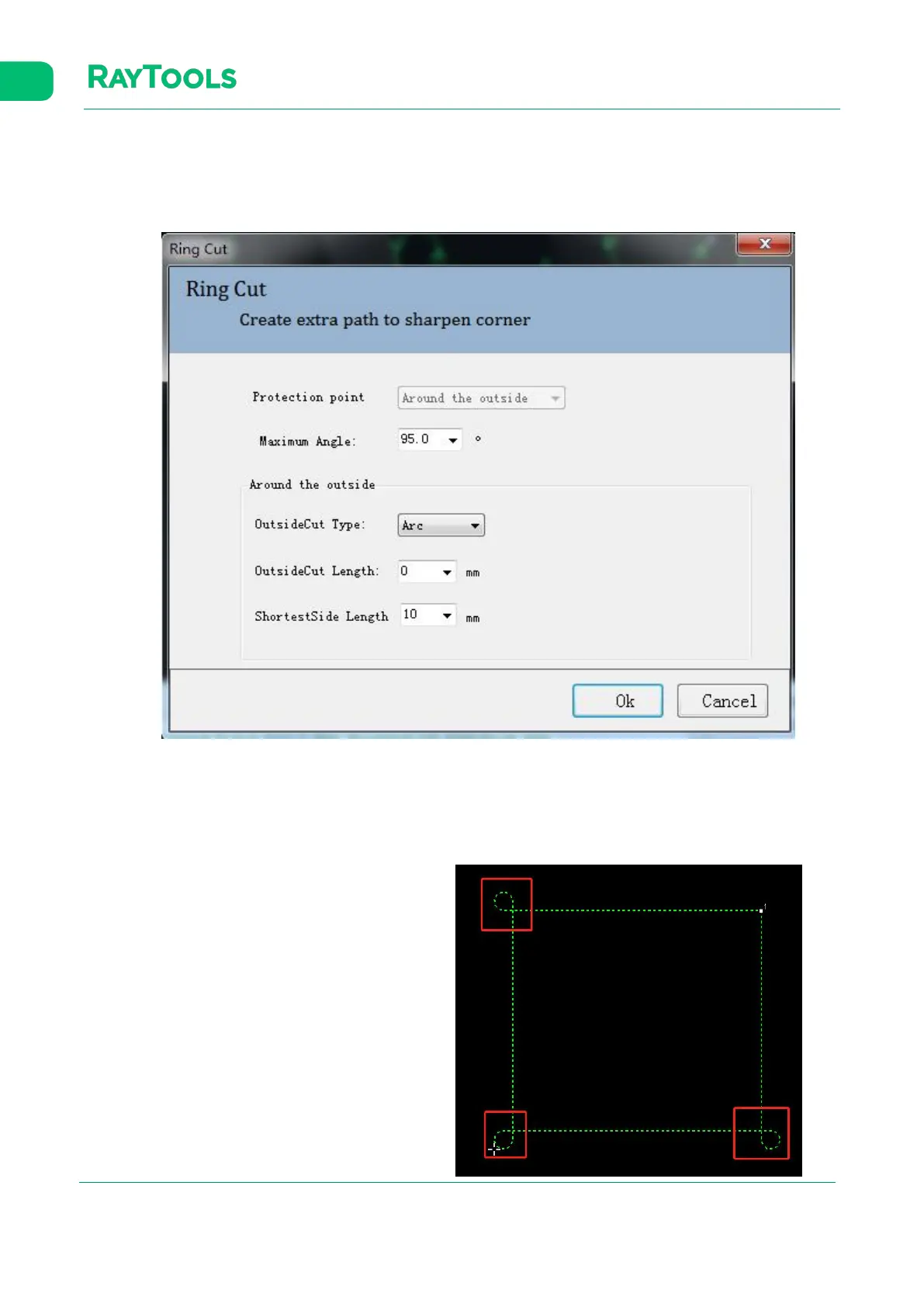
Select the graphic to be ring cut and click on Ring Cut in Home sub-page. Set the parameter for ring cut and click on OK to
complete, as shown below:
Protection Point: select the type of ring cut., with the option of around the outside.
Maximum Angle: corner bigger than this angle will not use the outside cutting.
OutsideCut Type: select the arc or triangle as the contour of outside cutting.
OutsideCut Length: set the perimeter of the contour of outside cutting.
ShortestSide Length: set the shortest edge length.
The graphic added with ring cut is shown on the left.



 To Next Page