XC3000Series Motion Control System of Laser Cutting - User Manual
V1.0 Raytools AG © Copyright 45 |87
www.raytools.ch
2.3.1 Part
Before nesting, turn the graphics into parts for cutting. A part consists of its inner and outer contours, and the outer
contour is not a must. Add parts by selecting the graphics and right-clicking to add them to the parts list or by
right-clicking in the left sidebar to import parts.
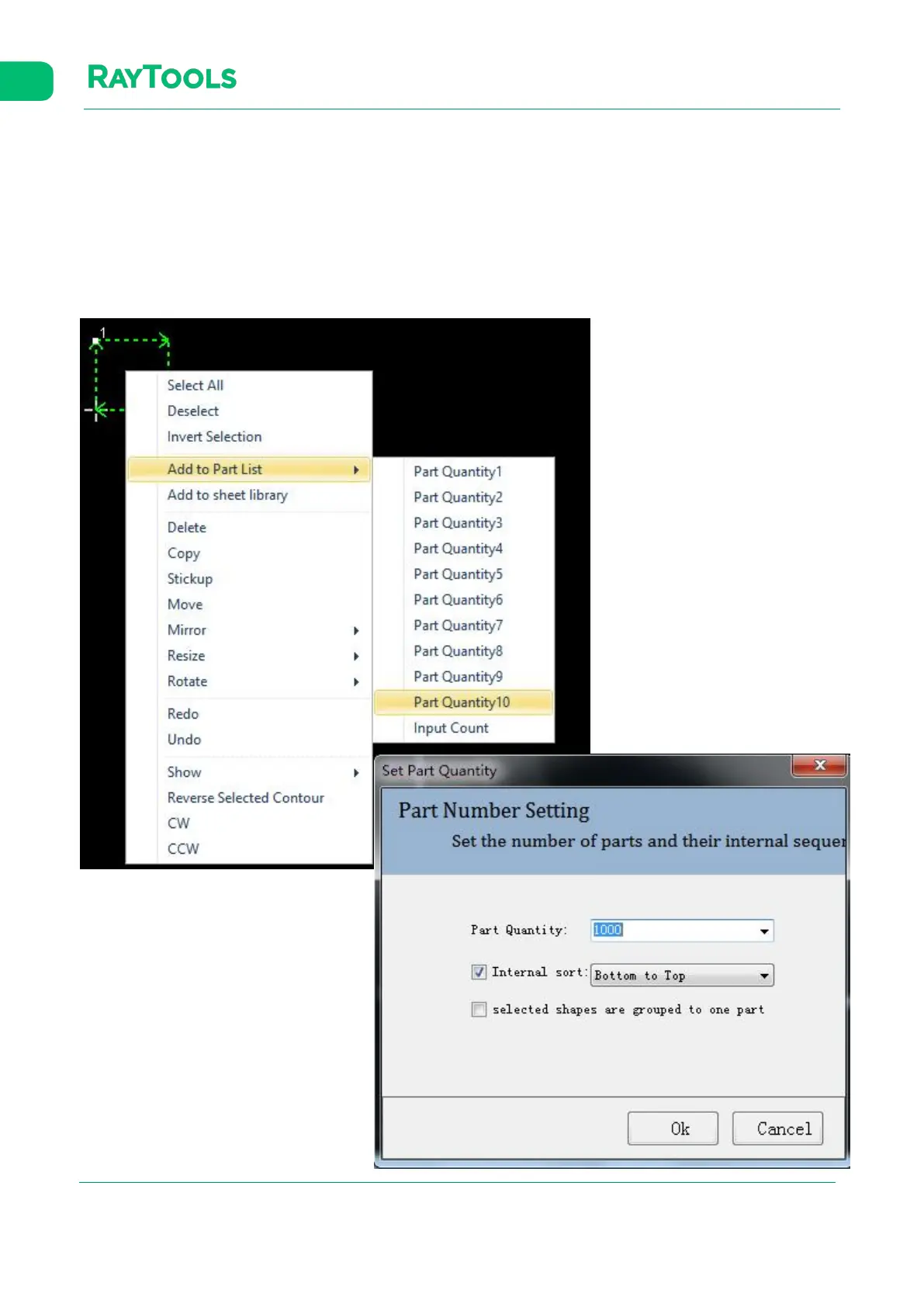
Set the selected graphic as a part: right-click in the drawing area and select Add to Part List, Input Count. In the pop-up
interface, set the part quantity and its internal sorting method. If select to group selected shapes into one part, all the
selected graphics will be a part.



 To Next Page