XC3000Series Motion Control System of Laser Cutting - User Manual
V1.0 Raytools AG © Copyright 61 |87
www.raytools.ch
3.14 Material Configuration
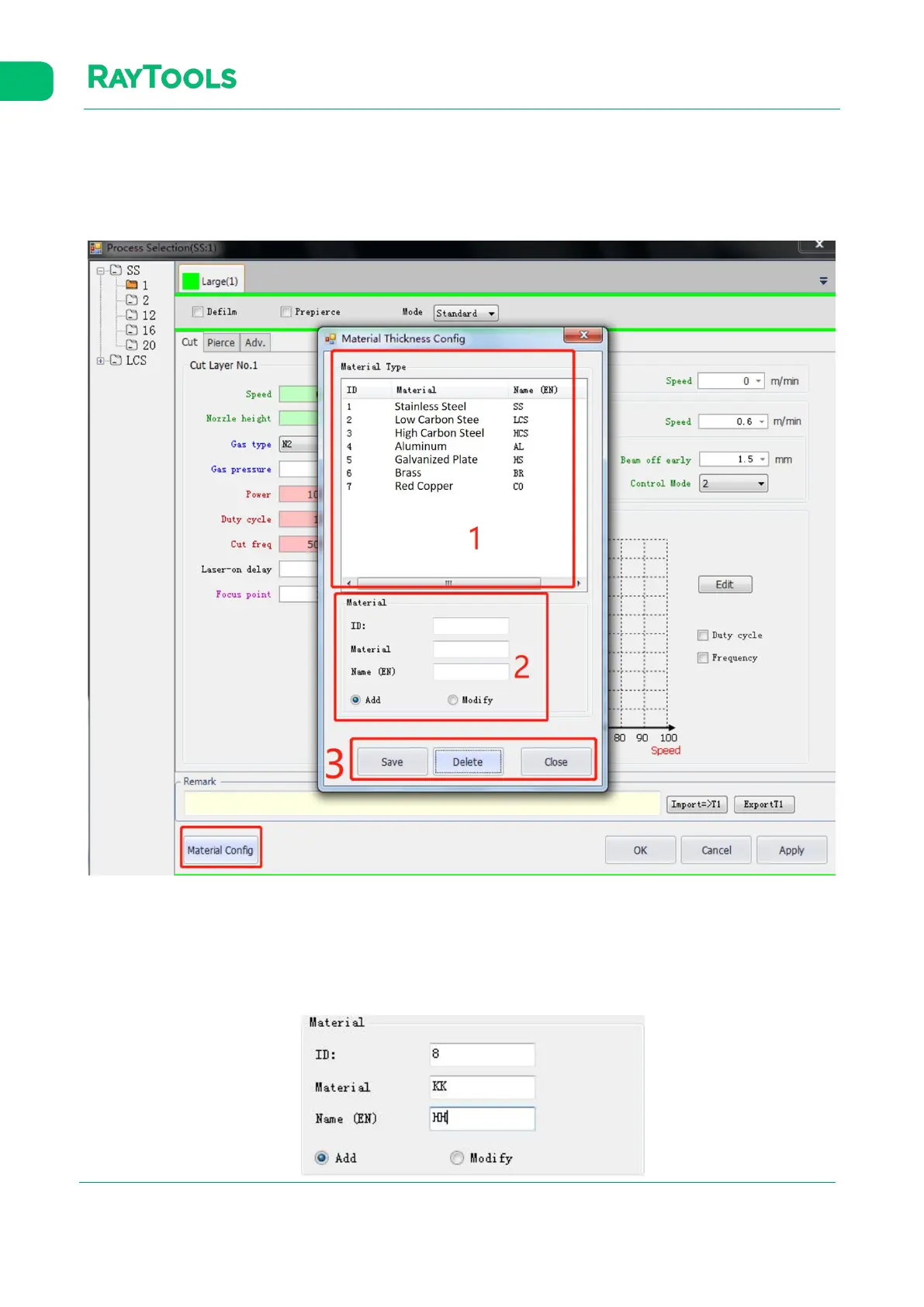
Click on Material Config button in the process interface.
The interface of material configuration will pop up as shown below:
(1) There is a list of current materials. Users can add new materials.
(2) Add or modify the material.
(3) There are buttons of Save, Delete, and Close the interface.
The following is an example of adding a new type of material: a. Input the ID, Material, and its Name (EN as abbreviation).
Then select Add button. Note that the ID and name of Material must not be the same as the existing materials, as



 To Next Page