XC3000Series Motion Control System of Laser Cutting - User Manual
V1.0 Raytools AG © Copyright 63 |87
www.raytools.ch
4 Control Panel
The processing control module mainly introduced in this chapter locates on the right of the drawing area. Functions are
selectable in the control panel, such as the coordinate system, manual and auto control, etc.
4.1 Coordinate System
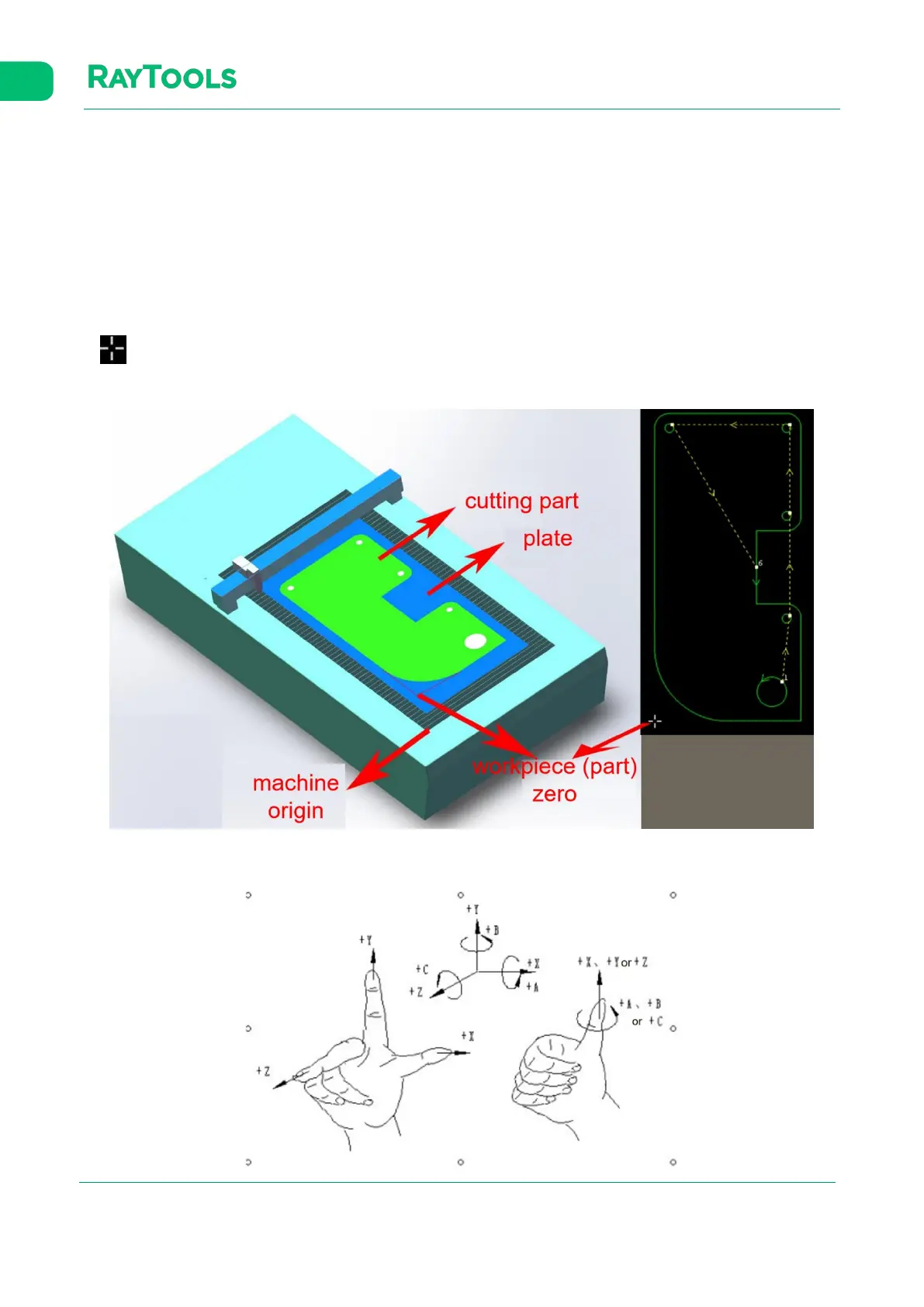
All the motions in processing are the cutting head relative to the workpiece. The workpiece zero, as part zero, is marked
as in the drawing area. The correspondence between the machine coordinate systems and the workpiece
coordinate system is shown below:
Click on Preview button in the control panel to display the positional relationship between the machine and graphic.



 To Next Page