XC3000Series Motion Control System of Laser Cutting - User Manual
V1.0 Raytools AG © Copyright 34 |87
www.raytools.ch
2.1.21 Array
Quickly copy the graphics. There are two kinds of an array: rectangular and circular.
(1) Rectangular
Select the graphic to be copied in an array and click on Array button in the Home sub-page.
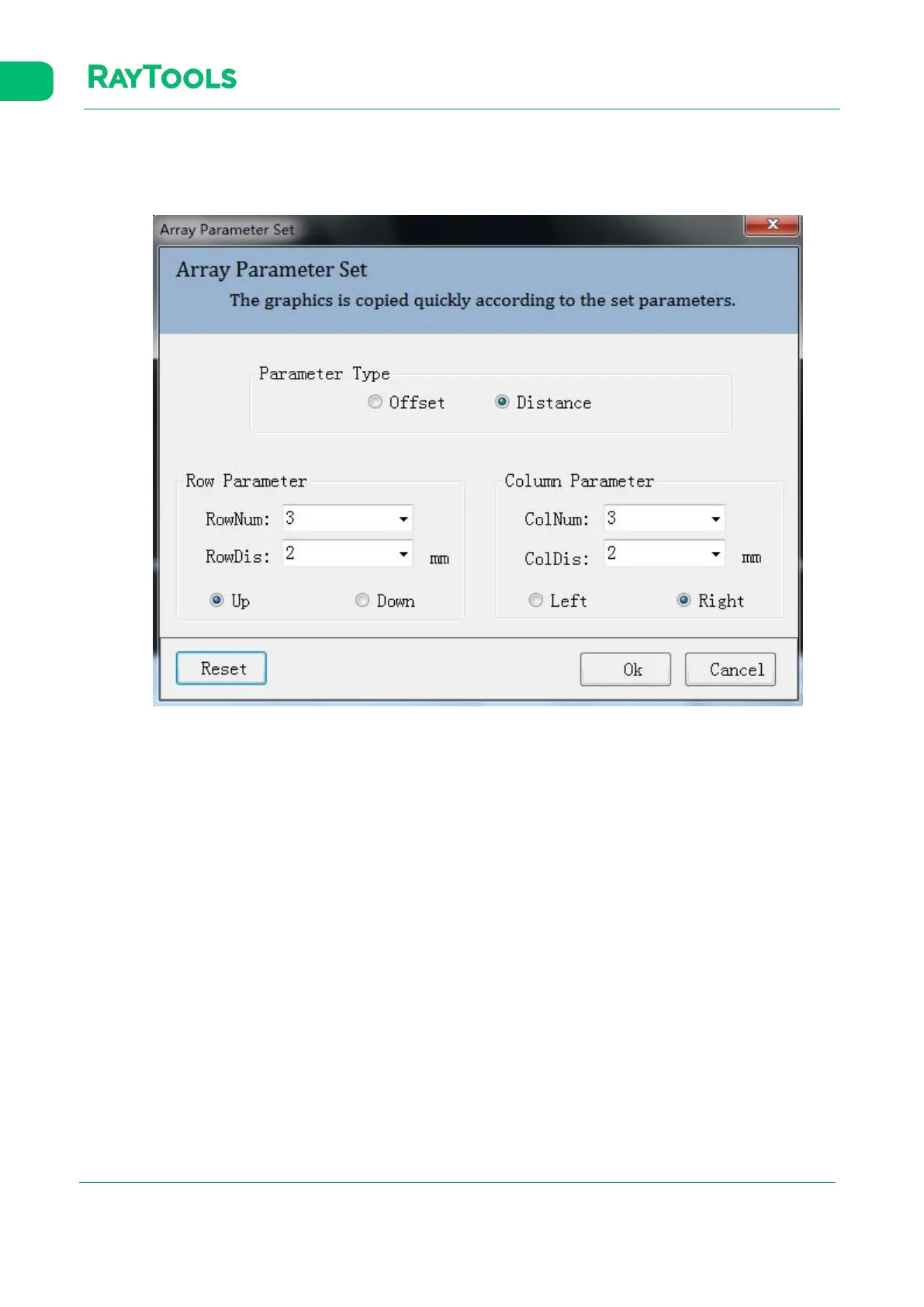
Set parameters of the array and click on OK to complete. The parameter setting is shown as below:
·Parameter type: select to array according to offset or distance.
·Row / Column Num: the number of row and column in the array
(Row / Column) Distance / Offset: the distance and offset valu· e
·Up / Down / Left / Right: directions of the array
(2) Circular



 To Next Page