XC3000Series Motion Control System of Laser Cutting - User Manual
V1.0 Raytools AG © Copyright 72 |87
www.raytools.ch
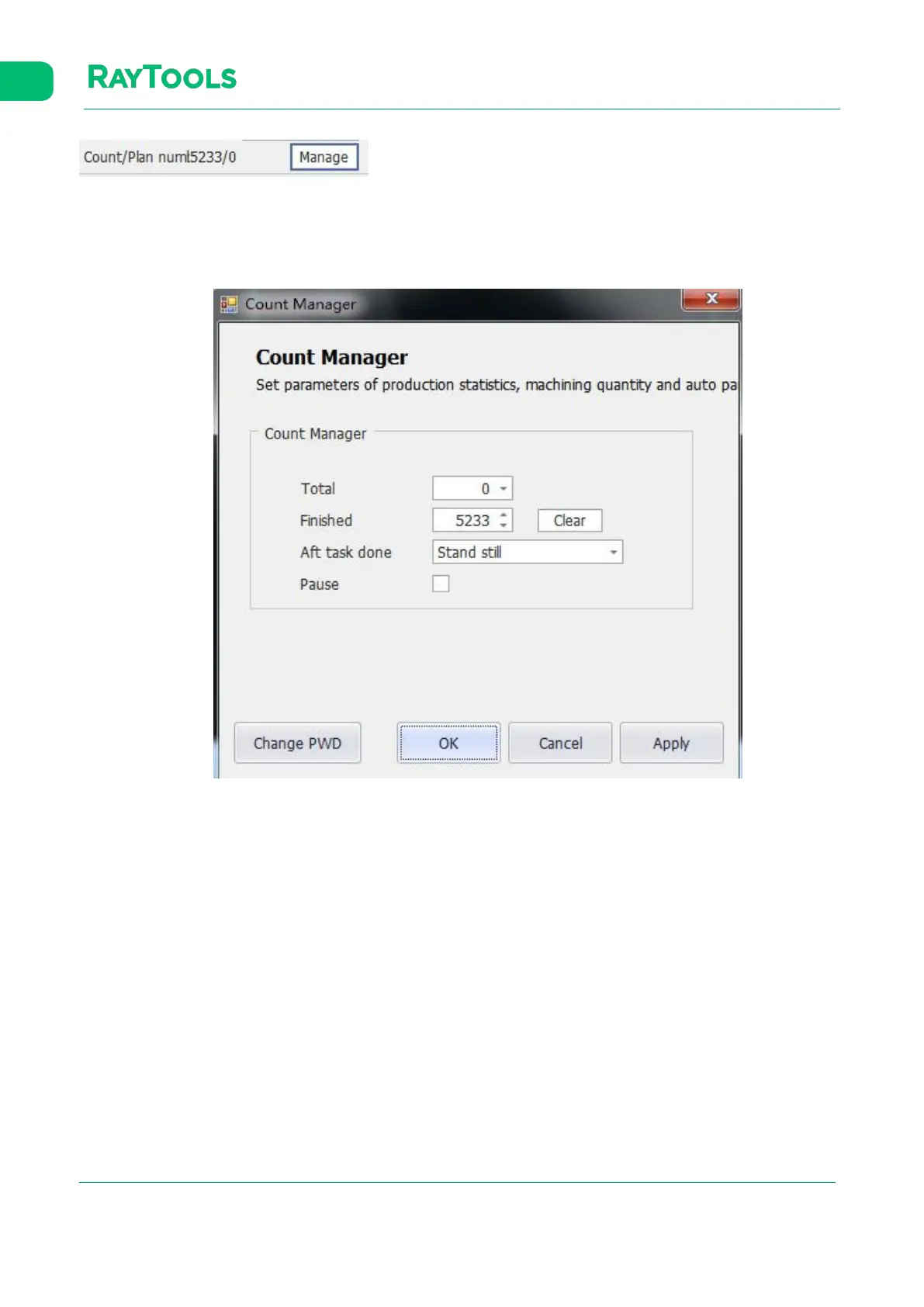
Count: count for each time of actual processing.
Plan: the actual count planned to be processed.
Click on Mange button in the processing control and there pops up an interface as shown below:
· Total: set the expected count of the workpiece to be processed.
· Finished: display the completed count.
· Clear: clear current completed count.
· Aft task done: there are corresponding prompts after the processing plan has been completed.
· Pause: select to pause the count of processing.



 To Next Page