REA VERIFIER
© REA Elektronik GmbH, 64367 Mühltal, Germany --- REA MLV-2D Manual Version 3 – 21/12/2015
Page 63 of 98
9.10.1 Onscreen verification report
The verification result is displayed on the device and in TransWin32 simultaneously.
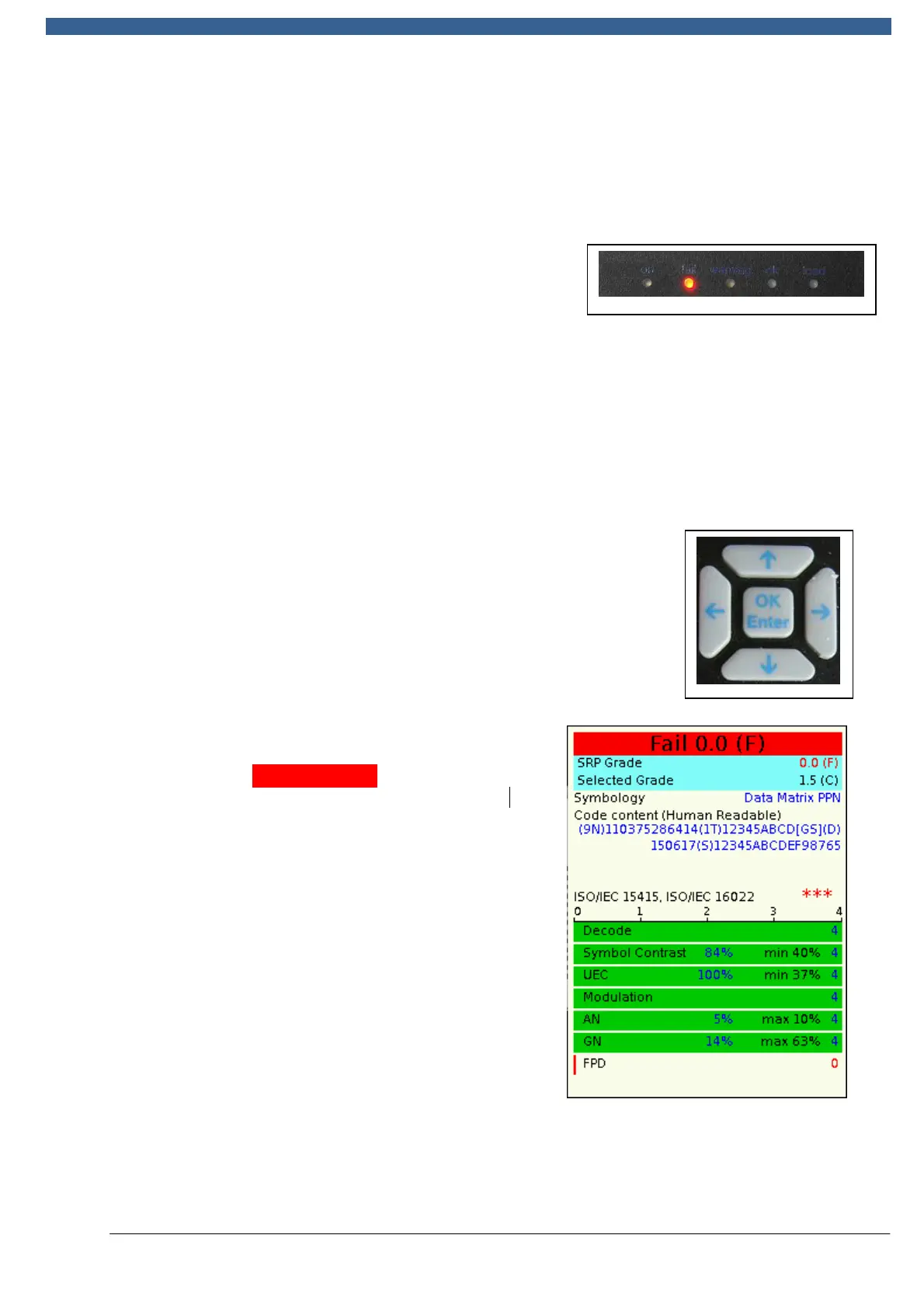
9.10.2 Quick display with LED "traffic lights"
A system of LED traffic lights and an audible signal
for grading the overall result – green indicating a
pass and red indicating errors – is output directly at
the verifier head.
9.10.3 Audible signalling using beeps
A built-in beeper sounds once for a good result and multiple times if the measurement
result has produced a fail.
9.10.4 Onscreen display of verification results on the MLV-2D
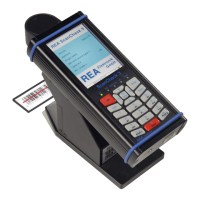
Key details from the results are also shown onscreen on the
MLV-2D verifier head, using a sequence of eight screen pages.
The arrow keys scroll page by page through the screens.
9.10.4.1 Results screens
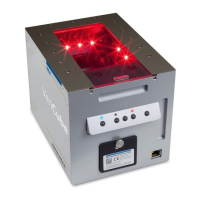
The information
Fail 0.0 (D)
presents a
summary of the last measurement performed.
The
result includes all of the ISO/IEC 15415
verification parameters. Other "optional
parameters" are only included in the result as
well if they have been enabled in the device
settings.
The SRP grade (here 0.0 (D)) of the
measurement result obtained is compared with the
predefined "Selected grade" (here 1.5 (C)). If
the target grade has been achieved or exceeded,
the result is a "Pass". If the result falls short of
the target value, the result is a "Fail".


 To Next Page