RealMan (Beijing) Intelligent Technology Co., Ltd.
61
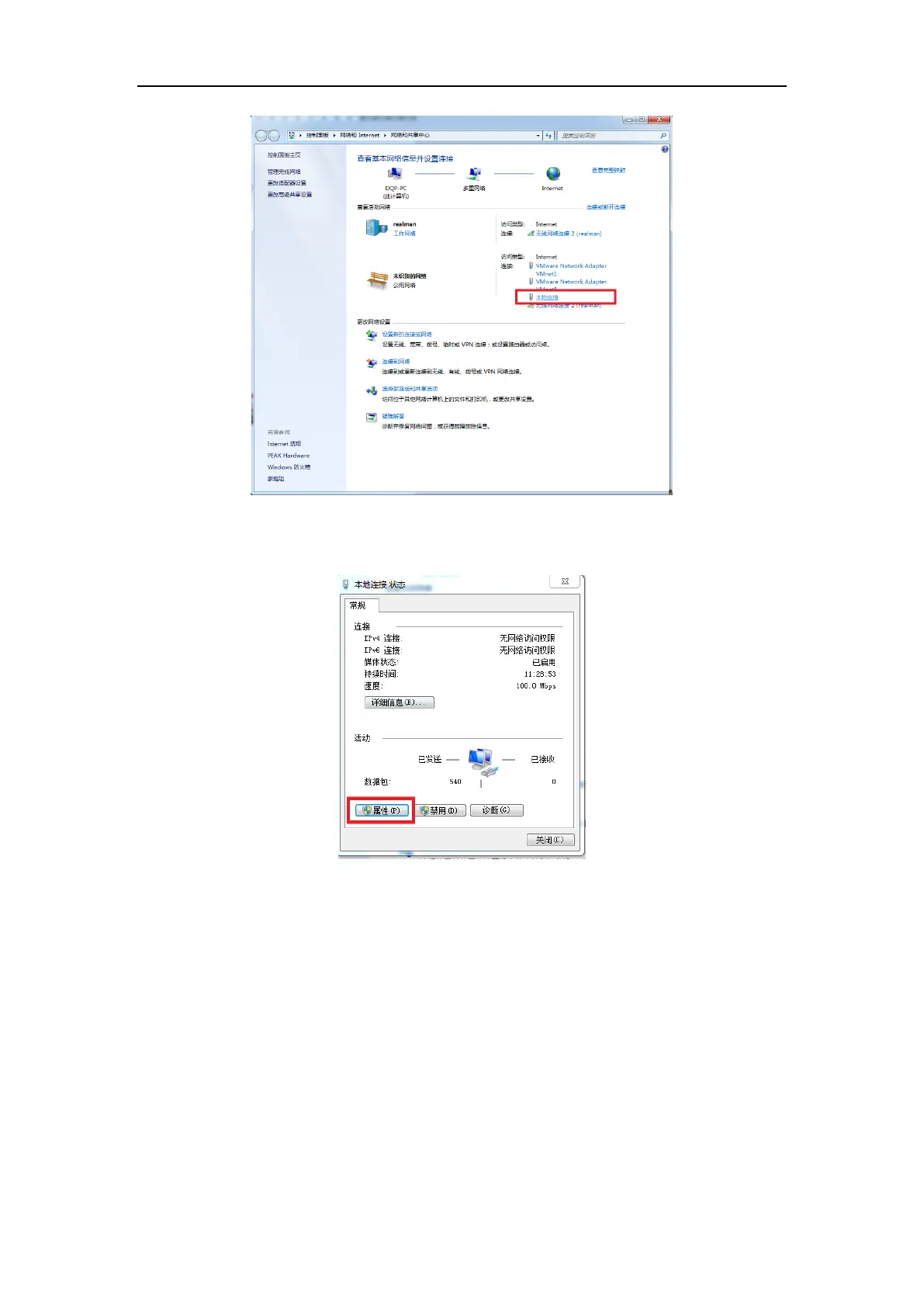
Fig. 8-43 Local connection.
(3) Click the “Properties” button in the dialog box that pops up.
Fig. 8-44 Select the Properties button of local connection.
(4) In the pop-up dialog box, select “Internet Protocol Version 4” first and then click
the “Properties” button.



 To Next Page