RealMan (Beijing) Intelligent Technology Co., Ltd.
79
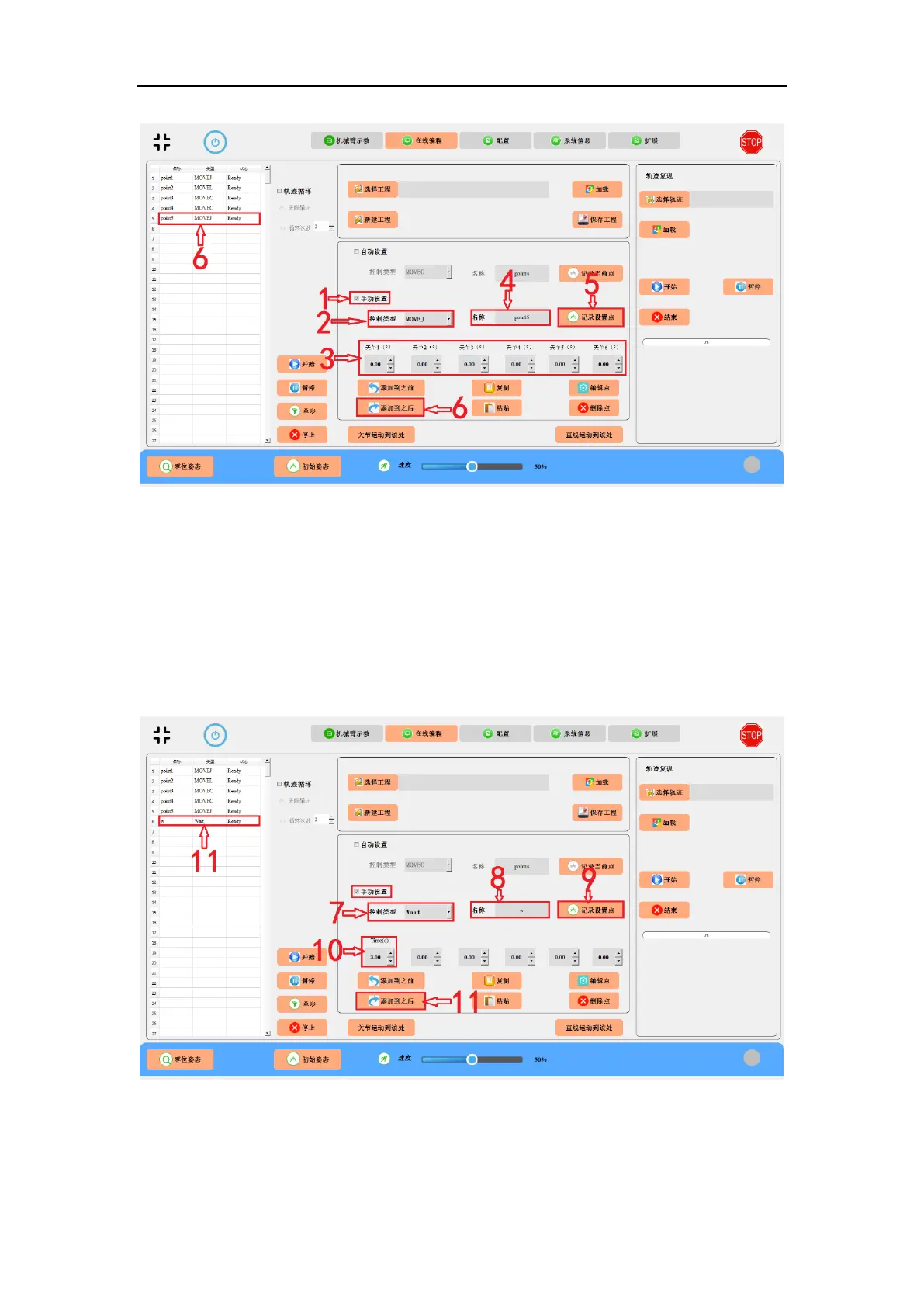
Fig. 9-7 Manual setting a programmable point, i.e., point5.
7. Select Wait as the control method.
8. Give a name, i.e., w.
9. Set the time to 3 seconds.
10. Click “Record Point” button.
11. Click the “Add-to-After” button to add the point to the list on the left.
Fig. 9-8 Manual setting the Wait.
12. If the control method is MOVEL, the Position and Pose Setting will appear below.
13. Give a name, i.e., point6.



 To Next Page