RealMan (Beijing) Intelligent Technology Co., Ltd.
80
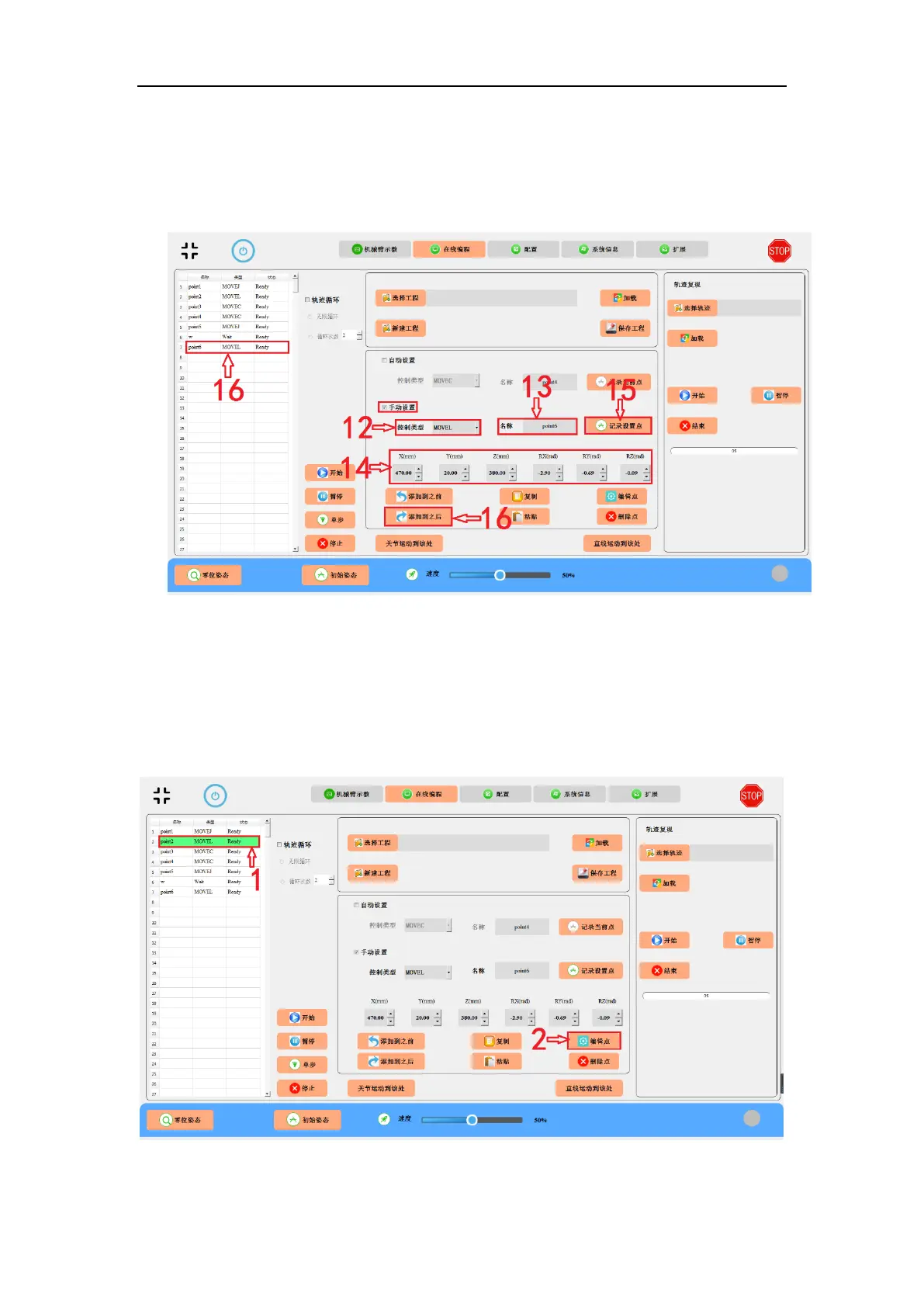
14. Set the position and pose to the desired values.
15. Click “Record Point” button.
16. Click the “Add-to-After” button to add the point to the list on the left.
Fig. 9-9 Manual setting a programmable point, i.e., point6.
Edit the point
Suppose to make changes to an existed programmable point, e.g., point2.
1. Select the point you want to change.
2. Click “Edit” button.
Fig. 9-10 Editing an existed point.



 To Next Page