• One has to make sure that the adjustments selected comply with the standard
in force applied.
• The presence detector features a permanent test function, with which its
flawless operating can be controlled several times during every cycle by
means of the bus-connection to the system 20 door control.
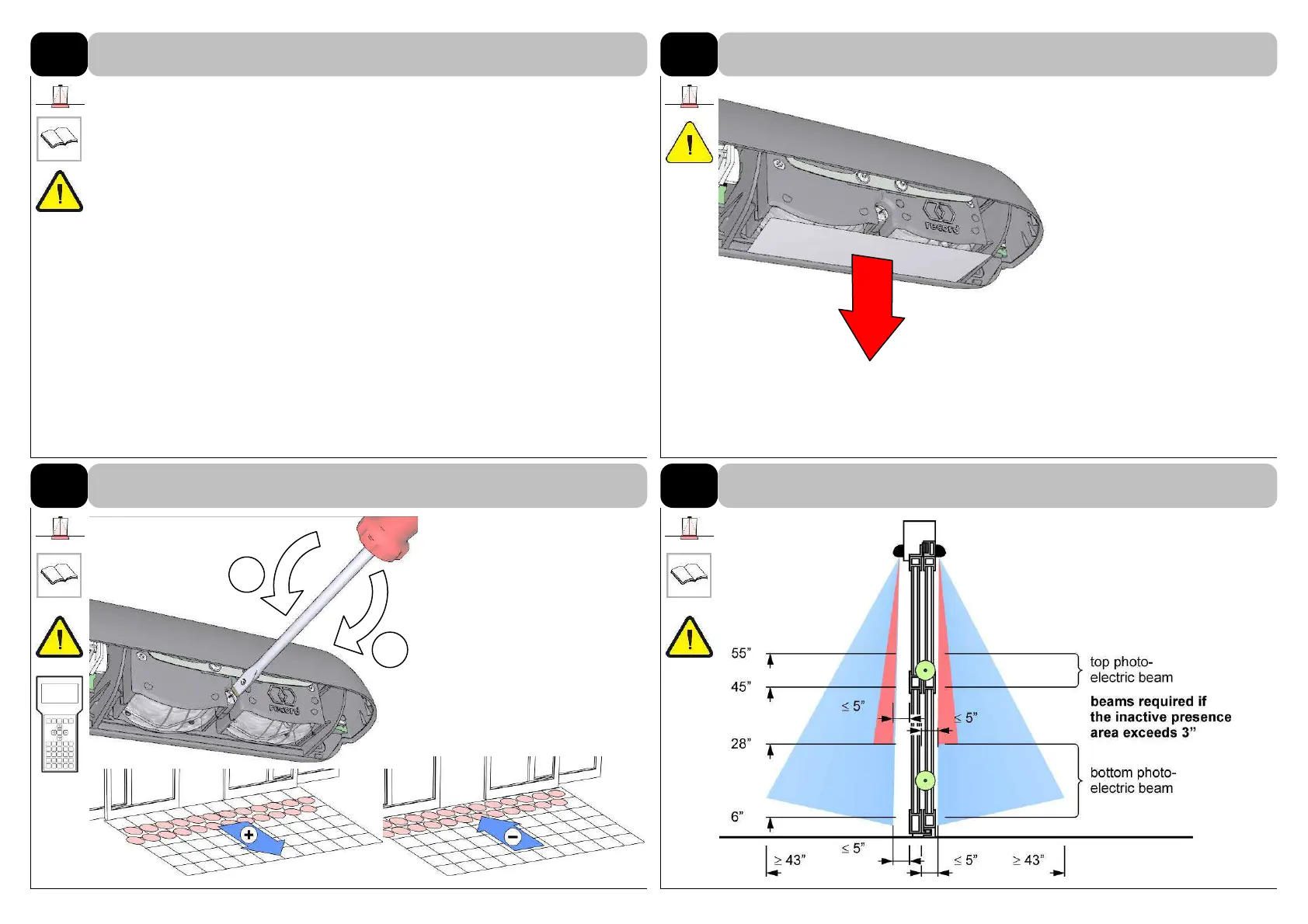
Remove the protection film from
the AIR optic module.
Do not touch or soil the
lenses with the fingers!
6.6
The inclination angle of the AIR
optic module has a setting
range from -5° to +10°.
Factory setting: 0°
Adjust light curtain as near as
possible to the moving door
leaves.
Please note the background is
modified through this operation
and needs to be learnt again.
If the inactive area exceeds 3 in.
from the face of the door, it shall
have a minimum of two photo
electric beams on one side of
the door and they shall remain
active from fully open to within 6
in. of closed door.
6.2
Adjust the angle of inclination of the optic module AIR
6.3
ANSI 156.10-2011: Sensor application on sliding doors
6
SETTINGS ON PRESENCE DETECTOR “AIR”
6.1
Remove protection film on AIR optic module



 To Next Page