0
20
30
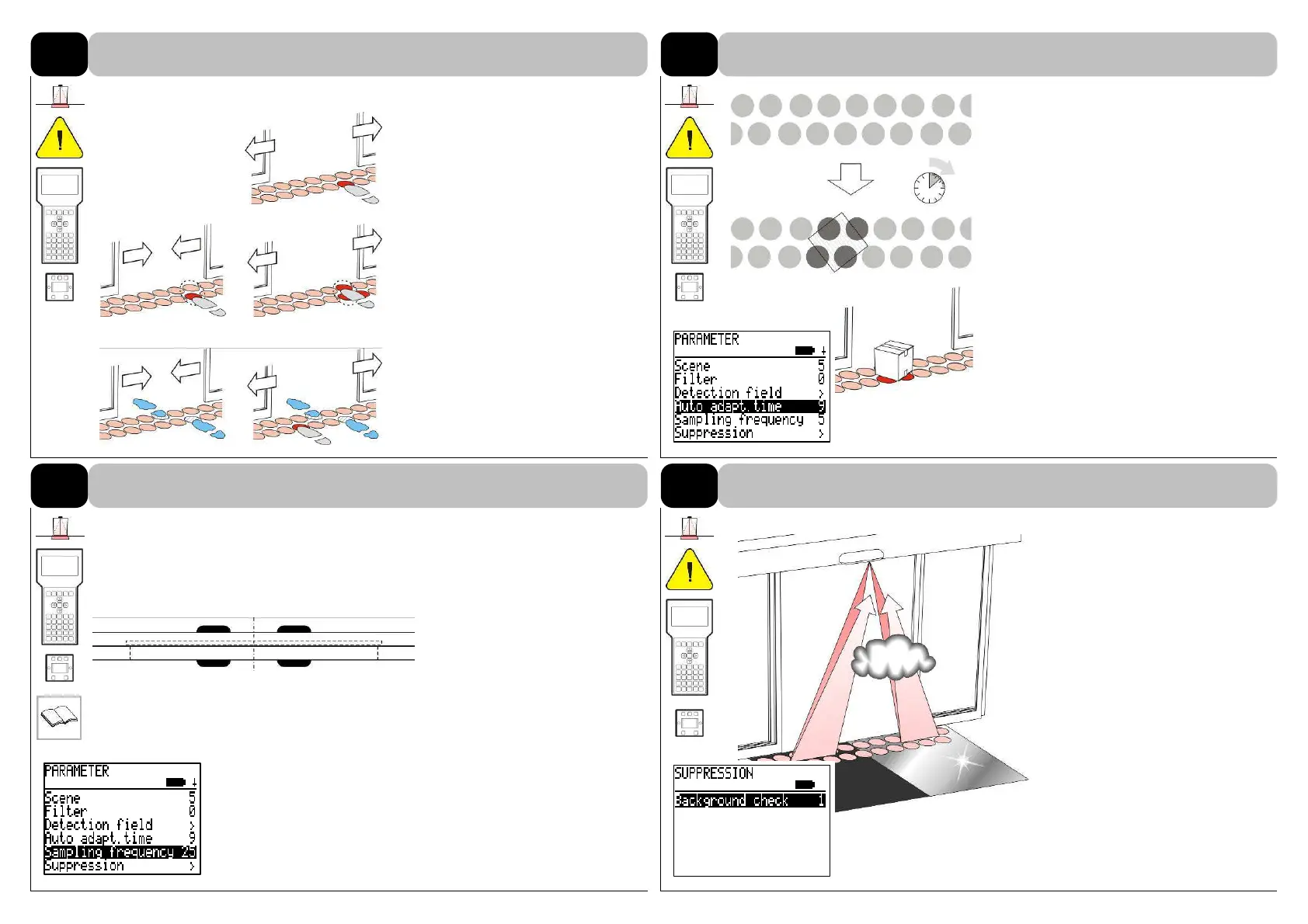
There are 5 stages (0 - 40) to
set up filters.
In case of IR-spot groups all
spots must be activated so that
the door opens.
0 Exact single evaluation
10 Single + increased tolerance
20 Single evaluation + foot
prints
(individual active spots are
memorized after a short
time)
30 Groups of 2 spots each
40 Groups of 2 spots each,
increased tolerance
Default: 0
There are 9 stages (0 - 24) to set up the
auto-adaptation time.
ANSI 156.10: 30 s (6)
Any change in the background or detec-
tion of an object activates a new teach-
phase. After expiration of the pro-
grammed teach-in time the background
is taught in.
The background can also be taught in
manually.
12.3
Stage 1 5 s (0) Stage 5 2 min (12)
Stage 2 15 s (3) Stage 6 5 min (15)
Stage 3 30 s (6) Stage 7 15 min (18)
Stage 4 60 s (9) Stage 8 30 min (21)
Stage 9 60 min (24)
Default: 60 s (9)
SI2 SI1
(1.992 kHz) (2.000 kHz)
SA1 SA2
(2.008 kHz) (1.996 kHz)
There are 6 values (0 - 25) to
set up the sampling frequency.
If several sensors are installed
side by side, different sampling
frequencies must be set.
The frequency is automatically
assigned thanks to the adjust-
ment of DIP-switches.
The sampling frequency is only
reset in case of loading the fac-
tory settings.
f1 2 kHz (0) (*SI1)
f2 1.992 kHz (5) (*SI2)
f3 2.008 kHz (10) (*SA1)
f4 1.996 kHz (15) (*SA2)
f5 2.004 kHz (20)
auto* (25)
Default: auto (25)
5
Regardless of filter settings the
background check can be
switched on or off.
The IR-light reflected gives in-
formation about the composition
of the background (floor) and
the distances.
Negative influencing factors:
- floor reflects too strongly
- background absorbs too much
energy
- installation height up to 9’10”
- dirty filter discs/lenses
- fog, smoke, particularly dusty
air
Default: active
8
DETAILS PARAMETER PRESENCE DETECTOR “AIR”
Filter functions
8.1
Auto-adaptation time
8.2
Sampling frequency
Background check
8.3



 To Next Page