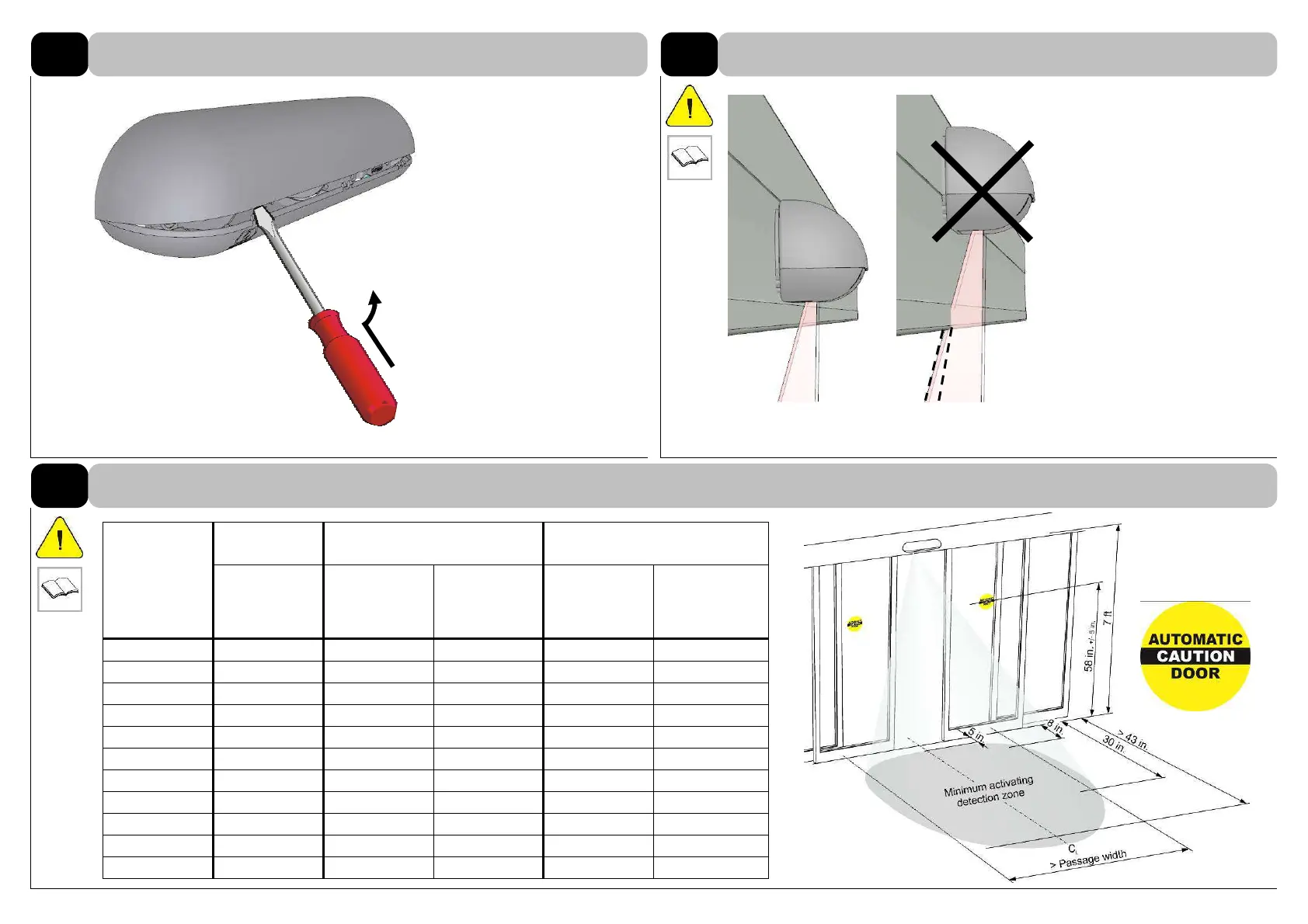
Insert screwdriver into front
notches and press lower lid
open.
Position the sensor horizontally
so that the light curtain is not
influenced by objects.
8.2
1 sensor
2 sensors
3 sensors*
* only on one side
Installation
height
[ft.]
Field
width
[ft.]
Field
width
[ft.]
Distance
sensors
[ft.]
Field
w
idth
[ft.]
Distance sen-
sor to sensor
[ft.]
6’7”
6’11” -
-
20’8” 6’11”
6’11”
7’3” 7’7” 1’ 21’8” 7’3”
7’3”
7’7” 8’2” 1’ 22’8” 7’7”
7’7”
7’10” 8’10” 1’ 23’7” 7’10”
7’10”
8’2” 9’6” 1’4” 24’7” 8’2”
8’2”
8’6” 10’2” 1’8” 25’7” 8’6”
8’6”
8’10” 10’10” 2’ 26’7” 8’10”
8’10”
9’2” 11’6” 2’4” 27’7” 9’2”
9’2”
9’6” 12’2” 2’7” 28’7” 9’6”
9’6”
9’10” 12’10” 3’ 28’7” 9’10”
9’10”
10’2” 13’5” 3’3” 30’6” 10’2”
Equip with this
signage if activating
zone length is
reduced to 30 in.
2
INSTALLATION
Opening the case
2.1
Positioning the sensor
Positioning sensors in case of large passage width
2.2



 To Next Page