7
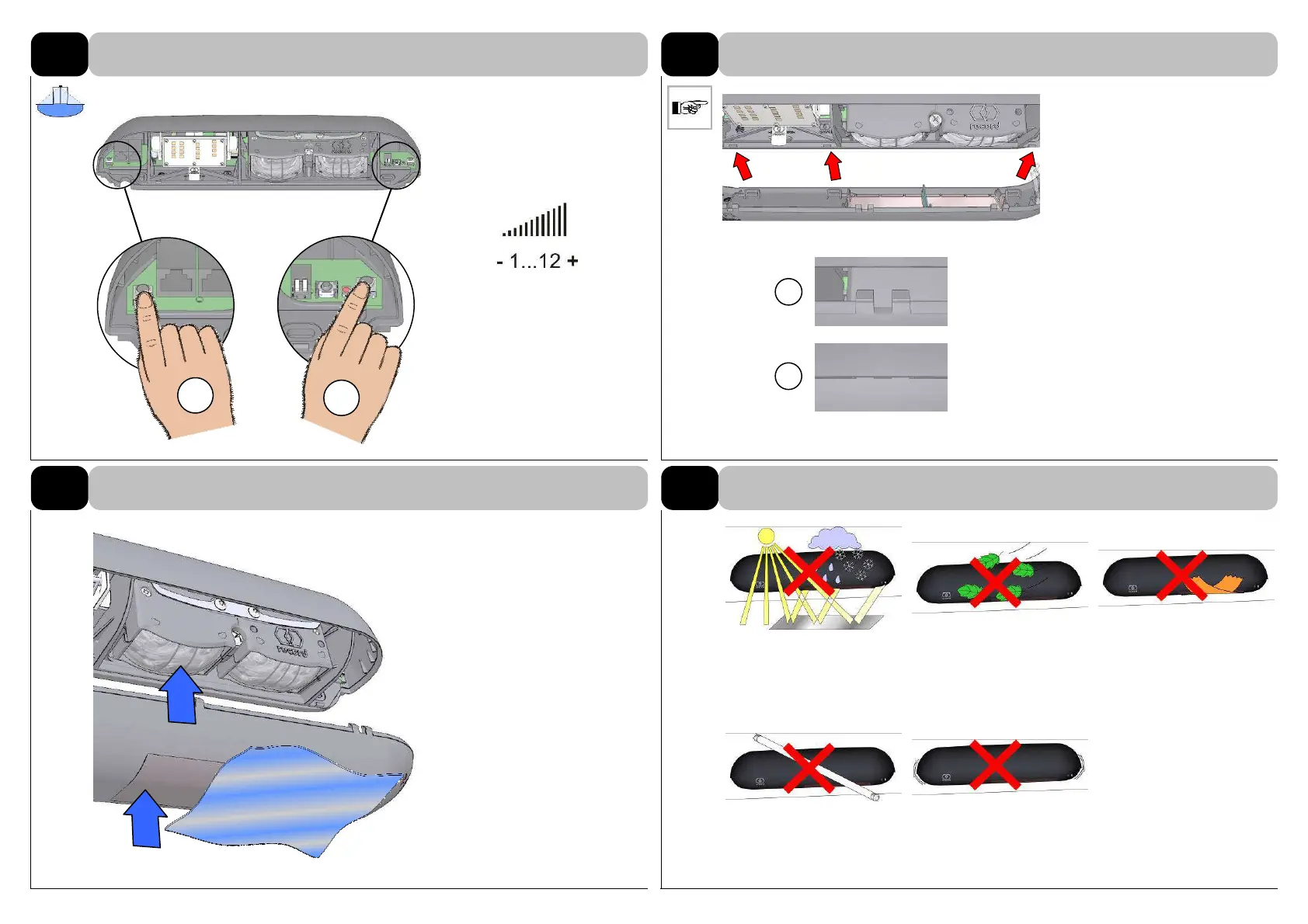
Adjustable in steps from 1 to 12.
Press the push-buttons + or –to
adjust the sensitivity.
Numbers of light pulses = steps
of sensitivity.
Position on rear side and click
into place with a slight pressure
at the front.
open
closed
Clean soiled filter disc (and
lenses) with water and mild
washing-up liquid if necessary.
Dry them afterwards with a soft
cloth or paper.
Weather Leaves Covering
Lighting Vibrations
11.3
Adjust sensitivity with SFT
12
FINISH:
Mounting of lower part of case
Default 6 (15)
a
b
13
MAINTENANCE:
Cleaning optical components
14
POSSIBLE INTERFERENCES



 To Next Page