While commissioning the system it is recommended to
1. first perform and complete the door learning and only then
2. prepare and connect the sensors according to the following data chapters 2 to 4.2
3. start with the motion detector setup (AKI 1, AKI 2, AKA 1, AKA 2
RAD radar motion detector) chapters 5 to 5.4
4. activate and finish the sensor learning only for the motion detector (AKI 1… AKxx) chapters 5.5 to 5.7
5. do the mechanical and parameter settings for the safety sensor (SI 1, SI 2, SA 1, SA 2
AIR active infrared presence detector) chapters 6 to 6.6
6. check again the intended purpose, the functions meet customer requirements and make sure that the adjustments selected
comply with the standard in force applied.
If this operating order is not respected, door movements can be detected and can lead to self-irritation (uncontrolled openings).
If sensors 290 are connected to the bus but not listed, the setting of the DIP switches must be checked (
same combinations?).
The number of sensors listed must tally with the number of (bus compliant) sensors installed.
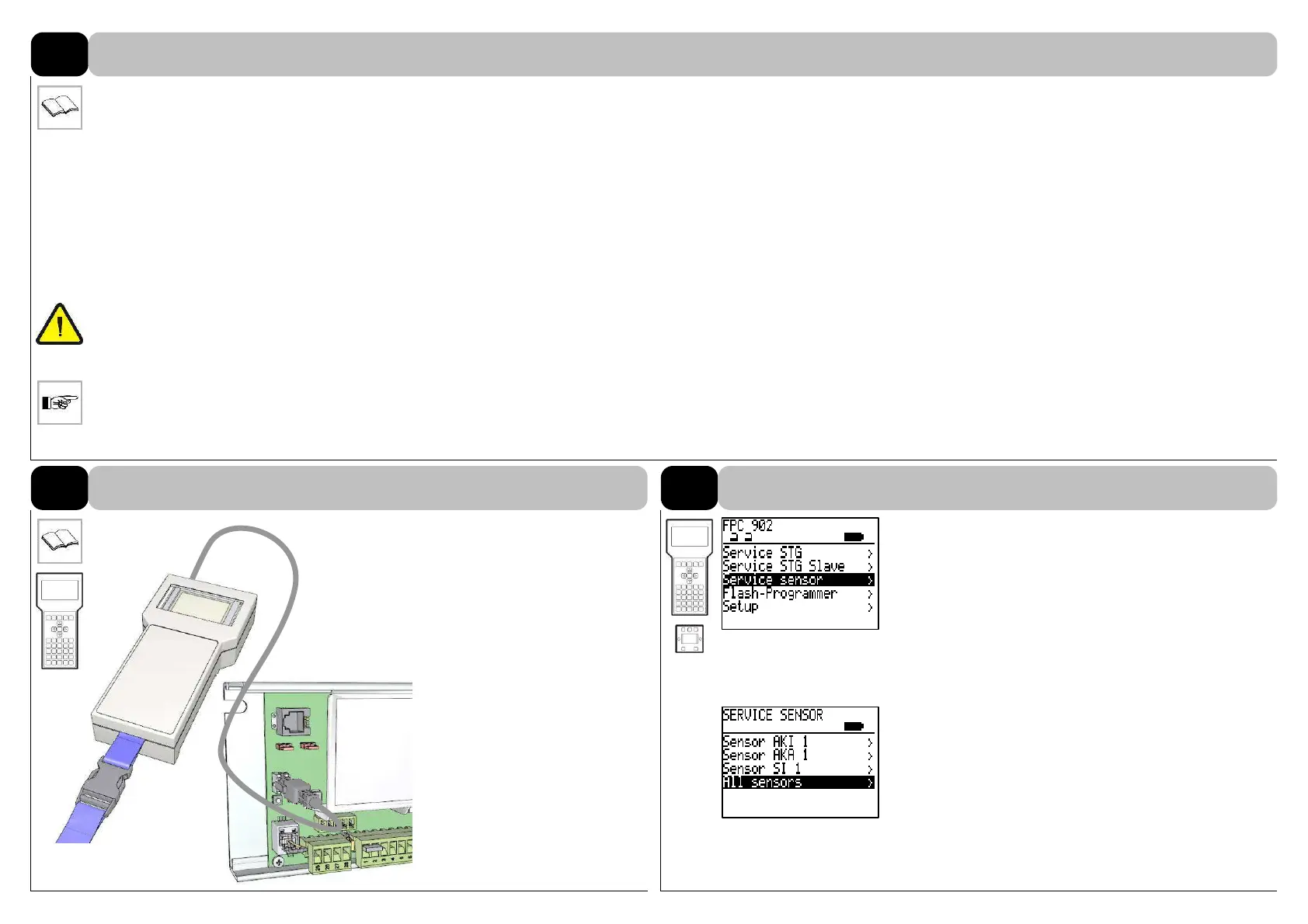
Parameterization on sensor
(available on option):
- Service- / Flash programmer
FPC 902 (recommended)
- Electronic BDE-D
- Easy-Programmer EPC 903
Connect with the control unit.
Additional information can be
found in the FPC 902 manual
(No. 102-902108554,
102-902109444).
5.4
Parameter access with menu
item Service sensor.
are connected to the bus but not
listed, the setting of the DIP
switches must be checked.
Simultaneous parameter set-
tings for
- Learning sensors
- Default settings
- Factory settings
Select in SERVICE SENSOR
menu the item All sensors.
4.1
PARAMETERIZATION WITH FPC 902
4.2
Setting parameters
COMMISSIONING
4



 To Next Page