6
Select in the SERVICE SENSOR menu
for ex. identified sensor SI 1 / Parame-
ter the parameter Detection field (FPC
902) or Row (BDE-D).
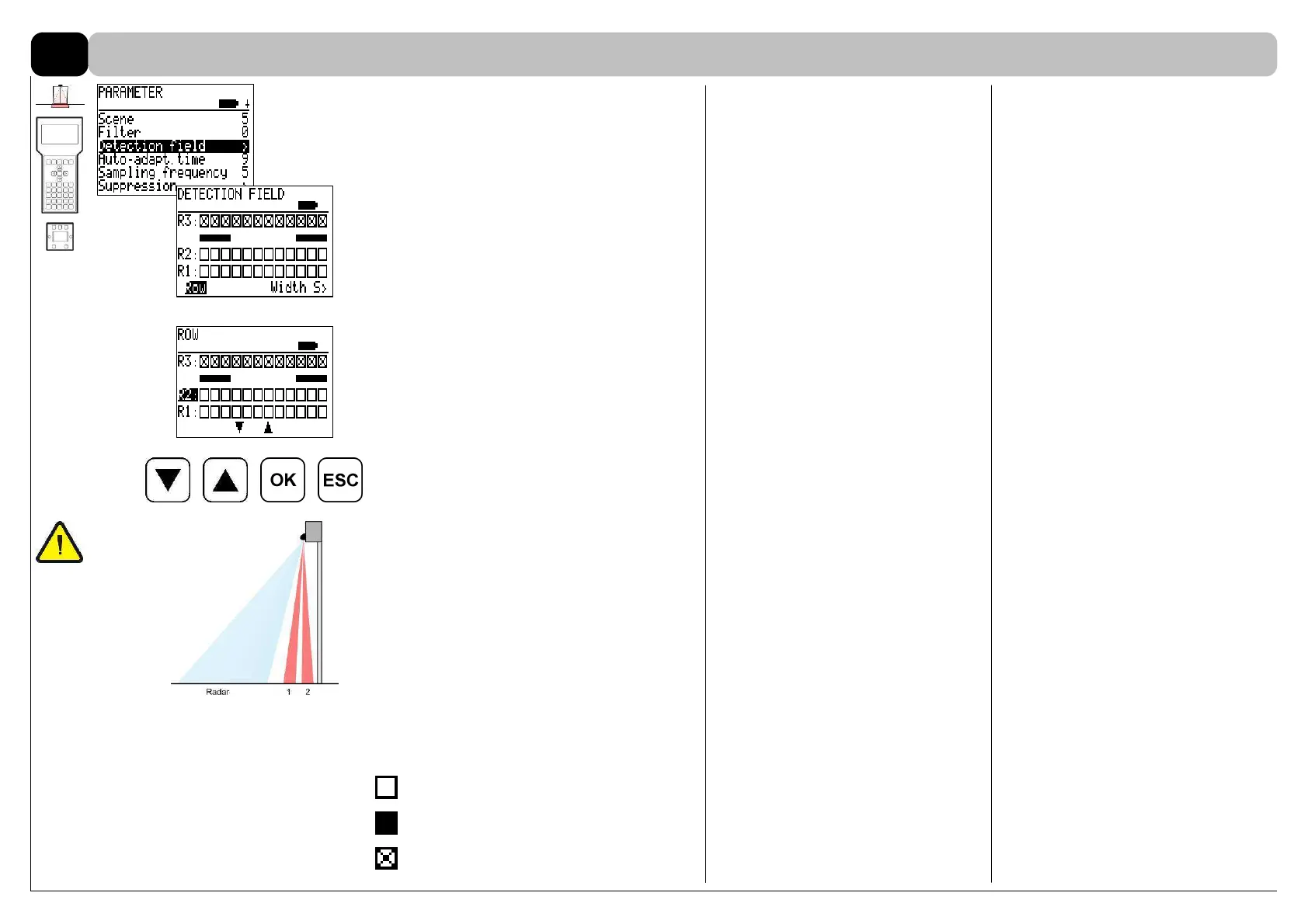
On the FPC 902 the status of the IR-
rows are graphically displayed:
2 rows (R1-R2) with 12 spots each are
located on the fitting side of the sensor.
Row R3 is disabled.
It is possible to select one single row
with the arrow keys up and down.
The name of the row selected is dis-
played inverted.
OK: enable/disable
ESC: quit menu, escape
IR rows
ANSI 156.10:
Detection field: rows 1 + 2 active
Parameter / Detection field / Row / R1
+ R2 active
The light curtain has to be adjusted to
within 3” of the face of the active door
leaf without safety beams.
With two sets of safety beams the cur-
tain has to be within 5” of the face of the
active door leaf.
Spot active without detection
Spot active with detection
Spot inactive
Default: R1 + R2
Depth of the presence detection field
8.4



 To Next Page