14 | Grandview® G800EC Gas Fireplace
owner's information
Smar t Thermostat (Transmitter Operation)
The Smart Thermostat function adjusts the fl ame height in accordance
to the difference between the set point temperature and the actual room
temperatures. As the room temperature gets closer to the set point the
Smart Function will modulate the fl ame down.
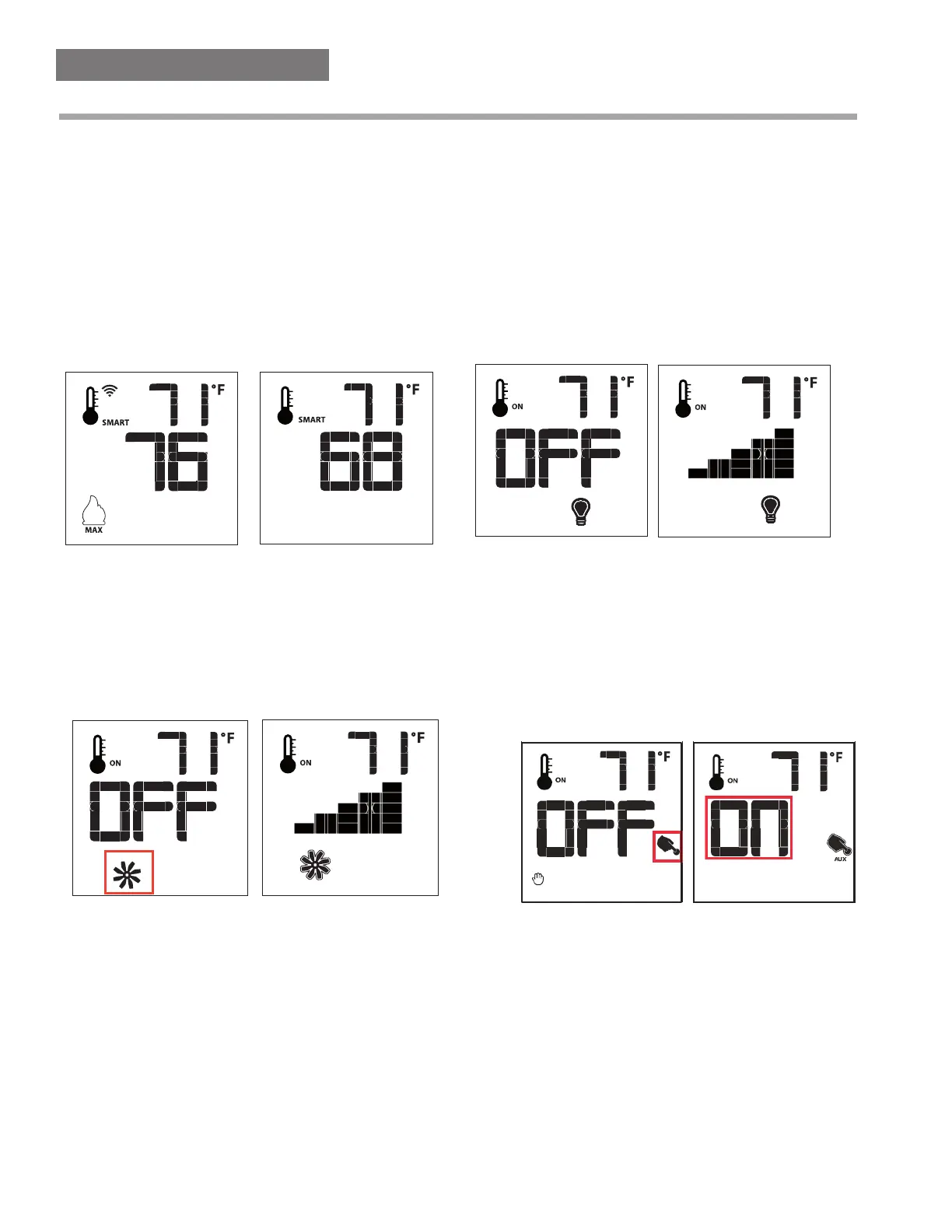
To activate this function, press the Thermostat Key (Fig. 1) until the word
"SMART" appears to the right of the temperature bulb graphic (Fig. 11).
To adjust the set temperature, press the Up or Down Arrow Keys until
the desired set temperature is displayed on the LCD screen of the
Transmitter (Fig. 12).
Note. When Smart Thermostat is activated, manual fl ame height adjust-
ment is disabled.
Figure 12Figure 11: Smart Flame Function
Fan Speed Control**
If the appliance is equipped with a hot air circulating fan, the speed of
the fan can be controlled by the Profl ame system. The fan speed can be
adjusted through six (6) speeds. To activate this function use the Mode Key
(Fig.1) to index to the fan control icon (Fig. 13). Use the Up/Down Arrow
Keys (Fig.1) to turn on, off or adjust the fan speed (Fig. 14). A single “beep”
will confi rm reception of the command.
Top Light Control**
The Top Light function controls the Top Light on/off. To activate this func-
tion use the Mode Key (Fig. 1) to index to the AUX icon (Fig. 17 & 18).
Pressing the Up Arrow Key will activate the light. Pressing the Down
Arrow Key will turn the light off. A single “beep” will confi rm the recep-
tion of the command.
Figure 13 Figure 14
Remote dimmer contro l (Bottom Ember Light)**
The auxiliary function controls the AUX power outlet by the dimmable
light control. To activate this function use the Mode Key (Fig. 1) to index
to the AUX icon (Fig. 15 & 16).
The intensity of the output can be adjusted through six (6) levels. Use
the Up/Down Arrow Keys (Fig.1) adjust the output level (Fig. 16). A single
“beep” will confi rm reception of the command.
Note: This function is available only with the IFC Control Module.
Figure 15 Figure 16
Figure 17 Figure 18



 To Next Page