en
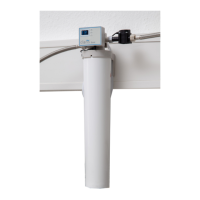
Attachment using wall bracket (12, Fig. 1):
⇒ Screwthewallbracketsecurelytoawallusingsuitableat-headscrews,max.shankdiameter4mm.
Alternatively:
⇒ Attach the supplied adhesive pad to the back of the wall bracket�
⇒ Completelyremovetheprotectivelmfromtheadhesivepad.
⇒ Stick the wall bracket to the required surface in the required position�
⇒ Open the battery compartment and insert batteries� 2 x type AA, pay atten-
tion to correct polarity�
⇒ Hang the programming and display unit in the holder�
⇒ Insert the connection cable of the sensor unit into the port on the program-
minganddisplayunit(20,Fig.8).
⇒ Presstheconnectioncableintothecableguide(21)topreventtheconnec-
tion plug from being unintentionally pulled out�
4.5.1 Entering the lter capacity
Thecapacityoftheltercartridgemustbeenteredontheowmetersothattheowmetercanprovidea
reminderingoodtimetoreplaceausedltercartridge.
⇒ Determinethecapacityoftheltercartridgeused(M/L)forthelocalcarbonatehardness(seetablein
Chap.4.3.2.).
⇒ Enter the capacity in the programming and display unit, see Chap� 5�2�4�
The system is now ready for operation.
5 Operation
5.1 Replacing a lter cartridge
⇒ Runtheushinghoseintoasuitablecontainer(e.g.,abucket)orintoadrain.
⇒ Slowlyunscrewtheusedltercartridgeanti-clockwise.Thisreleasesitfromthelterheadanditcanbe
removed�
♦ During this procedure, the consumer unit and the water supply line are hydraulically disconnected
fromthelterheadandthesystemisdecompressed.Inthiscase,itcanhappenthataminimalquan-
tityofdecompressionwatercanescapefromtheushinghoseduetopressurepeaks.Takethisinto
consideration and place a suitable container underneath�
⇒ Openthepurgevalve(5,Fig.5).
⇒ Removethenewltercartridgefromthepackagingandcheckfordamage.
⇒ Inserttheltercartridgeintothelterhead.
⇒ Indoingso,payattentiontotheinsertionmarkonthelterheadandthemarkingontheltercartridge.
Thenturntheltercartridgeasfarasitwillgo.Themarkontheltercartridgemustformalinewiththe
operatingmark(Fig.7)onthelterhead.
♦ Thisventsthesystemandushestheltercartridge:
- Filter cartridge M: Flush with min� 5 liters of water
- Filter cartridge L: Flush with min� 10 liters of water
⇒ Close the purge valve�
⇒ Enterthedateofinstallationandthetimeofreplacementinthecorrespondingeldsonthestickeron
theltercartridge(aballpointpencanbeused).
After installing the system and inserting or replacing a lter cartridge, check all components for
leak-tightness. Water must not leak out at any location.
NOTICE:Therinsingwaterisinitiallymilkyandcloudy.Thisisduetothedispersedairandclears
after a short time.
Checkthecorrectpositionoftheltercartridgeinthelterheadusingthemarkingsonthelter
headandltercartridge(7,Fig.1).Wheninsertingtheltercartridge,payattentiontotheposition
ofthesticker.Thisshouldfaceforwardsothatallthenecessaryinformationisvisible.
If the lter cartridge is removed from the lter head without being replaced by a new one, the wa-
ter supply to the lter head must be shut o.
21
- 9 -


 To Next Page
 Loading...