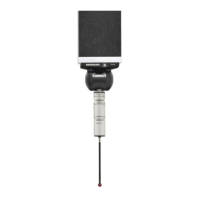
OMP400 installation guide
2.4
OMP400 basics
Switch-on / switch off methods
The following switch-on / switch-off options are user-configurable.
1. Optical on / Optical off.
2. Optical on / Timer off.
NOTE: A visual indication of currently selected probe settings is provided, on battery insertion, by the
three multicoloured LEDs located within the probe's window (see Section 4 - Trigger Logic™).
Enhanced trigger filter
Probes subjected to high levels of vibration or shock loads may output signals without having
contacted any surface. The enhanced trigger filter improves the probe's resistance to these effects.
When the filter is enabled, a constant 8 or 16 ms delay is introduced to the probe's output. The probe
is factory set to 8 ms. If false triggering is noticed then consider increasing the filter delay to 16 ms.
NOTES:
It may be necessary to reduce the probe's approach speed to allow for increased stylus overtravel
during the extended time delay.
Whilst there is also a 0 ms setting, this is for Renishaw's use only. Renishaw does not recommend that
you use this setting as false triggering is likely to occur.
OMP400 switch-on
method
OMP400 switch-off method
Switch-off options are configurable
Switch-on time
Optical on
Optical switch-on
is commanded by
machine input.
Optical off
Optical switch-off is commanded by
machine input.
A timer automatically switches the probe
off after 90 minutes from last trigger if not
turned off by machine input.
Timer off (time out)
Time out will occur (12, 33 or 134 seconds
- user congurable) after the last probe
trigger or reseat.
Legacy lter off:
Legacy lter on:
Modulated
0.8 seconds
1.6 seconds
0.7 seconds.
Optical on (3 second
delay)
Optical switch-on
is commanded by
machine input.
Timer off (time out)
Time out will occur (12, 33 or 134 seconds
- user congurable) after the last probe
trigger or reseat.
3 seconds.
NOTE: After being switched on, the OMP400 must be on for 1 second before being switched off.


 To Next Page