4.5
Trigger Logic™
Operating mode
NOTE: Due to the nature of Lithium Thionyl Chloride batteries, if a 'low battery' LED sequence is
ignored or overlooked, then it is possible for the following sequence of events to occur:
1. When the probe is active, the batteries discharge until battery power becomes too low for the
probe to operate correctly.
2. The probe stops functioning, but then reactivates as the batteries recharge sufciently to provide
the probe with power.
3. The probe begins to run through the LED review sequence (see page 4.1).
4. Again, the batteries discharge and the probe ceases to function.
5. Again, the batteries recharge sufciently to provide the probe with power, and the sequence
repeats itself.
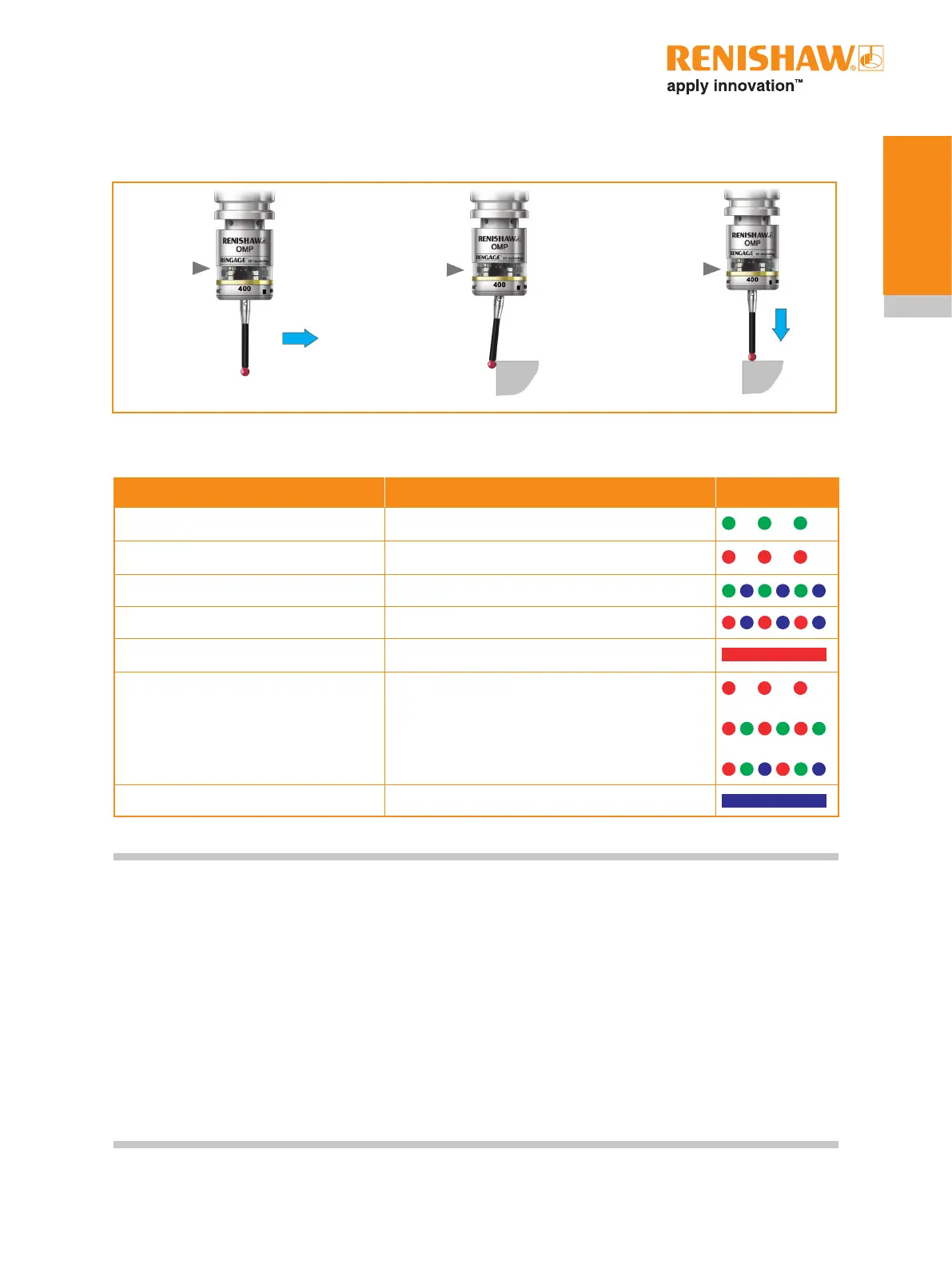
LED colour Probe status Graphic hint
Flashing green Probe seated in operating mode
Flashing red Probe triggered in operating mode
Flashing green and blue Probe seated in operating mode – low battery
Flashing red and blue Probe triggered in operating mode – low battery
Constant red Battery dead
Flashing red
or
Flashing red and green
or
Sequence when batteries are inserted
Unsuitable battery
Constant blue Probe damaged beyond use
LEDs
flashing
green
LEDs
flashing
red
LEDs
flashing
red
Z
Probe status LEDs
X/Y


 To Next Page