Troubleshooting
116
Doc No: UMAN\FL\0110
Rev. No.: 1.02B
8.1 Troubleshooting Procedure
1. Pay special attention during the troubleshooting to minimize the risk of electrical shock.
2. Turn off power immediately if the FlexiLogics unit or related equipment is emitting smoke
or odor. Operation under such situation can cause fire or electrical shock.
3. Turn off power before removing or replacing units, modules, terminal blocks or wires.
Failure to do so can cause electrical shock or damage to the PLC and related
equipment.
4. Contact REPL for repairing if the FlexiLogics basic unit or related equipment is failed.
REPL will not guarantee proper operation nor safety for unauthorized repairing.
If a trouble occurs, determine whether the cause lies in the mechanical side or in the control system (PLC) side. A
problem may cause a secondary problem, therefore, try to determine the cause of trouble by considering the whole
system.
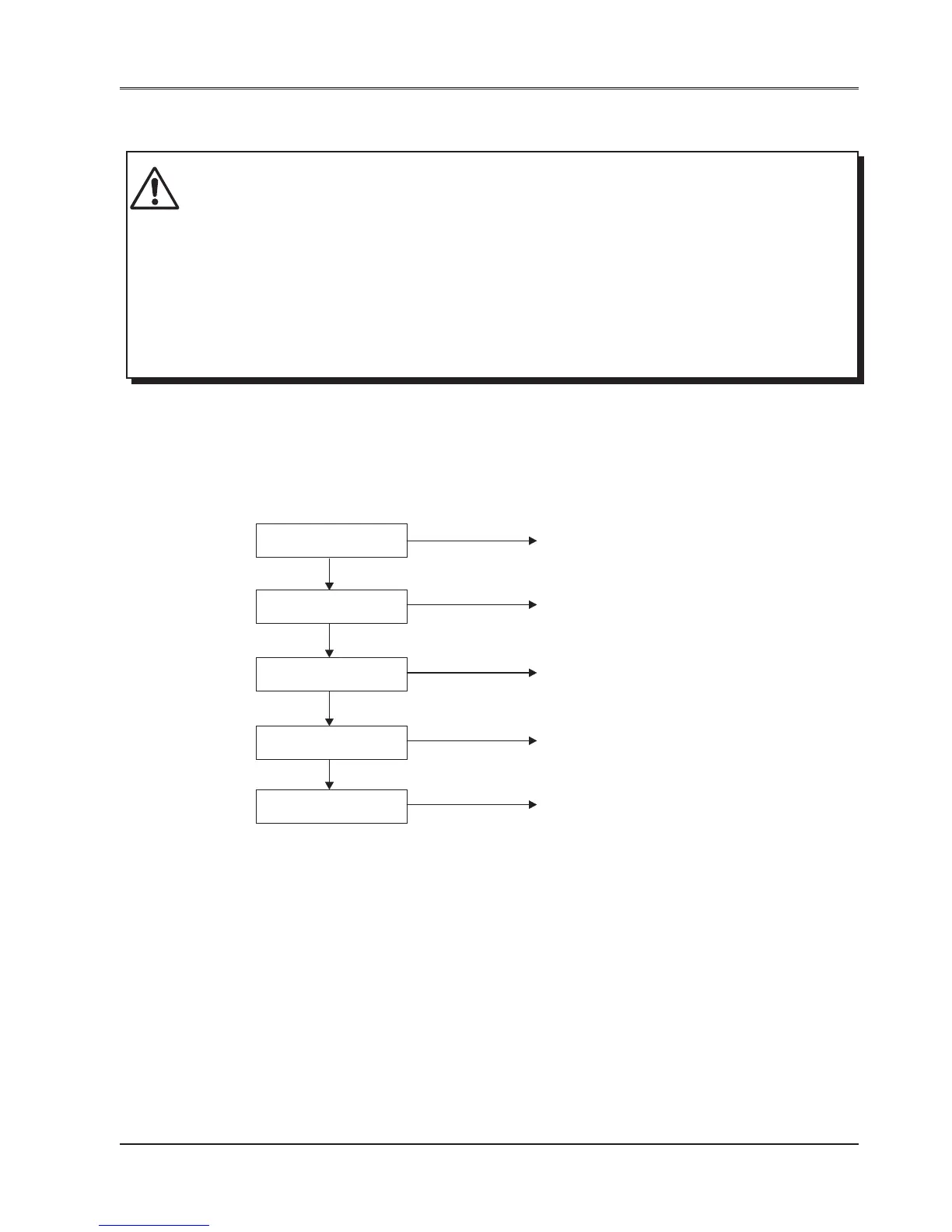
If the problem is found in the FlexiLogics base PLC model, check the following points:
CAUTION
PWR (power) LED Follow the procedure in
Power supply check
Lit
RUN LED Follow the procedure in
CPU check
Lit
User program Follow the procedure in
Program check
Normal operation
Input operation Follow the procedure in
Input check
Normal operation
Output operation Follow the procedure in
Output check
Not lit
Not lit
Not normal
Not normal
Not normal


 To Next Page