Before you begin
64
Doc No: UMAN\FL\0110
Rev. No.: 1.02B
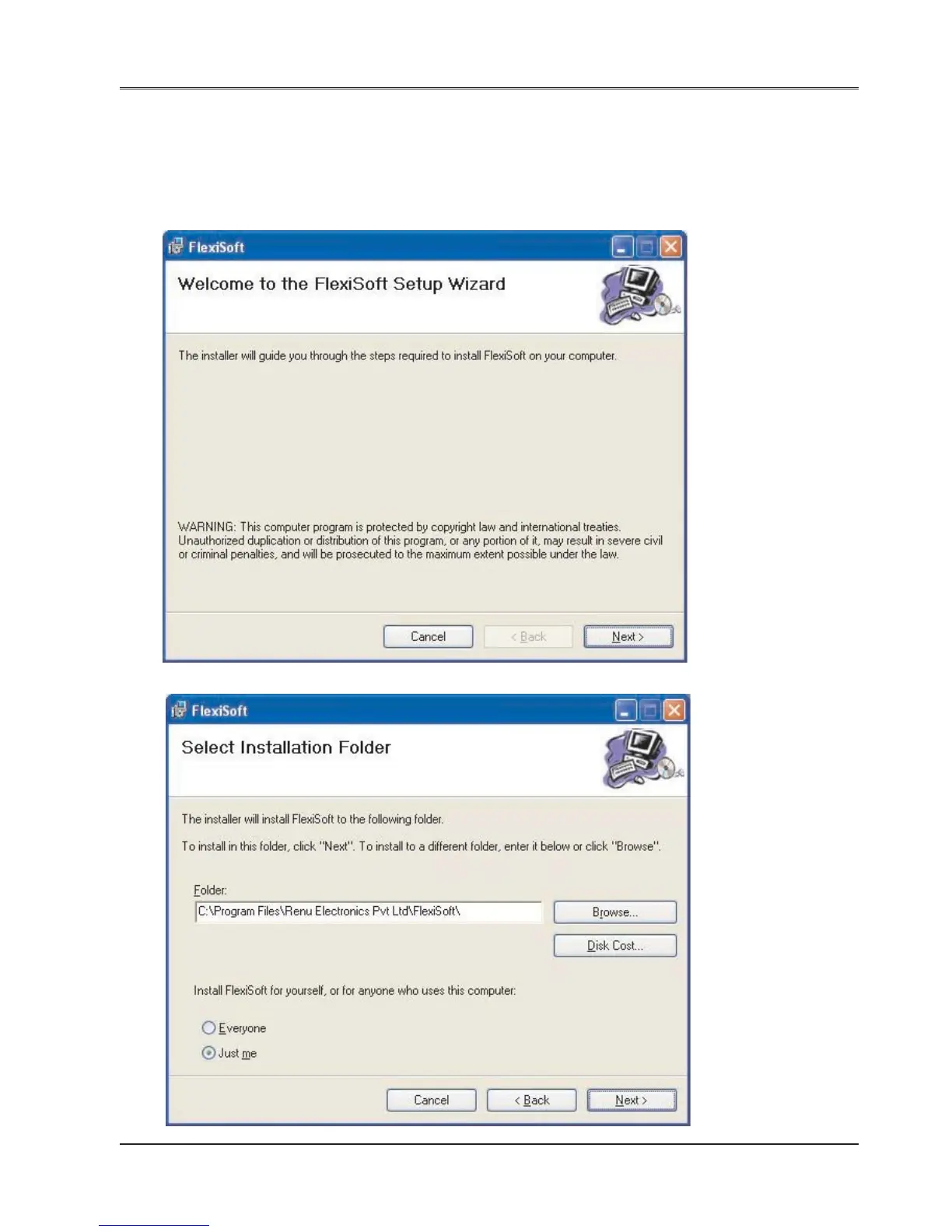
3.1 Installing FlexiSoft configuration software:
To install FlexiSoft configuration Software:
1. Open Microsoft® Windows.
2. Select Run and Pop up window appears. Type the path for installing the Setup.
This will install FlexiSoft Configuration Setup Software.
3. When you click on OK, Welcome window appears on the screen. Click on Next.
4. Select the destination folder where setup will install the files.


 To Next Page