Configuration
74
Doc No: UMAN\FL\0110
Rev. No.: 1.02B
4.1 Configuring unit using FlexiSoft
Before creating any application or connecting FlexiLogics base unit to any system, user have to configure the
unit unsing FlexiSoft.
1. Connect the unit to the PC.
2. Power-On the unit.
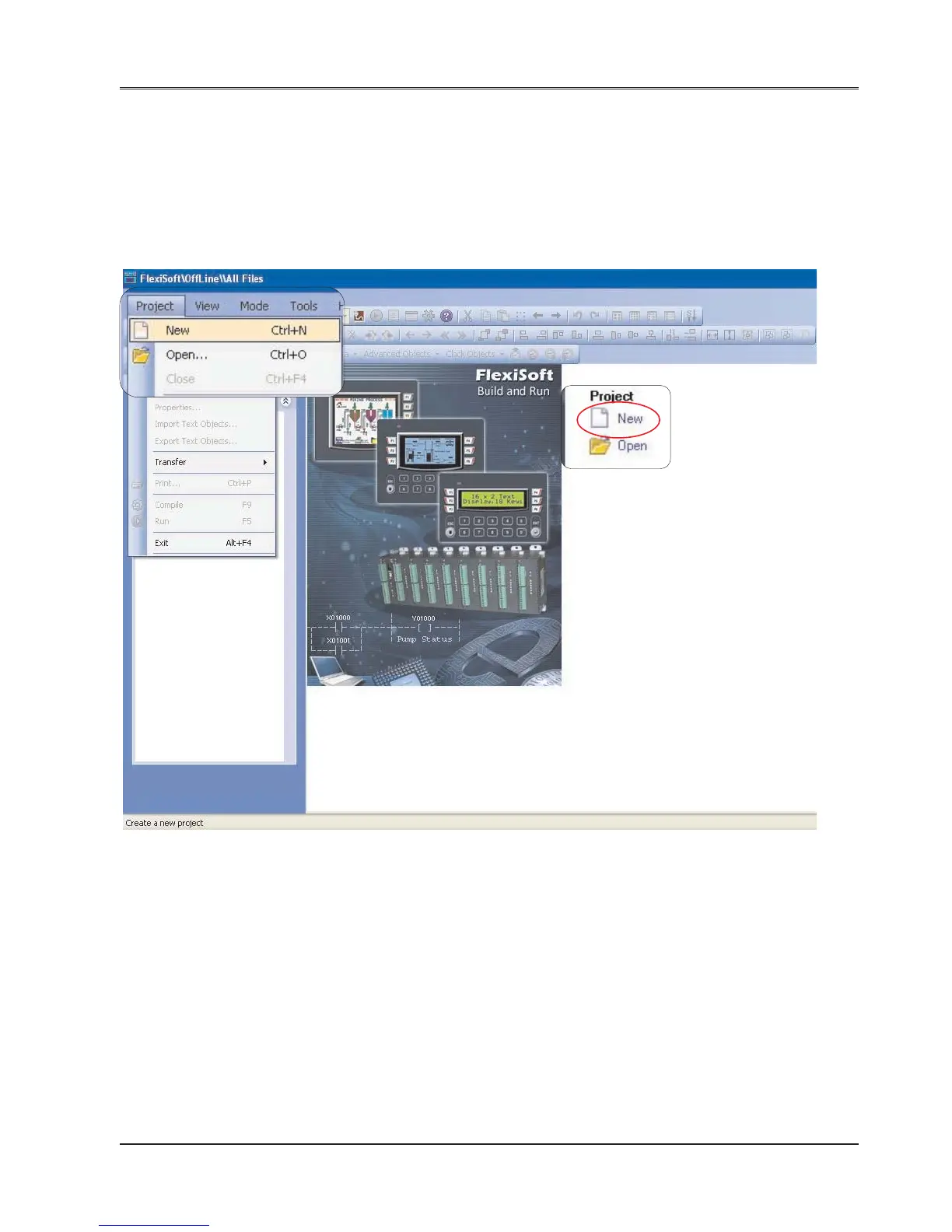
3. Launch FlexiSoft software. “Welcome” screen will seen. Press “New” from the application window or
Project -> New as shown below:
4. This will launch “Select Product” window as shown below. Select the product and the model from the listing.


 To Next Page