Chapter 8
8-16 BiPAP Focus Ventilator Service Manual © Respironics, Inc. REF 1029568 Rev B
Component Removal/Installation
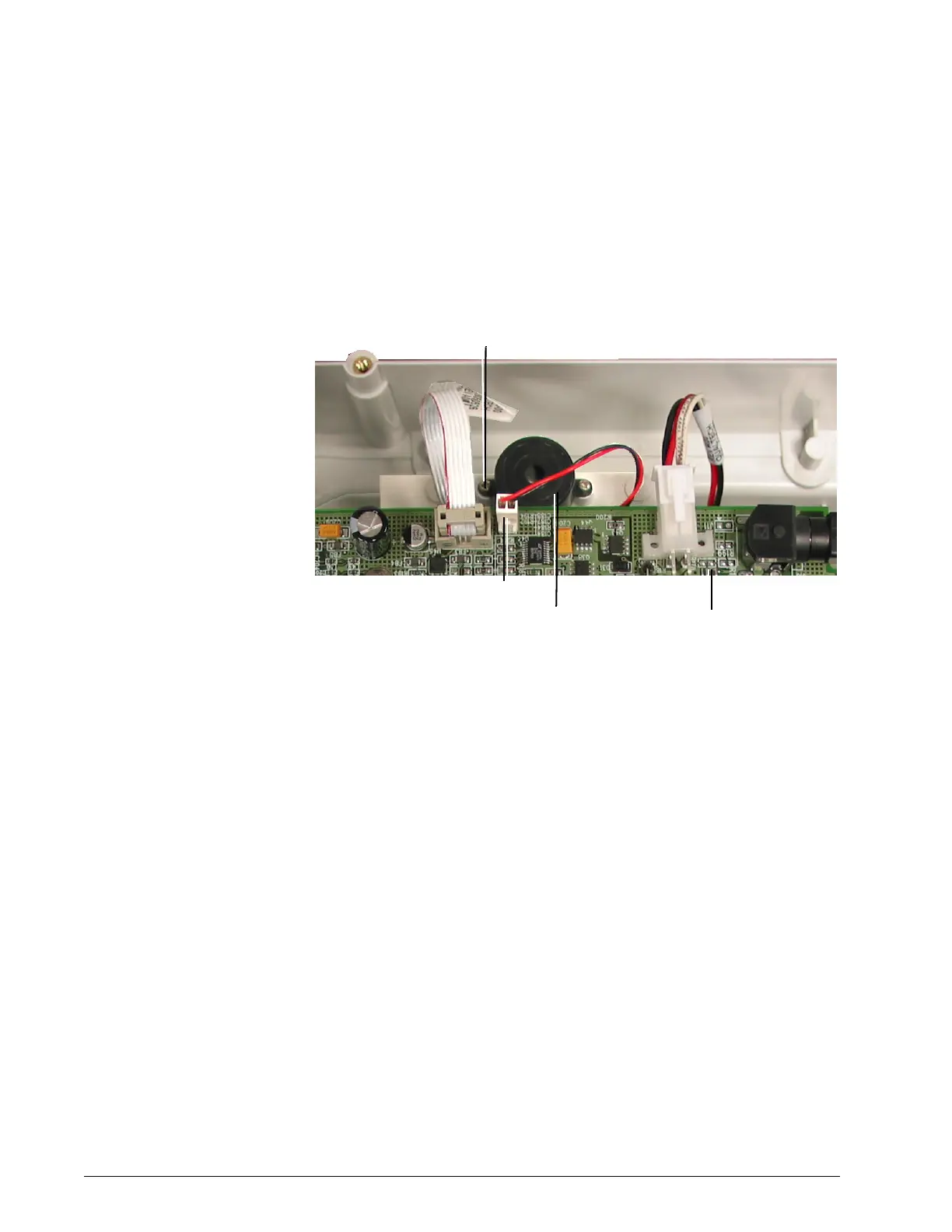
8.9 Primary Alarm Follow these steps to remove the primary alarm (Figure 8-17). Reverse to
install.
1. Remove top cover (section 8.2).
Figure 8-17: Primary Alarm
2. Disconnect the primary alarm connector from the user interface PCB.
3. Remove the 2 primary alarm screws.
Primary
alarm
connector
Screws (x2)
(2 lbf-in., 23 N cm)
Primary
alarm
User
interface
PCB


 To Next Page