Chapter 5
Diagnostic Mode and Troubleshooting
REF 1029568 Rev B BiPAP Focus Ventilator Service Manual © Respironics, Inc. 5-5
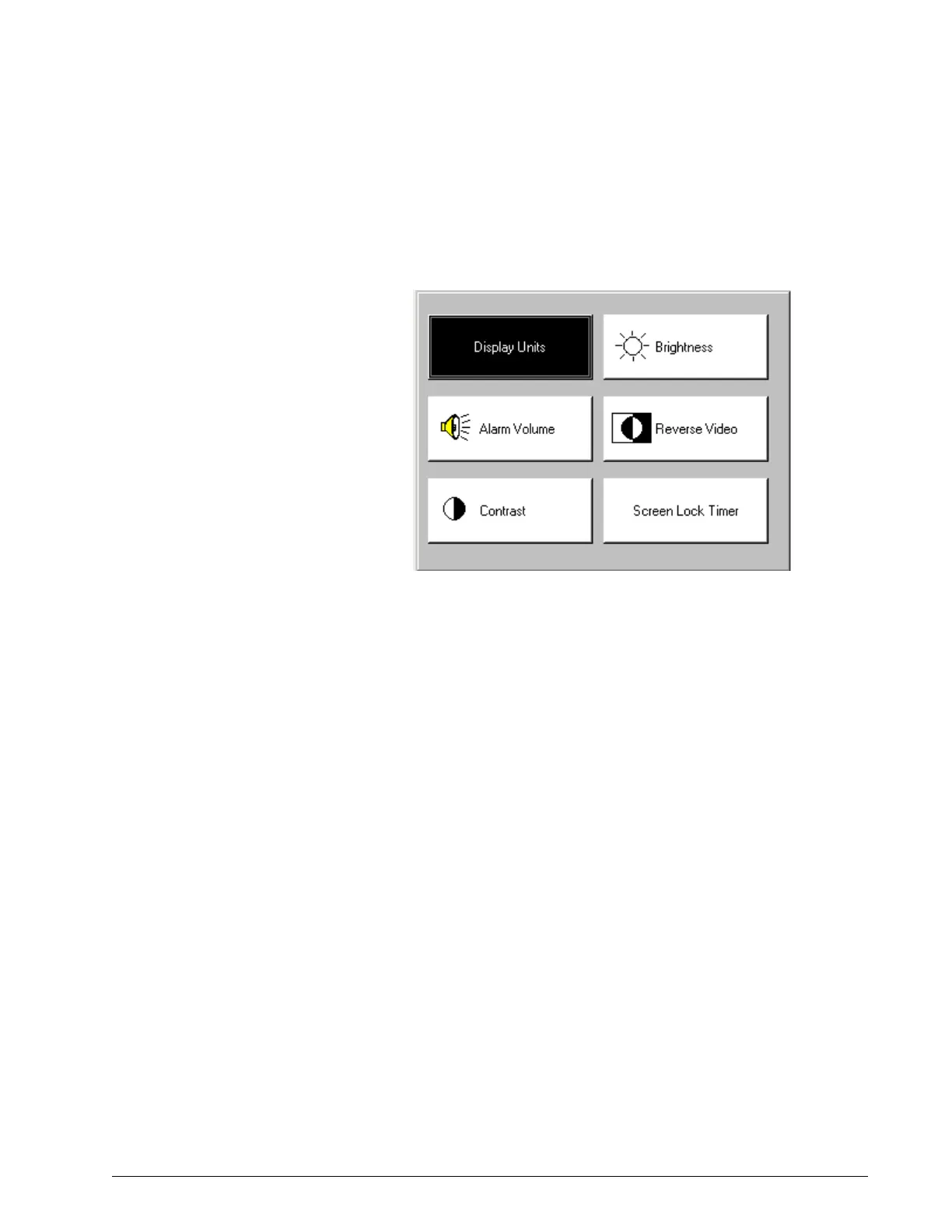
5.4 Preferences Use the Preferences screen (Figure 5-5) to select display units, alarm volume,
contrast, brightness, reverse or normal video, and the screen lock timer
setting.
Figure 5-5: Diagnostic Mode: Preferences Screen
1. Use the arrow keys to highlight the button to change, then press Enter:
2. Adjust the value and press Enter or press Cancel to exit without
making a change.
•Use Display Units to select cmH
2
O, hPa, or mbar as the unit of
pressure.
•Use Alarm Volume to adjust the volume from 1 to 5. The alarm
volume cannot be turned completely off.
•Use Contrast to adjust the contrast from 20% to 100%.
•Use Brightness, to adjust the contrast from 10% to 100%
•Use Reverse Video to toggle between reverse and normal video.
•Use Screen Lock Timer to turn the screen lock on or off.
3. Press the Menu key to return to the main menu.


 To Next Page