Chapter 6
6-2 BiPAP Focus Ventilator Service Manual © Respironics, Inc. REF 1029568 Rev B
Ventilator Communications
6.1 Connecting the
Service PC and
Ventilator
The service PC must include:
• Windows XP or compatible operating system
• USB port and a serial port or
• USB port with a USB to serial port adapter (such as Keyspan Model
USA-19HS P/N 1022895)
If your service PC does not have a serial port you can use a USB to serial port
adapter such as Keyspan model USA-19HS. You must install the USB to serial
port drivers included with the adapter before installing the adapter.
NOTE: Do not connect or use the BiPAP Focus USB cable while connected to a
docking station. Do not connect the BiPAP Focus USB cable through a
USB hub. Using docking stations or USB hubs causes communication
errors.
1. Connect the serial cable from BiPAP Focus communications cable kit
(P/N 1039800):
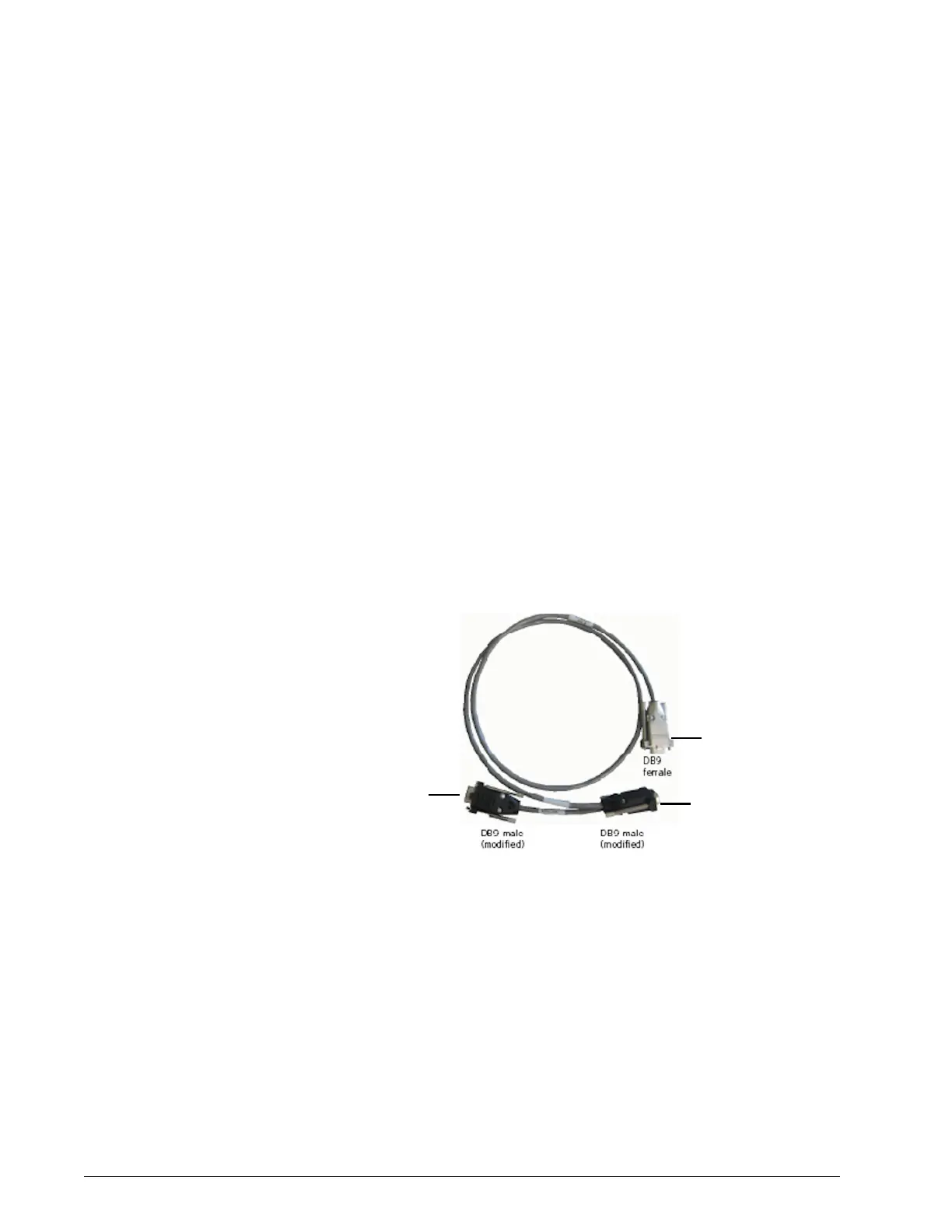
• Connect the double ended serial cable (Figure 6-1) labeled
SOFTWARE/RASP to the ventilator serial port.
• Connect the other end of the cable to the service PC serial port.
Figure 6-1: Serial Cable
Connect this end to
the service PC serial
port
SOFTWARE/RASP:
connect to ventilator
serial port
DIAGNOSTICS:
Connect this end to
the ventilator serial
port (DRPT)


 To Next Page