Chapter 6
Ventilator Communications
REF 1029568 Rev B BiPAP Focus Ventilator Service Manual © Respironics, Inc. 6-3
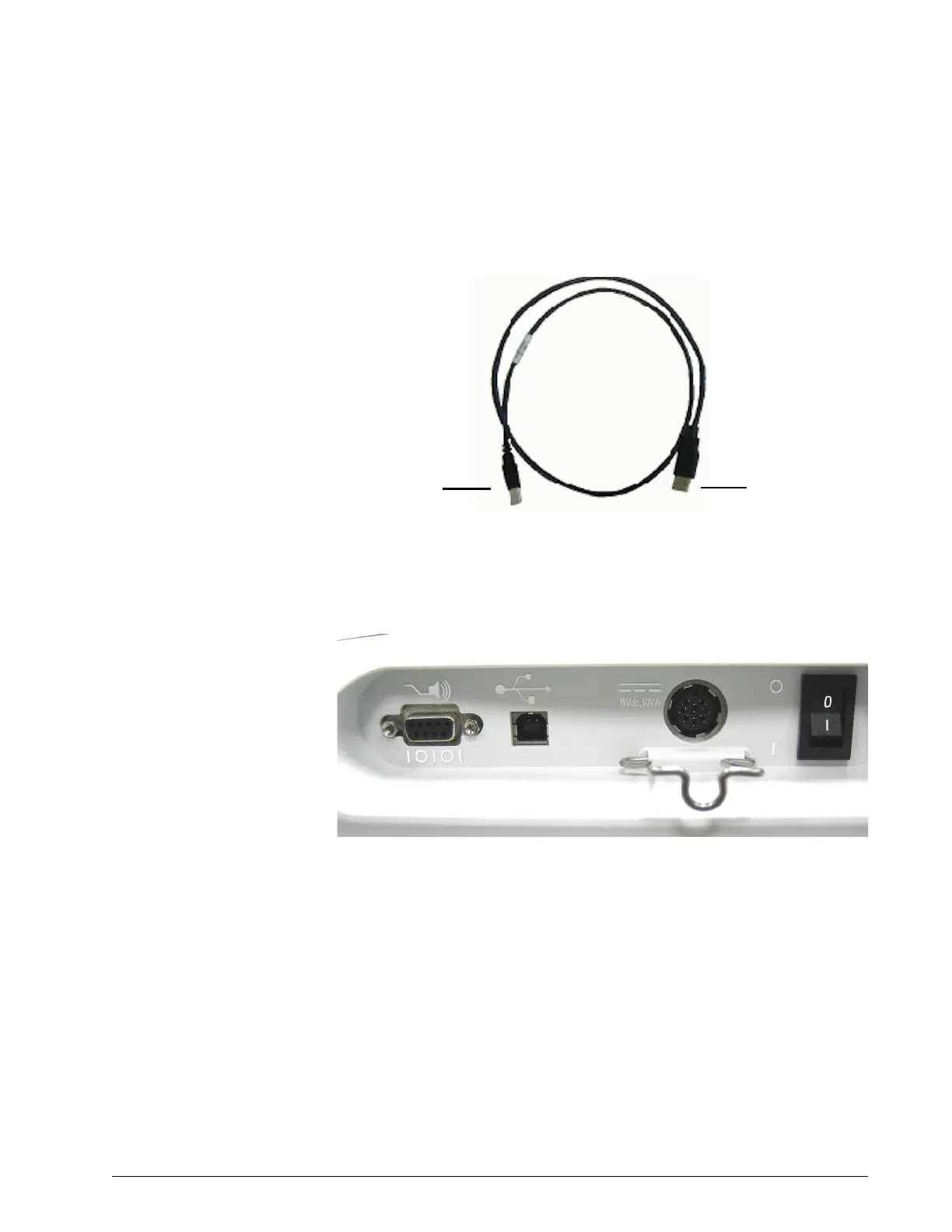
2. Connect the USB cable (from BiPAP Focus communications cable kit
P/N 1039800): insert the Type B end into the ventilator USB port,
and the Type A end to the service PC (Figure 6-2).
Figure 6-2: USB Cable
Figure 6-3 shows the ventilator back panel.
Figure 6-3: Back Panel
3. Ensure that the DC power supply and AC power are connected, then
turn the ON/OFF switch to the ON (l) position.
USB Type B end
to ventilator
USB Type A end
to service PC
USB
port
DC power
supply
input
ON/OFF switch
shown in OFF
position
Nurse call/serial
communications port
Power cord strain
relief clip


 To Next Page