Chapter 8
Component Removal/Installation
REF 1029568 Rev B BiPAP Focus Ventilator Service Manual © Respironics, Inc. 8-15
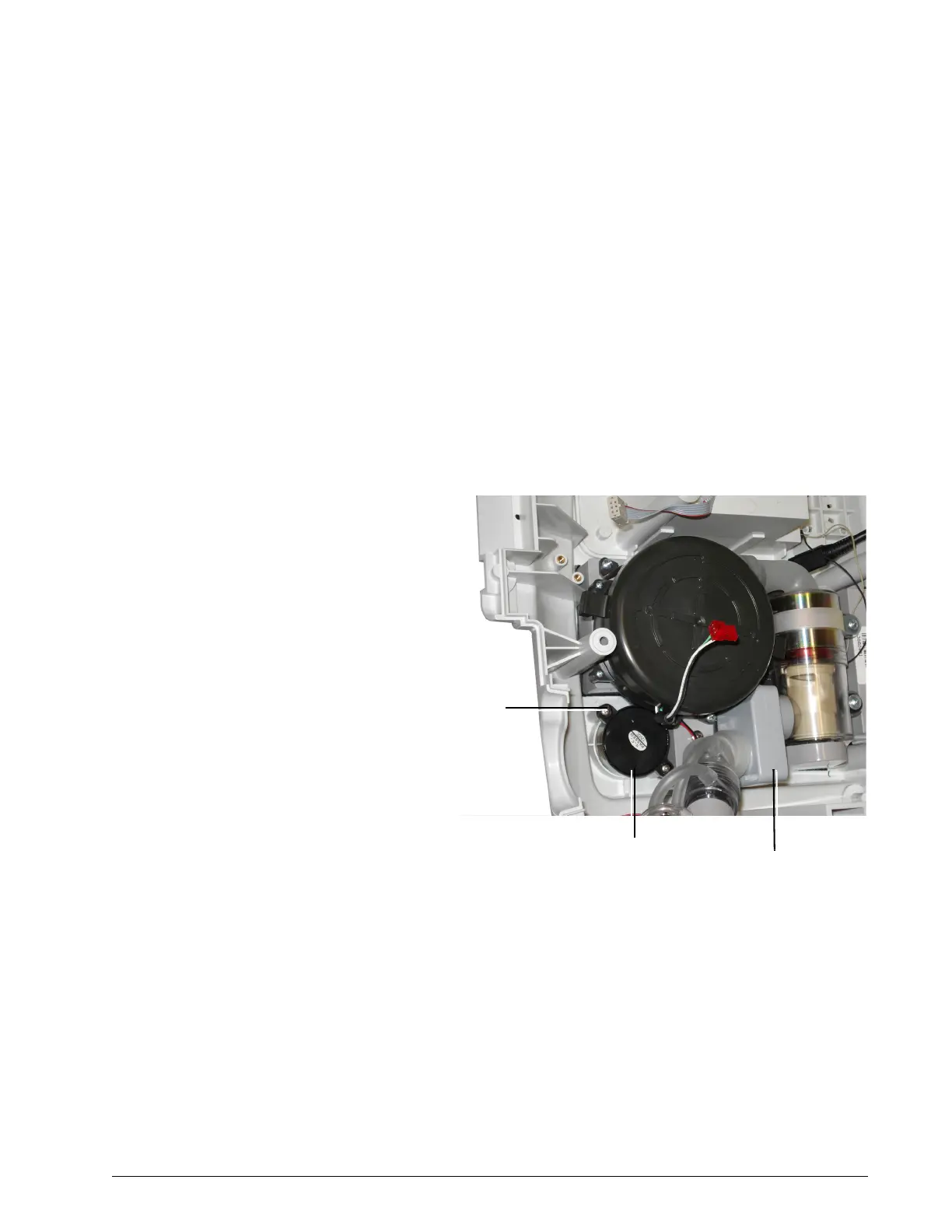
8.8 Backup Alarm Follow these steps to remove the backup alarm (Figure 8-16). Reverse to
install.
1. Remove top cover (section 8.2).
2. Remove the user interface PCB (section 8.4).
3. Remove the user controller PCB (section 8.5).
4. Move the outlet port and air flow sensor, without disconnecting them,
to access the backup alarm (Figure 8-13).
5. Remove the 2 screws that attach the backup alarm.
6. Remove the backup alarm and foam gasket.
Figure 8-16: Backup Alarm
Diffuser
Screws (x2)
(3 lbf-in., 34 N cm)
Backup
alarm


 To Next Page