Chapter 6
6-4 BiPAP Focus Ventilator Service Manual © Respironics, Inc. REF 1029568 Rev B
Ventilator Communications
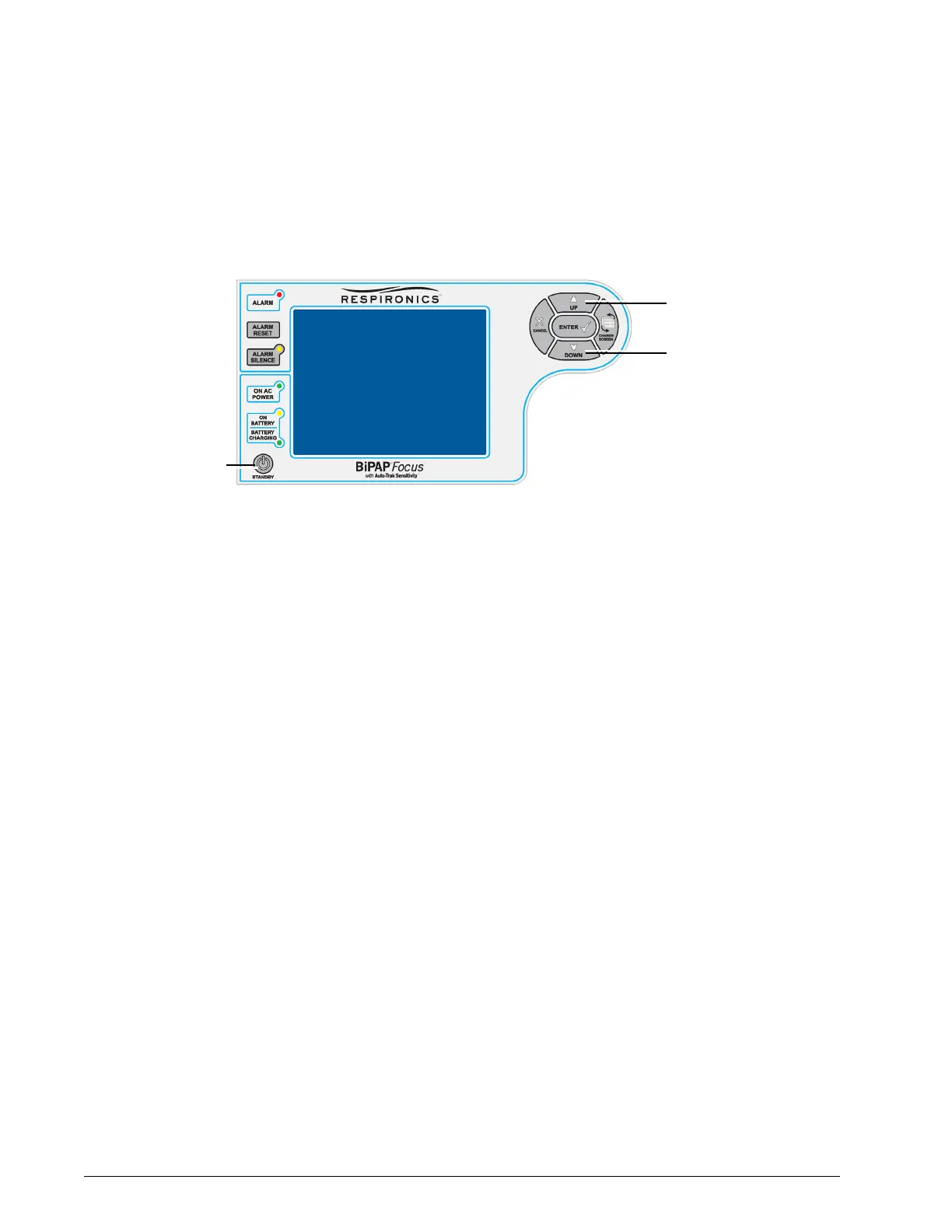
4. Press the STANDBY key and then immediately press and hold the UP
and DOWN arrow keys (Figure 6-4) until the message WAITING FOR
DOWNLOAD SERVER appears.
Figure 6-4: Entering Download Mode
5. Install USB driver software as described in section 6.2.
1. Press the
STANDBY key
2. Immediately press and
hold the UP and
DOWN arrow keys until
the unit passes POST.
Alarm sounds and
WAITING FOR
DOWNLOAD SERVER
appears


 To Next Page