Page 26 of 80
© Retrotec 2022
4. Change [Settings] for gauge operating parameters
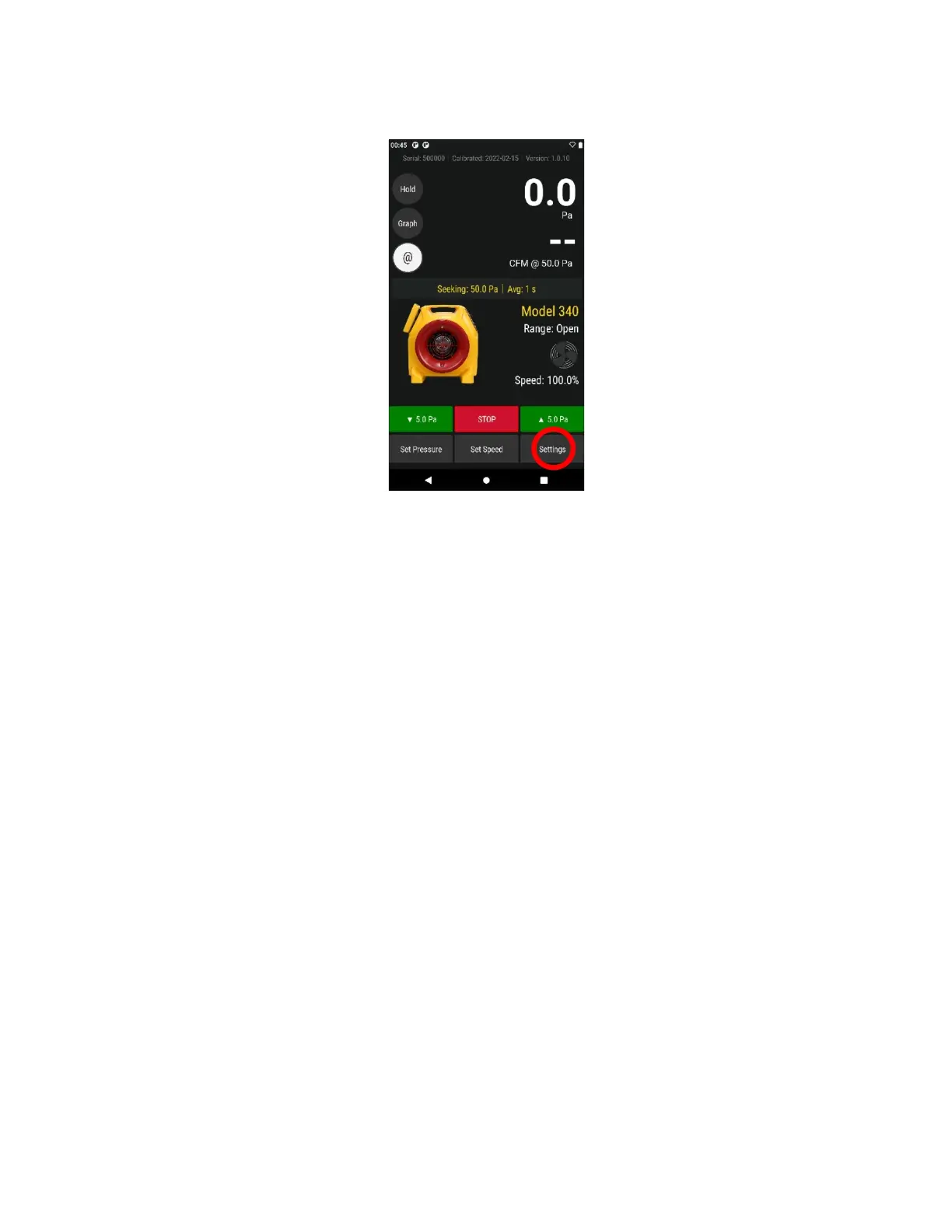
Tapping [Settings] from the Home screen will bring up a menu that lists gauge settings.
[Settings] can be changed on the gauge, and are remembered when the gauge is turned back on
More specifically, the [Settings] allows a user to:
• Acquire and apply bias pressure correction by tapping
[Settings] [Baseline Pressure]
• Enter the conditioned [Area] or [Volume] (sometimes needed by “Result to be displayed”)
• Enter the number of seconds for
[Time averaging]
• Change the type of, and units for, the “Result to be displayed”
• Set a [Default @ Pressure] for Result extrapolation when [Set Speed] is used
• Set an appropriate “n” value, a slope for result extrapolation, with [Ducts=0.6, House=0.65]
• And more
For screen illustrations on using a function, click the hyperlinks in the above list.
4.1 Capture [Baseline] Pressure
Measure and remove bias/Baseline pressures due to wind or stack that are present before test pressures
are applied. The captured Baseline is subtracted from the pressure reading on [Channel A].
1. Tap
[Settings] [Baseline Pressure] and record a sampling
2. Record a sample for 30 to 60 seconds. The displayed Baseline pressure is now subtracted from all
future readings on [Channel A]


 To Next Page