Page 33 of 80
© Retrotec 2022
4.7 Change Result and units to be displayed
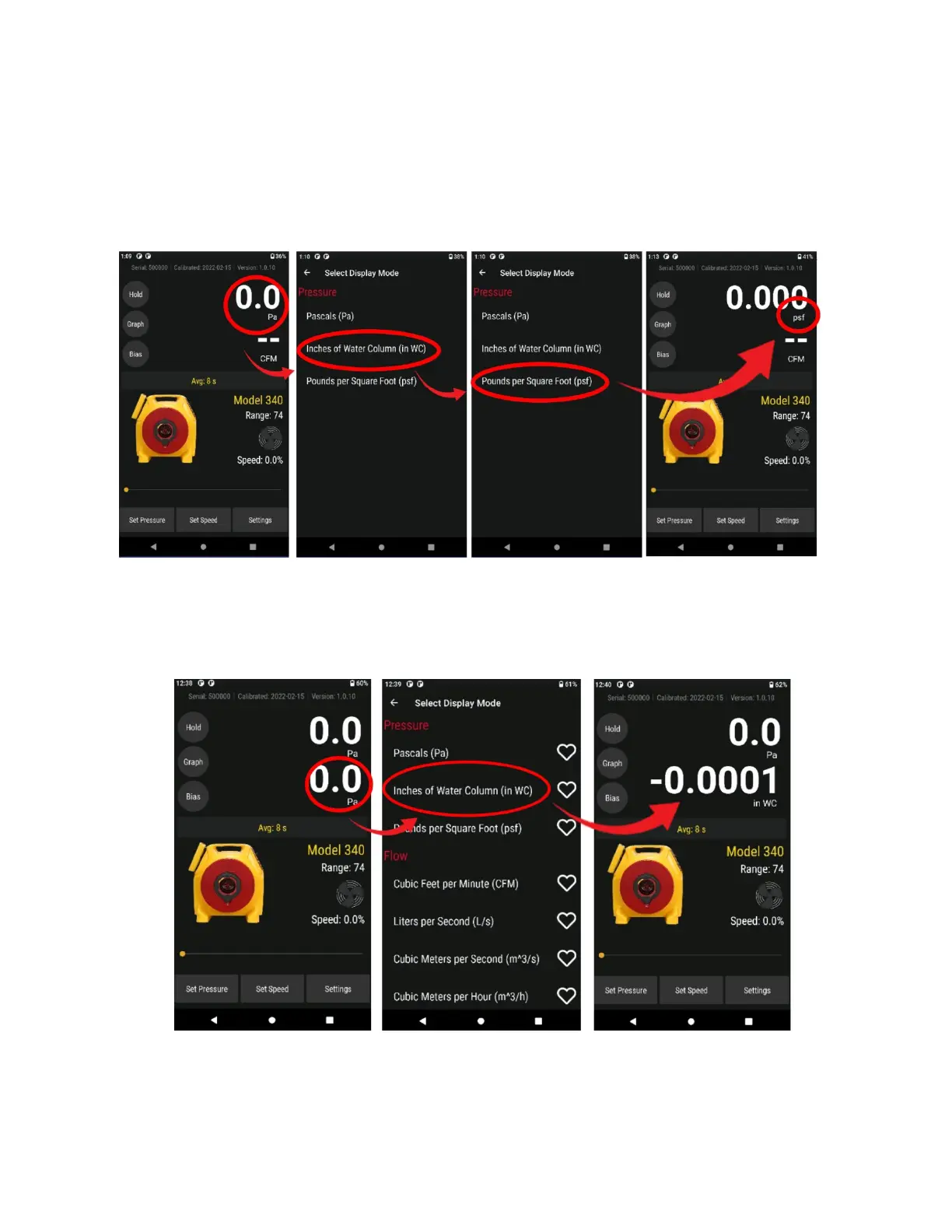
1. Tap [Pressure] to change the units of pressure displayed for [Channel A] and [Channel B] pressure
readings. All pressure result displays are converted to the chosen pressure units, including the
“Baseline” and “Default @ Pressure”.
Choose units of Pressure to display (Pa, psf, in WC)
2. Tap any other Result to select it for display on [Channel B]. The “Display Result” can also be
changed by tapping the [Channel B] display on the Home screen (See section 3.3.9).
Tap [Settings] to change Result being displayed


 To Next Page