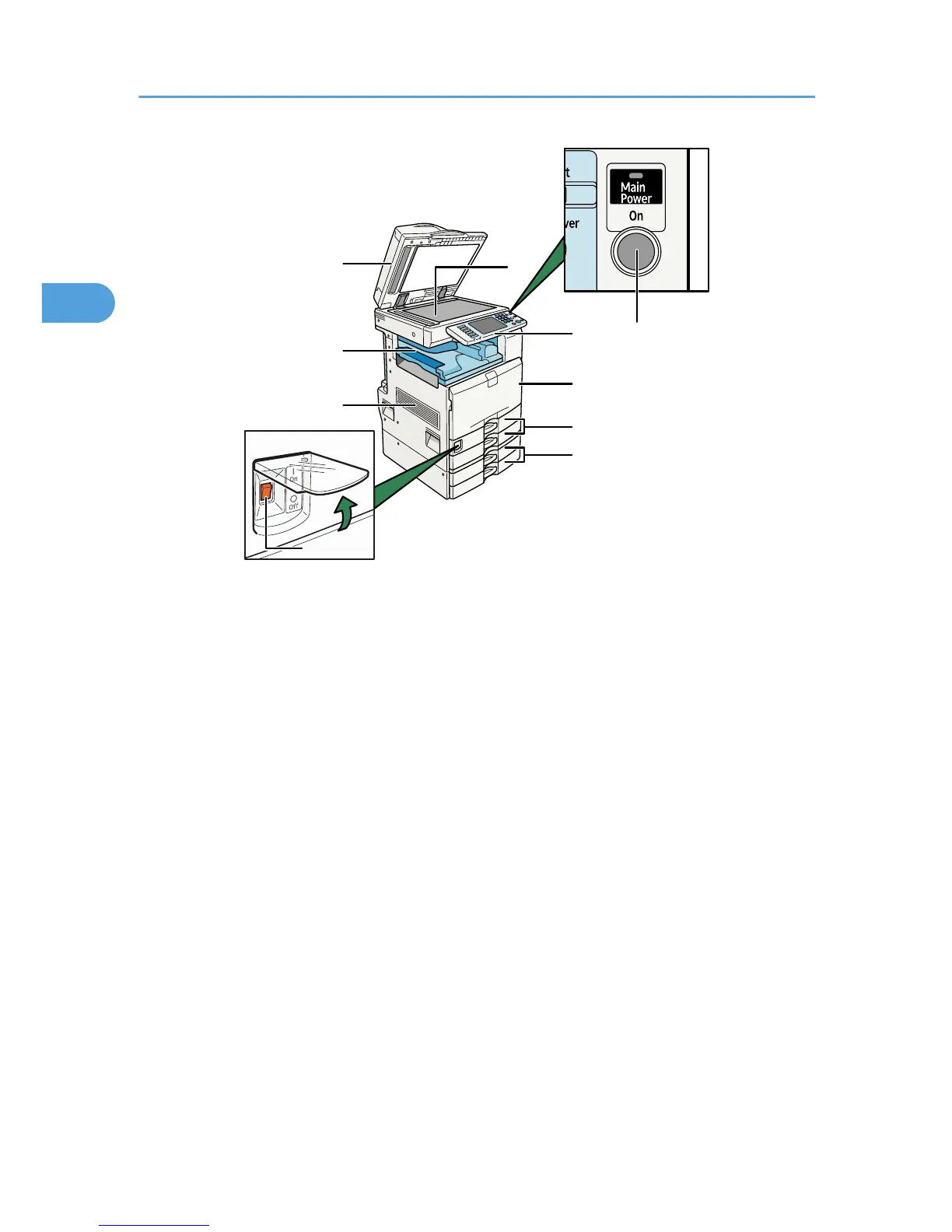
1. Auto Document Feeder (ADF)
If you load a stack of originals in the ADF, the ADF will automatically feed the originals one by one.
This document feeder can be used for two-sided originals.
2. Ventilation holes
Prevent overheating.
3. Internal Tray 1
Copied/printed paper and fax messages are delivered here.
4. Main power switch
If the machine does not operate after turning on the operation switch, check if the main power switch is turned
on. If it is off, turn it on.
See “Turning On/Off the Power”.
5. Exposure glass
Place originals here face down.
6. Control panel
See “Control Panel”.
7. Front Cover
Open to access the inside of the machine.
8. Paper tray 1, 2
Load paper here.
2. Getting Started
54



 To Next Page