EasyManua.ls Logo

Ricoh C2828 - Options and Accessories

Ricoh C2828
102 pages
Print Icon
To Next Page IconTo Next Page
To Previous Page IconTo Previous Page
Loading...
9. Lower Paper Trays (optional)
Load paper here.
10. Operation switch
Press to turn the power on (the operation switch indicator lights up). To turn the power off, press again (the
operation switch indicator goes off).
See “Turning On/Off the Power”.
1
2
3
4
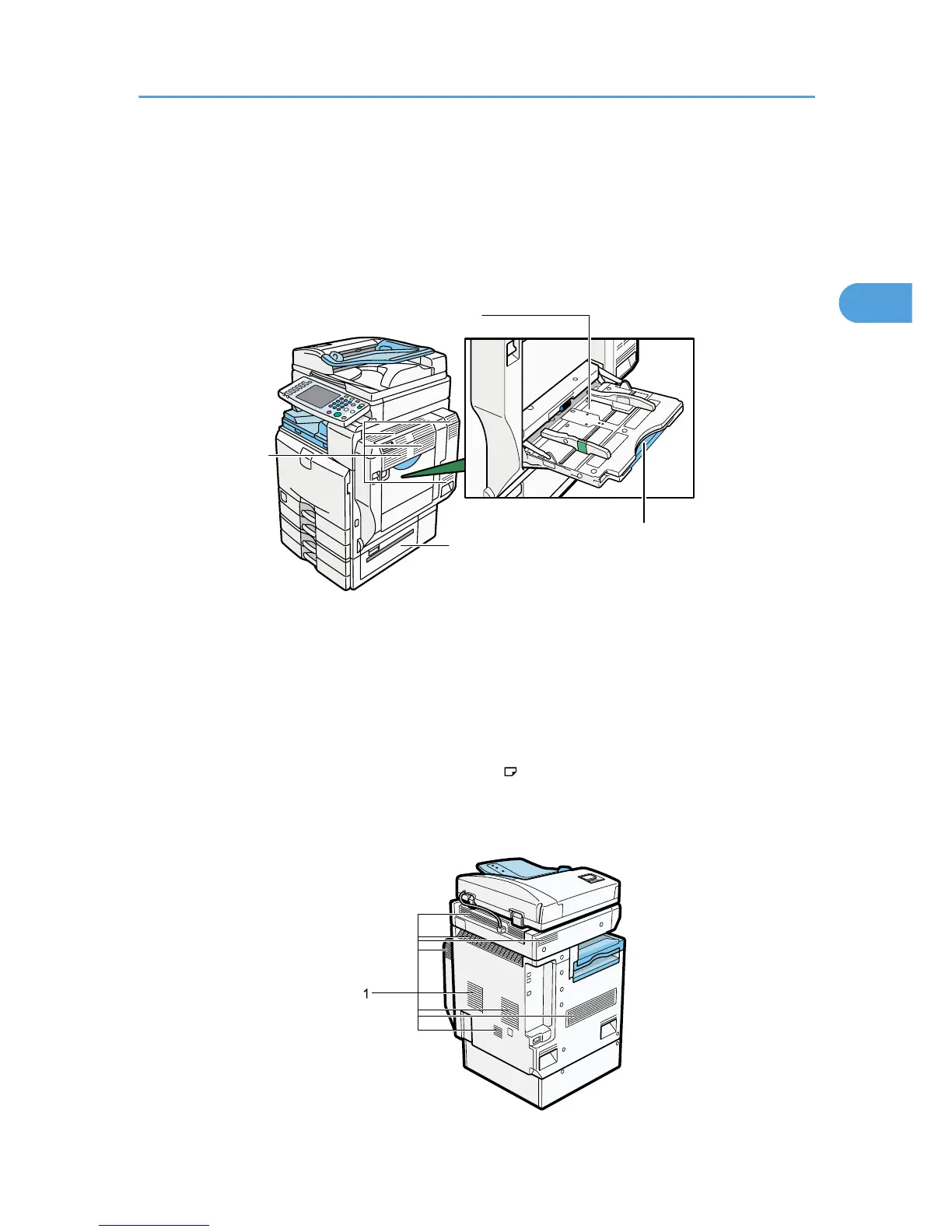
1. Ventilation holes
Prevent overheating.
2. Bypass Tray
Use to copy or print onto OHP transparencies, adhesive labels, translucent paper, envelopes, and custom size
paper.
3. Extender
Pull this extender out when loading sheets larger than A4 in the bypass tray.
4. Lower Right Cover
Open this cover when a paper jam occurs.
BJB005S
Guide to Components
55
2

Table of Contents

Other manuals for Ricoh C2828

Related product manuals