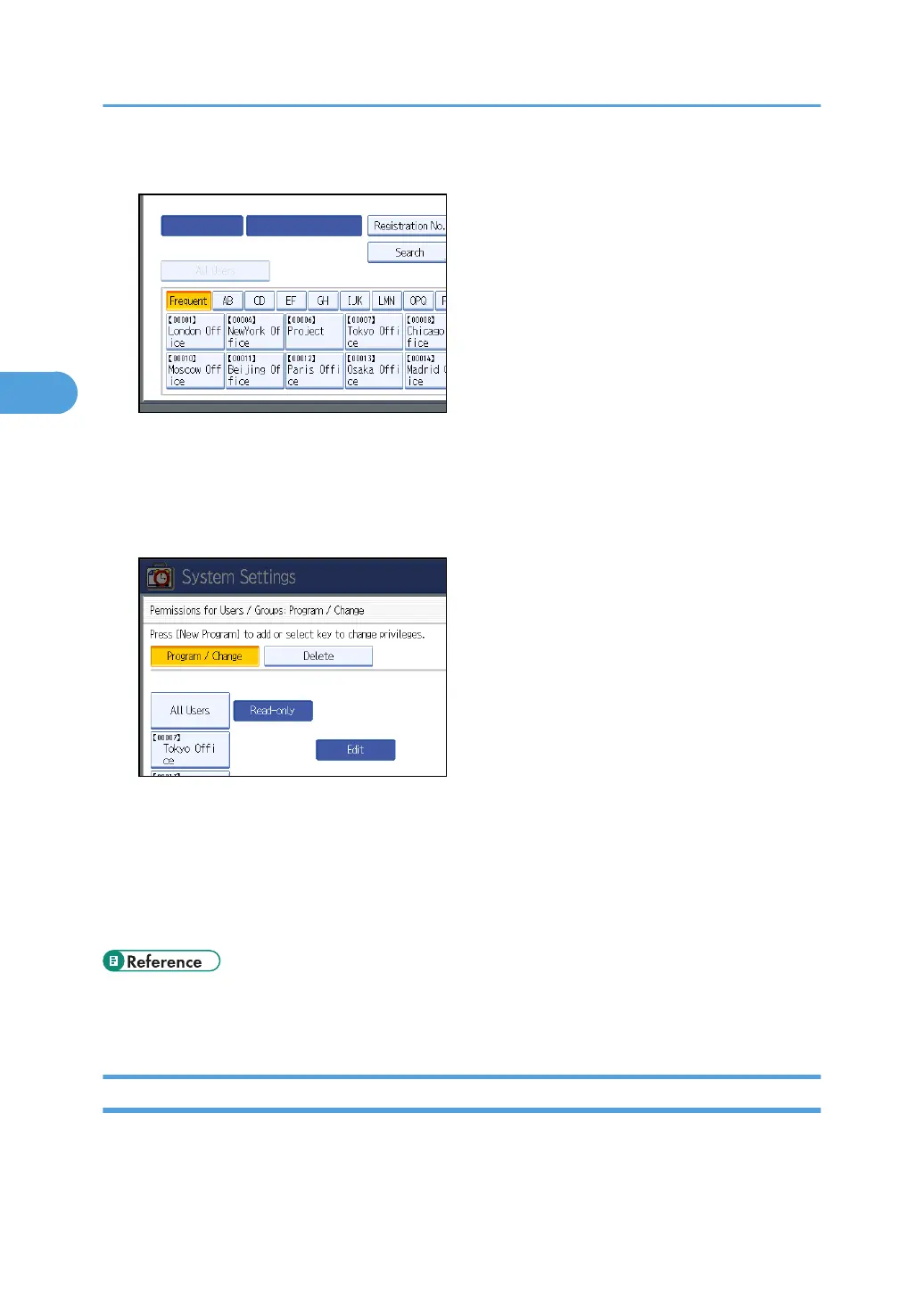
9. Select the users or groups to register.
You can select more than one user.
By pressing [All Users], you can select all the users.
10. Press [Exit].
11. Select the user who you want to assign access permission to, and then select the permission.
Select the permission, from [Read-only], [Edit], [Edit / Delete], or [Full Control].
12. Press [Exit].
13. Press [OK].
14. Press [Exit].
15. Press the [User Tools] key.
• p.32 "Logging on Using Administrator Authentication"
• p.34 "Logging off Using Administrator Authentication"
Encrypting Data in the Address Book
This can be specified by the user administrator.
3. Ensuring Information Security
80



 To Next Page