You can encrypt the data in the address book using the extended security function, “Encrypt Address Book”.
For details about this and other extended security functions, see “Specifying the Extended Security
Functions”.
For details about logging on and logging off with administrator authentication, see “Logging on Using
Administrator Authentication”, “Logging off Using Administrator Authentication”.
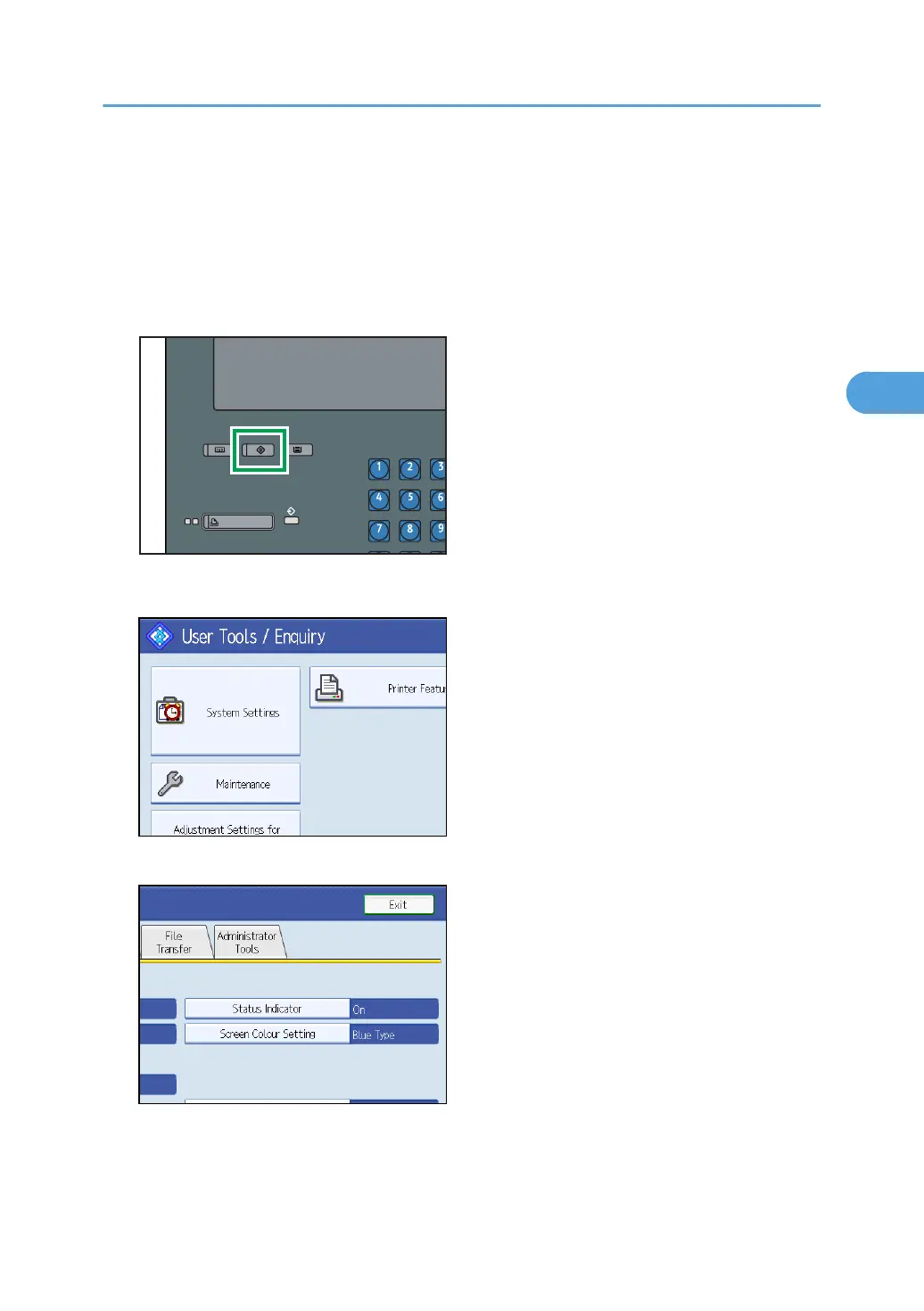
1. Press the [User Tools] key.
2. Press [System Settings].
3. Press [Administrator Tools].
Protecting the Address Book
81



 To Next Page