89
Store Operations
Auto 1
Using an optional memory card (compact flash card) allows storing sound
level data for up to 200 hours of measurement (when set the sampling period
to 1 s or L
Aeq, 1 sec
).
Storing Data
The procedure for Auto 1 storing is as follows.
Verify that the memory card is inserted in the card slot.
1. Turn the unit on.
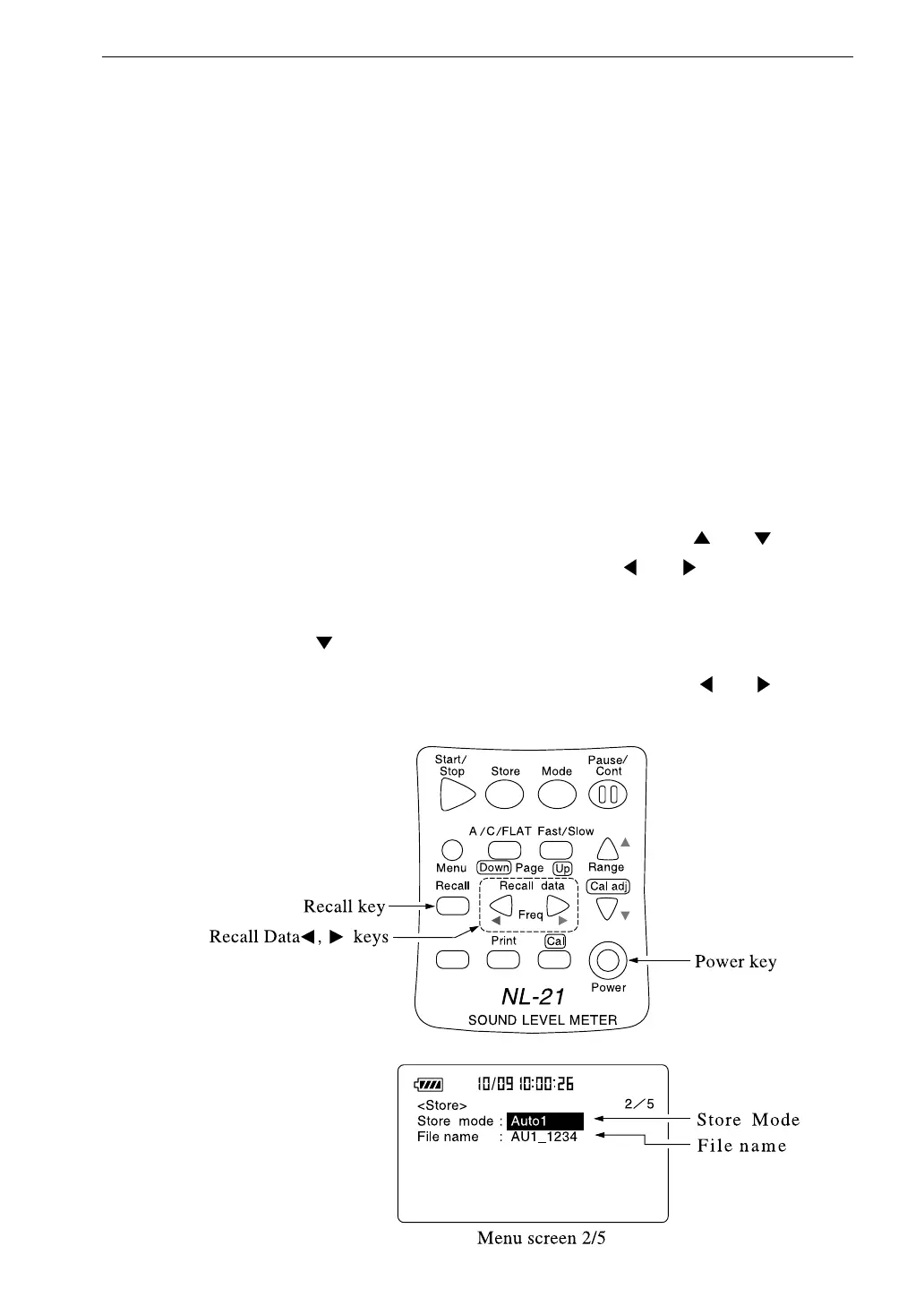
2. Press the Menu key to call up the menu screen.
3. Use the Page Up/Down keys to display the menu screen 2/5.
4. If the Store Mode item is not set to "Auto 1", use the and keys to
move the highlight to the item and use the and keys to set it to
"Auto 1". When using timer mode, select "Timer Auto 1".
5. Use the key to select "File name".
6. Specify the last four digits of "AU 1_0000" with the and keys to
set the file name.



 To Next Page