103
Important
Be sure to turn the unit off, before inserting and
removing the card.
Memory Card
Memory Card
Using a memory card
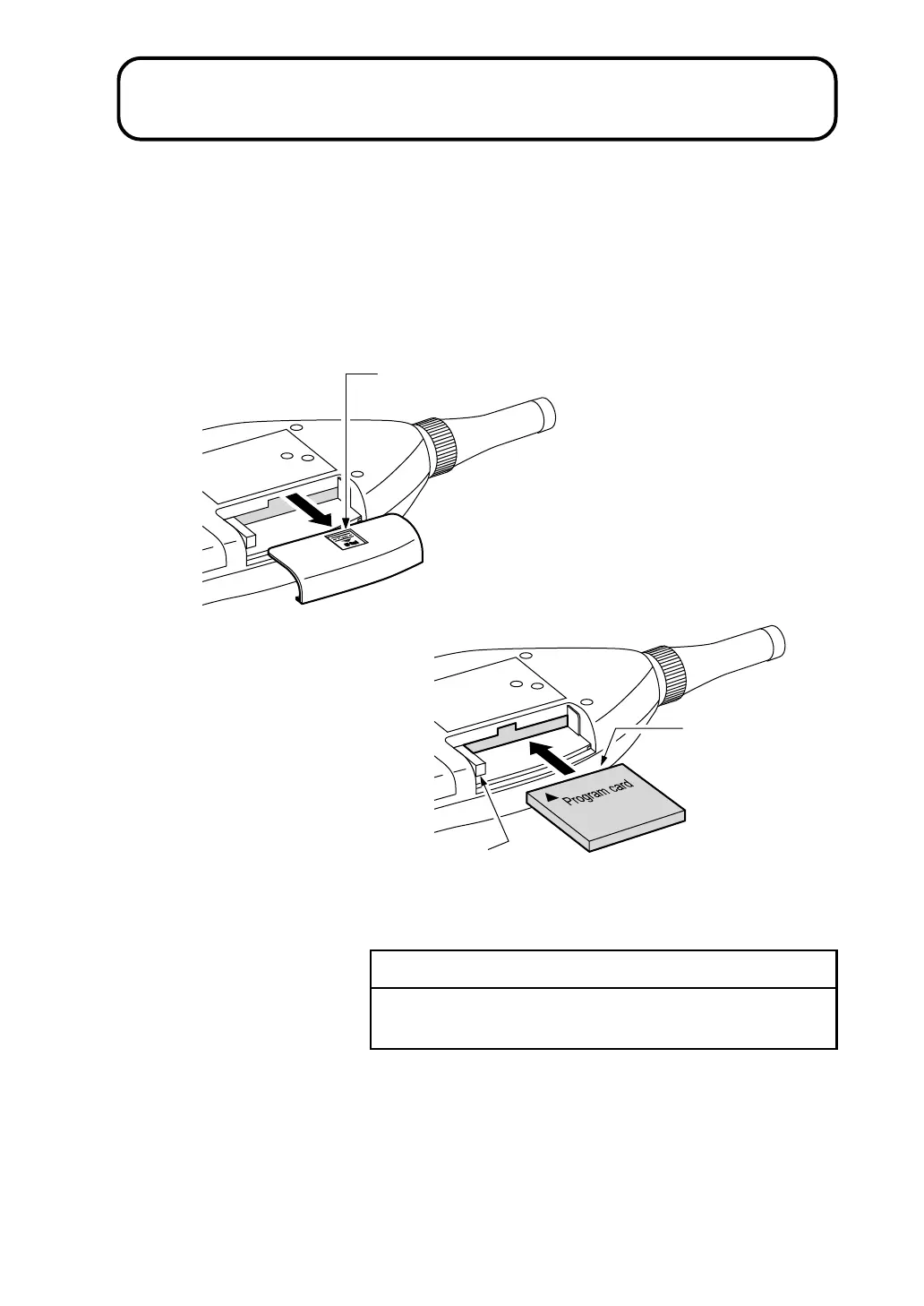
Open the card compartment and insert the memory card.
To remove the card, push the lever in.
L i g h t l y p r e s s h e r e a n d s l i d e t o t h e r i g h t
C o n n e c t o r s e c t i o n
I n s e r t c a r d w i t h c o r r e c t
o r i e n t a t i o n
L e v e r



 To Next Page