116
Optional Accessories
Printer DPU-414/CP-11/CP-10
Measurement data shown on the display, as well as data stored in the memory
of the unit or on a memory card can be printed out on a connected printer.
The procedure for printing is described below. Before starting, connect the
printer to the NL-21/NL-31, turn both units on, and set the printer to the on-
line condition. Preparations as described in the chapter "Preparations" (page
10) should also be completed.
Printing out measurement parameters
The contents of the display can be printed out.
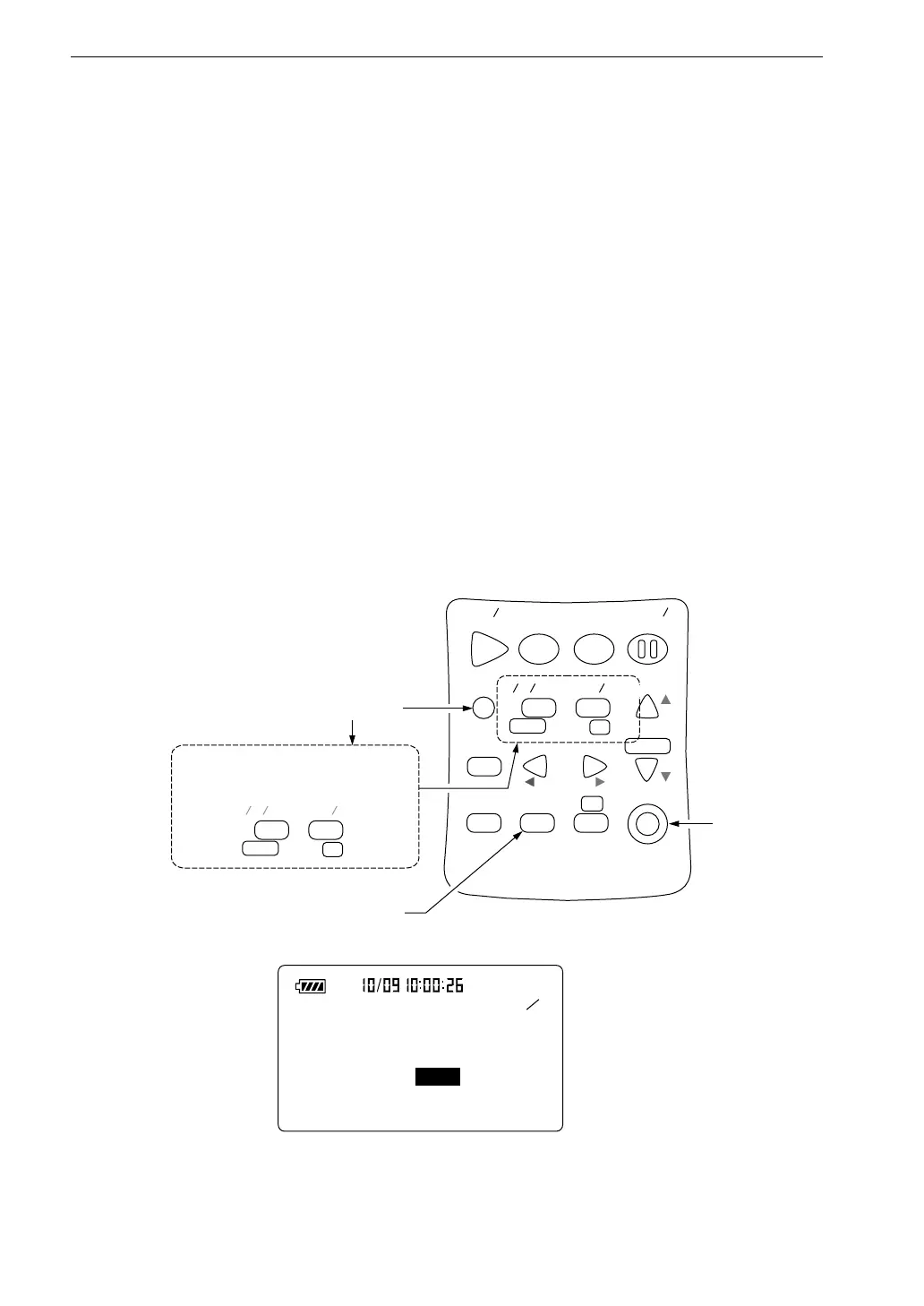
1. Press the Menu key to call up the menu screen.
2. Use the Page Up/Down keys to select the page you want to print out
(1/5 to 5/5).
S t a r t
S t o p
S t o r e M o d e
P a u s e
C o n t
F a s t S l o w
M e n u
P a g e
R a n g e
R e c a l l
F r e q
L i g h t P r i n t
P o w e r
S O U N D L E V E L M E T E R
R e c a l l
d a t a
D o w n
C a l a d j
C a l
U p
A
C F L A T
N L - 2 1
F a s t
P a g e
D o w n
U p
A
C F L A T
S l o w
1 5
< S y s t e m >
M e a s . t i m e : 1 0 m i n
B a c k E r a s e : O f f
C a l M o d e : I n t e r n a l
F i l t e r : O f f
P r i n t k e y
P r e s s i n g t h e M e n u k e y e n a b l e s
t h e P a g e U p / D o w n k e y f u n c t i o n
M e n u k e y
P o w e r k e y
M e n u s c r e e n e x a m p l e
M e n u s c r e e n 1 / 5



 To Next Page