14
Preparations
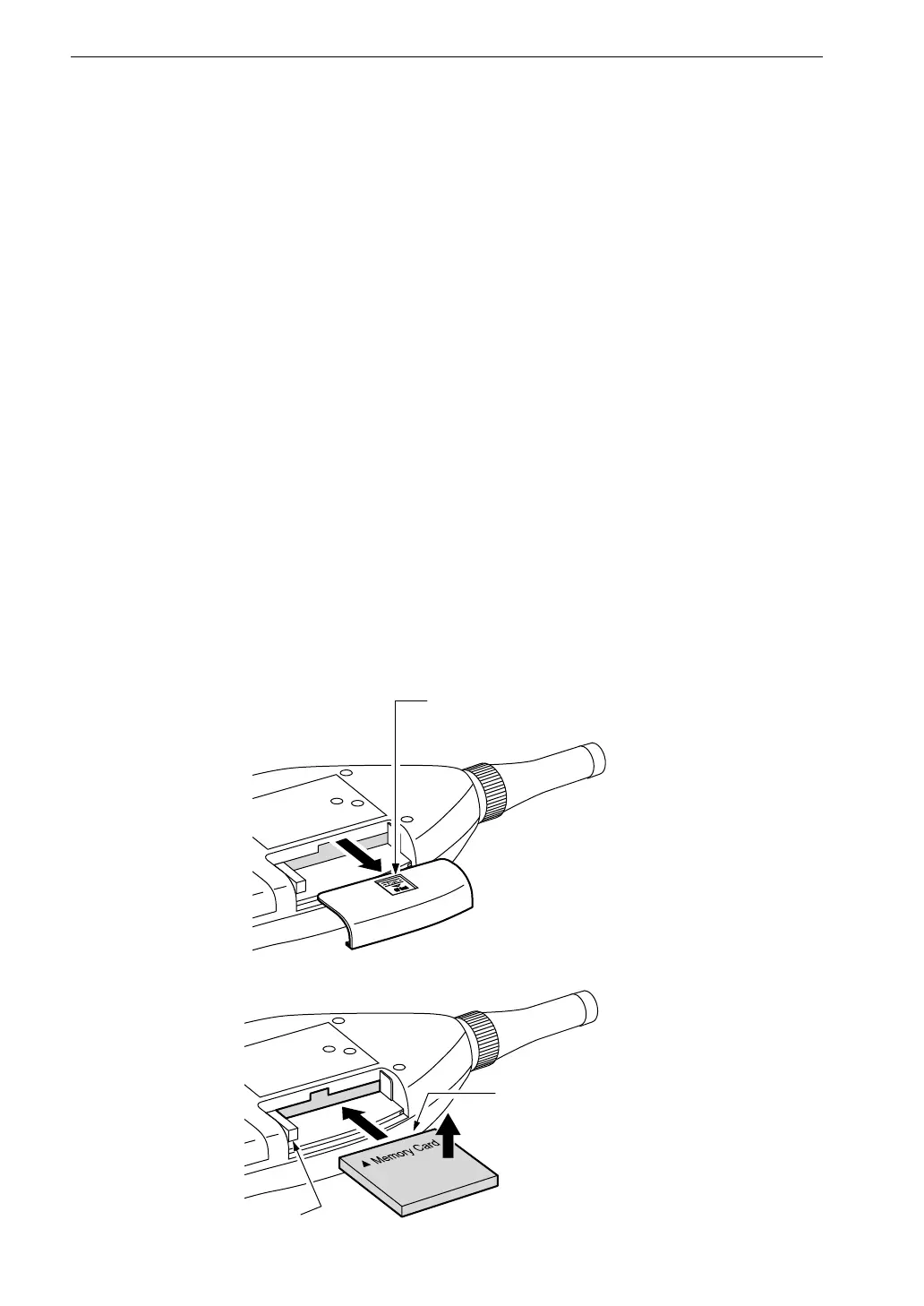
L i g h t l y p r e s s h e r e a n d
s l i d e t o t h e r i g h t
C o n n e c t o r s e c t i o n
F r o n t s i d e
L e v e r
( P r e s s t o r e m o v e )
Memory Card, Program Card
Measurement data can be stored on a memory card (CompactFlash card), and
data on the card can later be used in a computer for further processing. Program
cards which are memory cards containing software are also available. By
loading the software into the NL-21/NL-31, a 1/1 octave or 1/3 octave filter or
a 3rd-order Butterworth high-pass and low-pass filter by 1/3-octave step become
available.
Inserting and removing a card
1. Open the cover of the card compartment.
2. Load the card.
Take care not to try inserting the card with wrong orientation. Push the
card in carefully, until it is properly seated.
3. To remove the card, push the lever in. The card will emerge from the slot.
For information on how to load software from a program card, please
refer to page 126.



 To Next Page