96
Store Operations
5. Use the key to select "File name".
6. Specify the last four digits of "AU 2_0000" with the and keys to
set the file name.
For normal Auto 2 store without using the timer mode, proceed to step 11.
7. Set the "Start" date and time (month, day, hour, minute), and then the
"Stop" date and time (month, day, hour, minute). (There is no setting
for the year.)
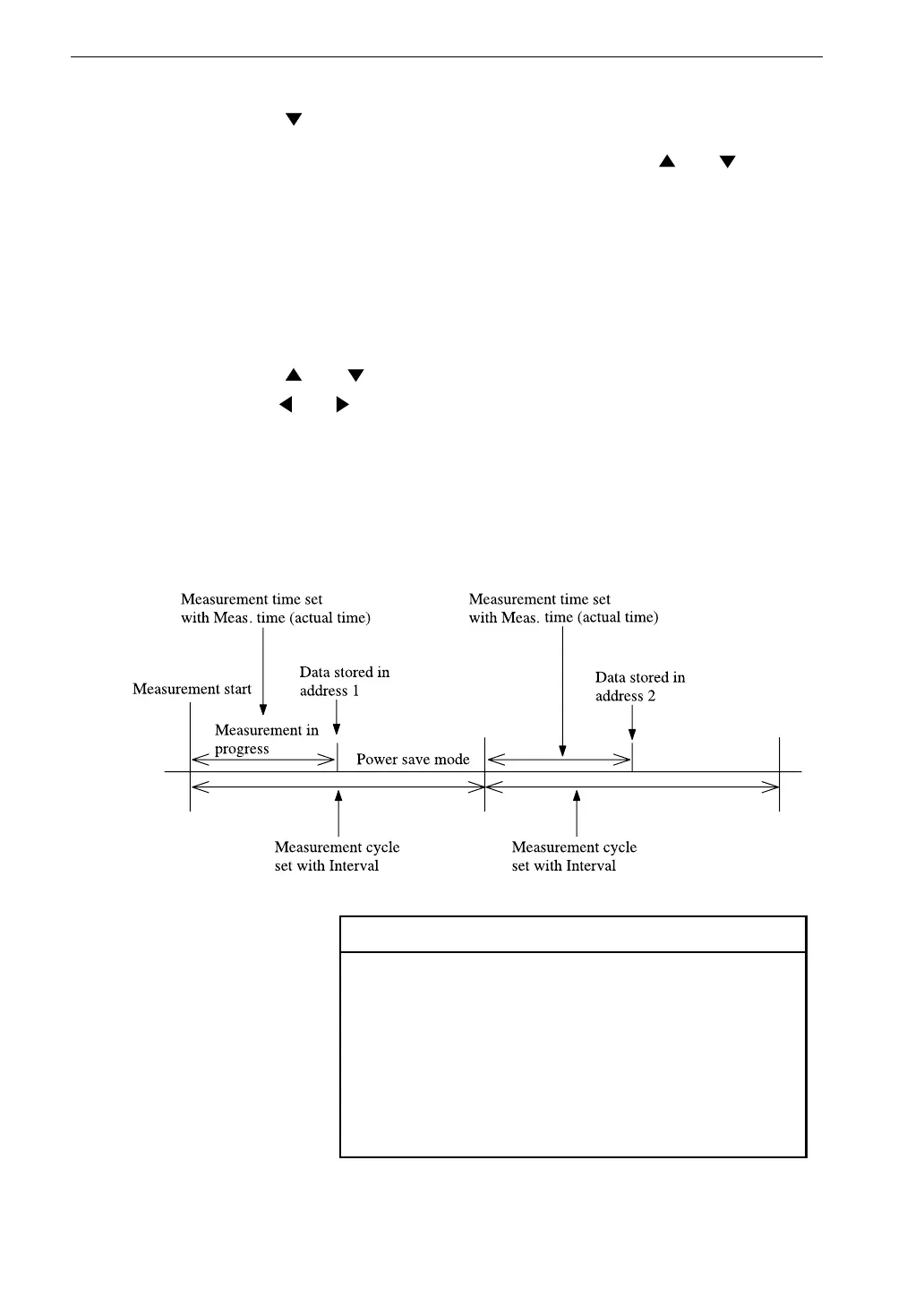
8. Use the and keys to move the cursor to the "Interval" item, and
use the and keys to select the measurement cycle.
When this setting is "OFF", processing and storing is carried out
continuously using the measurement time setting.
Interval setting
Note
When setting the measurement parameters, the mea-
surement time (Meas. time) setting may not exceed
the measurement cycle (Interval) setting. Otherwise
an error message will be displayed when attempting
to start measurement.
If the start time and stop time are set to the same val-
ues, measurement is not carried out.



 To Next Page