134
Optional Accessories
Select the "Filter" item on menu screen 1/5, and set it to "Univ".
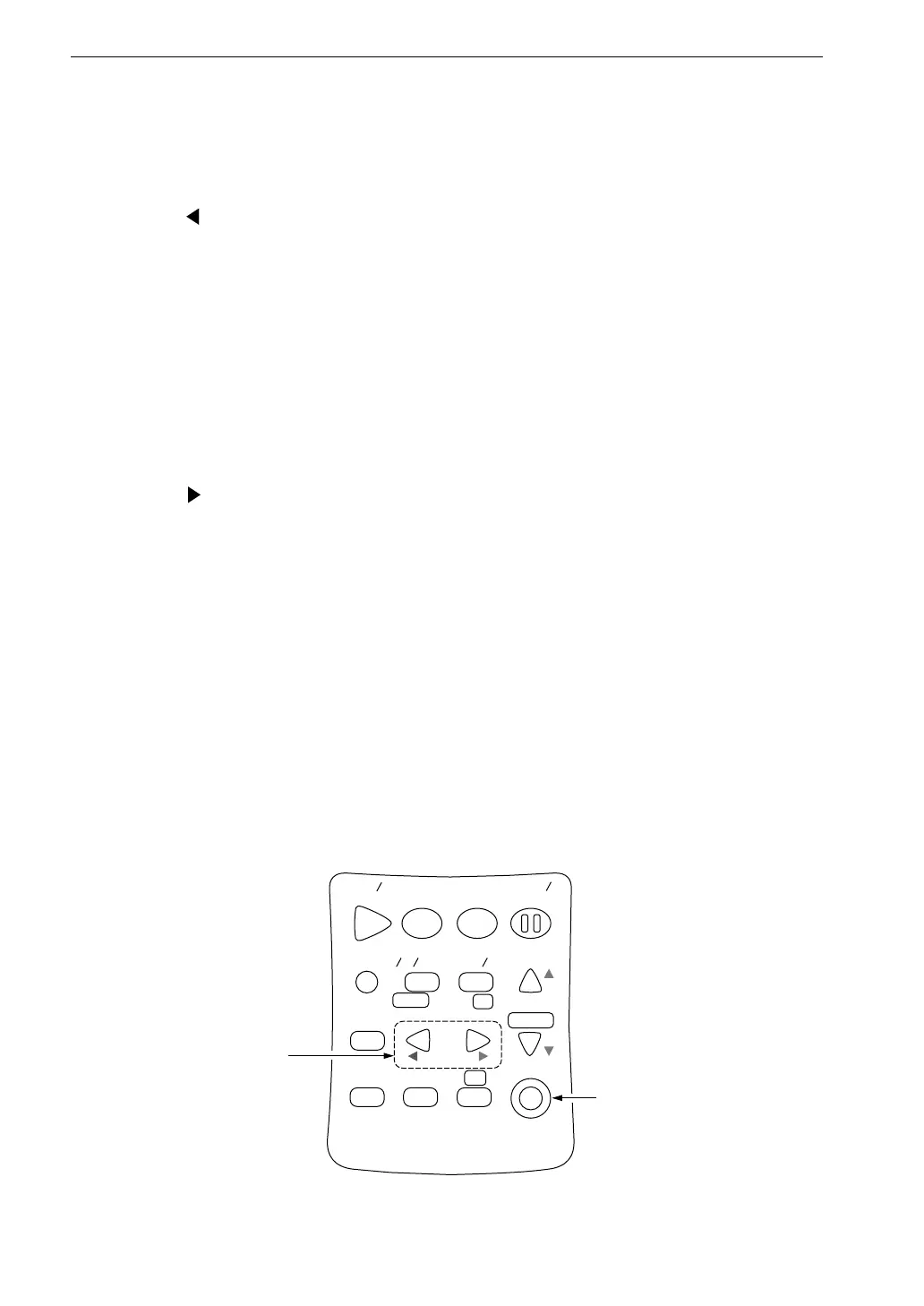
Use the frequency keys to switch the cutoff frequency (1/3 octave steps).
The key shifts the frequency (high-pass filter cutoff frequency) to the next
higher band.
NO ⇒ 10 Hz ⇒ 12.5 Hz ⇒ 16 Hz ⇒ 20 Hz ⇒ 25 Hz ⇒ 31.5 Hz ⇒ 40 Hz
⇒ 50 Hz ⇒ 63 Hz ⇒ 80 Hz ⇒ 100 Hz ⇒ 125 Hz ⇒ 160 Hz ⇒ 200 Hz
⇒ 250 Hz ⇒ 315 Hz ⇒ 400 Hz ⇒ 500 Hz ⇒ 630 Hz ⇒ 800 Hz ⇒ 1 kHz
⇒ 1.25 kHz ⇒ 1.6 kHz ⇒ 2 kHz ⇒ 2.5 kHz ⇒ 3.15 kHz ⇒ 4 kHz ⇒ 5 kHz
⇒ 6.3 kHz ⇒ 8 kHz [ ⇒ 10 kHz ⇒ 12.5 kHz] ⇒ NO
10 kHz and 12.5 kHz can be set only for NL-31.
The key shifts the frequency (low-pass filter cutoff frequency) to the next
higher band.
NO ⇒ 10 Hz ⇒ 12.5 Hz ⇒ 16 Hz ⇒ 20 Hz ⇒ 25 Hz ⇒ 31.5 Hz ⇒ 40 Hz
⇒ 50 Hz ⇒ 63 Hz ⇒ 80 Hz ⇒ 100 Hz ⇒ 125 Hz ⇒ 160 Hz ⇒ 200 Hz
⇒ 250 Hz ⇒ 315 Hz ⇒ 400 Hz ⇒ 500 Hz ⇒ 630 Hz ⇒ 800 Hz ⇒ 1 kHz
⇒ 1.25 kHz ⇒ 1.6 kHz ⇒ 2 kHz ⇒ 2.5 kHz ⇒ 3.15 kHz ⇒ 4 kHz ⇒ 5 kHz
⇒ 6.3 kHz ⇒ 8 kHz [⇒ 10 kHz ⇒ 12.5 kHz] ⇒ NO
The setting shown in brackets (NO, 10 kHz, 12.5 kHz) can be set only for
the NL-31.
Each key press shifts the frequency by one step.
Filter cutoff frequency can be changed on the menu screen.
S t a r t
S t o p
S t o r e
M o d e
P a u s e
C o n t
F a s t
S l o w
M e n u
P a g e
R a n g e
R e c a l l
F r e q
L i g h t
P r i n t
P o w e r
S O U N D L E V E L M E T E R
R e c a l l
d a t a
D o w n
C a l a d j
C a l
U p
A
C F L A T
N L - 2 1
F r e q k e y
P o w e r k e y



 To Next Page