64
Measurement
Note
It is also possible to use the Mode key during mea-
surement to read the maximum or minimum sound
level up to that point. (This applies only to the nu-
meric level display. The bar graph indication shows
the sound level.)
Changing the A/C/FLAT or Fast/Slow setting after
measurement is completed has no effect on the dis-
played processing result.
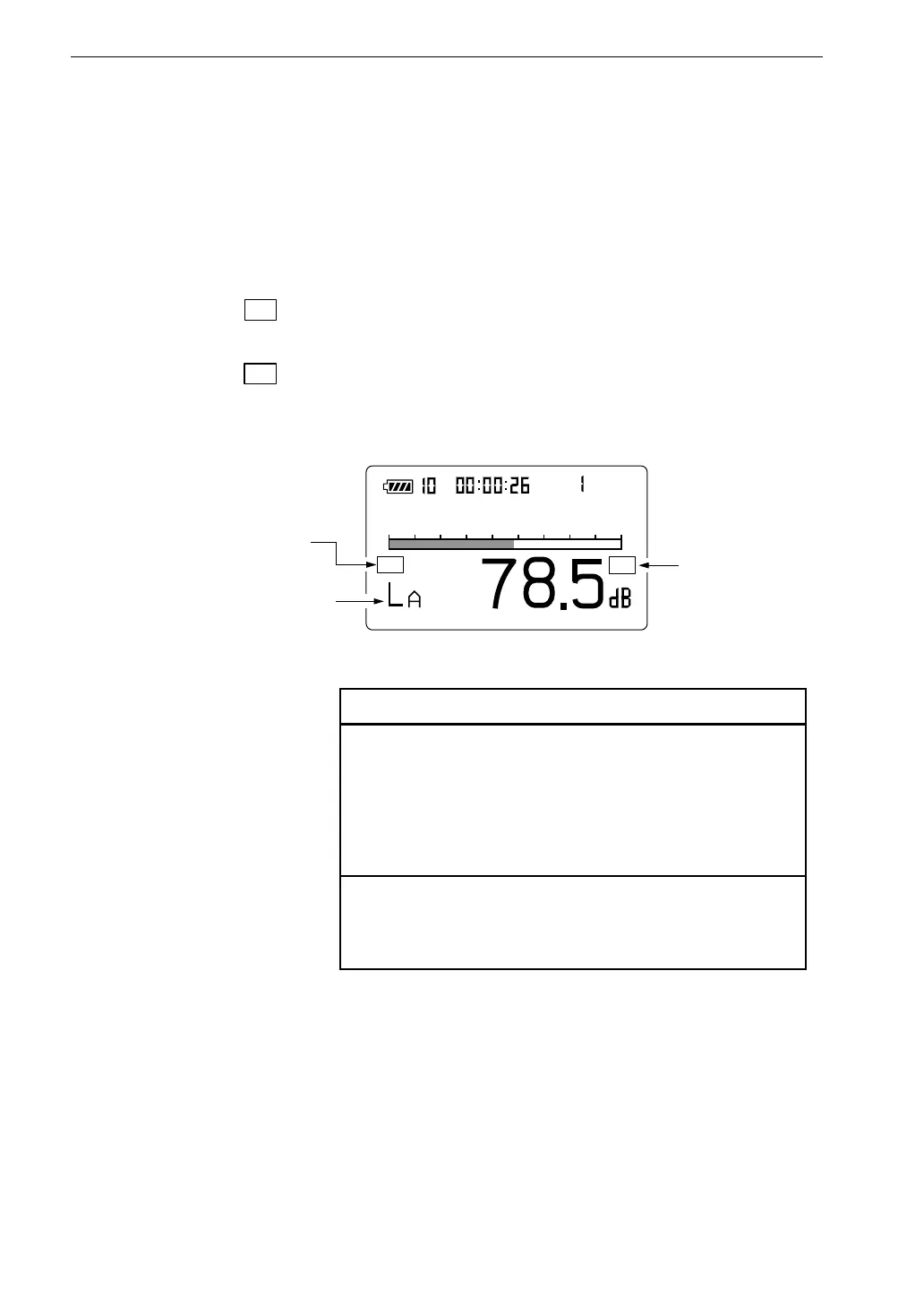
11. When the measurement is completed, you can use the Mode key to
switch between various ways of displaying the measurement result.
When L
Amax
is shown, the maximum sound level is being displayed.
When L
Amin
is shown, the minimum sound level is being displayed.
If L
Amax
and L
Amin
are not shown, check whether L
Amax
and L
Amin
on
the "Display" menu screen 4/5 are set to "On".
If "
O v
" (Over) is shown, the sound level data used for processing
contained over-range data.
If "
U n
" (Under) is shown, the sound level data used for processing
contained under-range data.
M a n u
F a s t
O v
3 0 1 2 0
U n
m a x
m
M a x i m u m s o u n d l e v e l
U n d e r - r a n g e
s i g n a l i n d i c a t o r
O v e r - r a n g e
s i g n a l i n d i c a t o r
M e a s u r e m e n t s c r e e n



 To Next Page