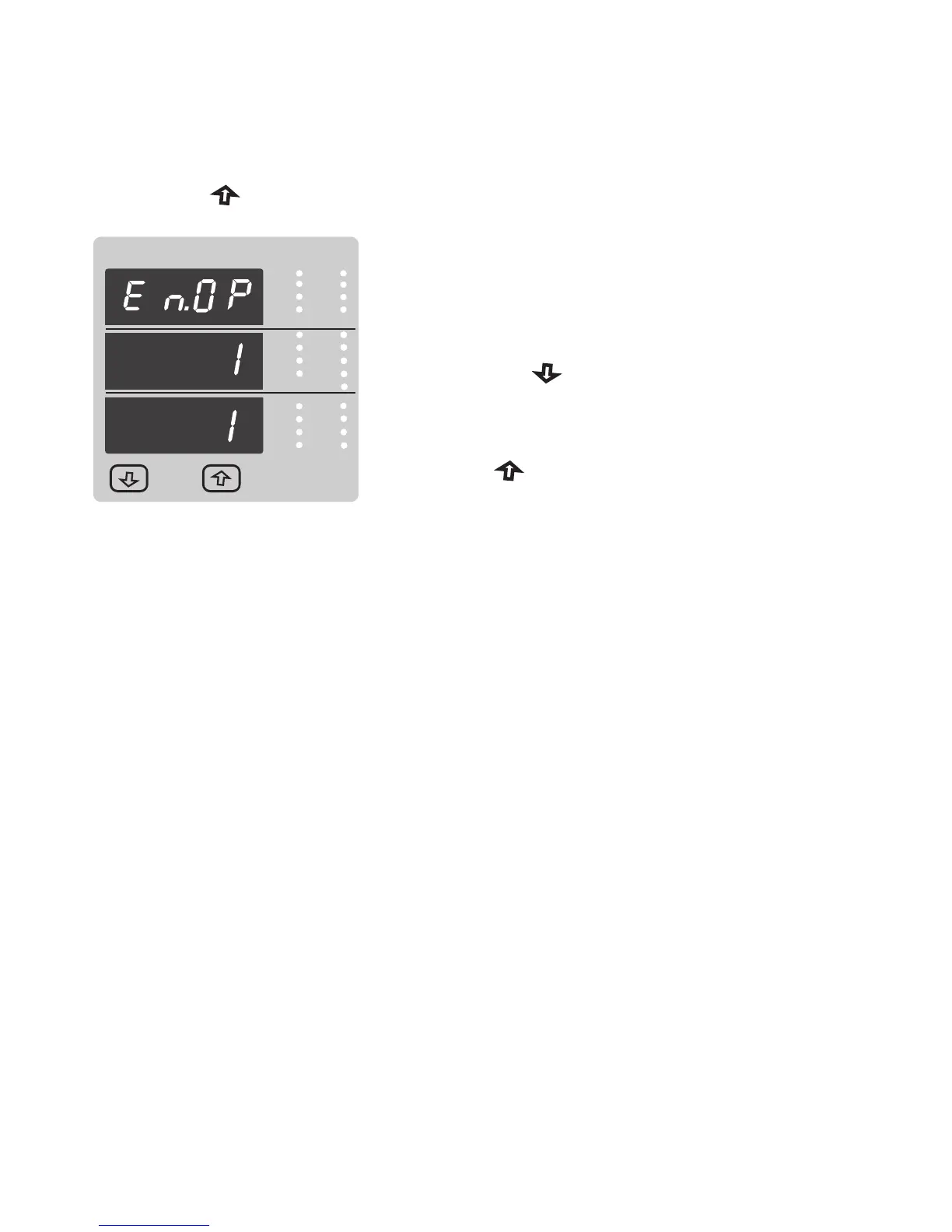
Pressing “ Up” key sets the displayed value and
will return to measurement screen.
Energy Display On Modbus Confirmation.
This screen will only appear following an edit of the
Energy Display On Modbus.
VRY
KVAr
Sys
V
KW
VBR
Angle
Max
x1000
KVArh
x1000
IN
Ph R
P.F.
KWh
Ph B
A
VYB
KVA
Min
x1000
Hz
KVAh
Ph Y
%THD
x1000
Hz
KVAh
Ph Y
%THD
Pressing the “ Down” key will enter the “Energy
Display On Modbus Edit” stage by blanking
the bottom line of the display.
Note : Default value is set to ‘1’ i.e. Energy on Modbus will be in
terms of Wh/VArh/VAh resp.
Pressing the “ Up” key advances to the returns to Measurement screen.
35


 To Next Page